
rocketfuel, Author at LaunchUX

Author: rocketfuel

How Can You Promote Your Business Without Making Every Post a Sales Pitch? 

You sit down to write a social media post, and every idea ends with “book now” or “contact us.” How do you give customers more reasons to pay attention? You can promote your business by answering questions, showing your work, and introducing the people behind it. These posts help customers understand what you offer and why they might choose you. Direct offers still have a place within that mix. At LaunchUX, we help businesses plan social media content around their audience and goals, giving each post a purpose while creating opportunities for conversations and inquiries. 

Answer Questions Your Customers Already Ask

Your customers can provide some of your best content ideas. Questions that come up during calls, estimates, and appointments reveal what people need to understand before choosing a product or service. Answering them gives you a practical way to promote your business while helping readers make decisions.

Turn Everyday Questions Into Content

Build posts around questions such as:

  • What should I expect? Explain what happens during an appointment or project.
  • When should I get help? Describe signs of a common problem.
  • How long will it take? Discuss factors that affect timelines.
  • What should I prepare? Share steps customers can take before your team arrives.
  • Which option fits my needs? Explain differences between relevant choices.
  • What happens afterward? Offer care tips or maintenance guidance.

Keep each post focused on one question and provide a useful answer. A clear explanation demonstrates your knowledge and helps customers understand your approach. When relevant, link to a service page or invite readers to ask about their situation.

Show the People and Process Behind Your Work

Customers want to know who they are hiring and how your team approaches the job. Sharing those details helps you promote your business through the experience people can expect.

Introduce the Team Customers Will Meet

Go beyond an employee’s name and title. Explain their role, the questions they help answer, or the experience they bring to your customers. A technician might share a maintenance tip, while a project manager could explain how they keep clients informed.

Real photos and specific details make these introductions more personal. They also give customers a familiar face when they call or visit.

Explain How the Work Gets Done

Show a step in your process and explain why it matters. A contractor might photograph site preparation, while an IT company could describe how it plans a system upgrade.

Keep the explanation easy to follow and get permission before sharing customer details or images. At LaunchUX, we help businesses turn these everyday moments into social media content that highlights their people, approach, and expertise. A thoughtful look behind the scenes can give readers a clearer understanding of your service.

Use Customer Stories to Make Benefits Concrete

A customer story helps readers see how your work applies to a situation they recognize. Start with the challenge, explain what your team did, and describe the resulting improvement. A cleaning company might show how it prepared a home for guests, while a web designer could explain how a clearer navigation menu helps visitors find service information.

Give testimonials context, too. Pair a customer’s comments with the service they received and the concern your team addressed. These details make the post more useful to someone considering similar work. Get permission before sharing names, photos, or identifying project details. Keep outcomes accurate and specific to the example.

You can promote your business through these stories by showing how you approach customer needs. Readers gain a clearer picture of your services and a reason to explore whether your team could help with their own project.

Give Each Post a Purpose

Planning content becomes easier when you know what each post should accomplish. Some posts help customers understand a service, while others introduce your team or encourage an inquiry. Together, they give you several ways to promote your business throughout the customer’s decision process.

Build your content plan around purposes such as:

  • Educate: Answer a question or explain a useful maintenance task.
  • Build familiarity: Introduce an employee or share how your team approaches work.
  • Demonstrate experience: Highlight a completed project with relevant details.
  • Encourage conversation: Ask a question that connects to your customers’ needs.
  • Generate inquiries: Present a service, offer, or appointment opportunity with a clear next step.

Choose the mix based on your audience, goals, and available material. A company introducing a new service may need more explanatory posts, while one with open appointments may prioritize booking opportunities.

Make the Next Step Fit the Content

A useful post can create interest, but readers need to know where to go next. The invitation you include should follow naturally from the topic and how much information someone needs before contacting you.

Match the Invitation to Customer Interest

An educational post could link to a related guide or service page. A project example might invite readers to explore similar work, while a post about available appointments can direct them to request an estimate. When you ask a question, give people room to respond and continue the conversation.

Vary those invitations as you promote your business. Consider what would help someone reading that specific post take another step.Review engagement, website visits, and qualified inquiries to see how your content supports your goals. 

Promote Your Business With a Clear Content Strategy

Helpful answers, team introductions, and customer stories give people reasons to pay attention. Combine those posts with relevant offers and clear next steps to promote your business while helping customers understand your value.

At LaunchUX, we help businesses plan, create, and manage social media content around their audience and goals. Our performance reporting helps guide adjustments as you learn what connects with customers. Contact LaunchUX to build a social media strategy that reflects your business and gives each post a purpose.
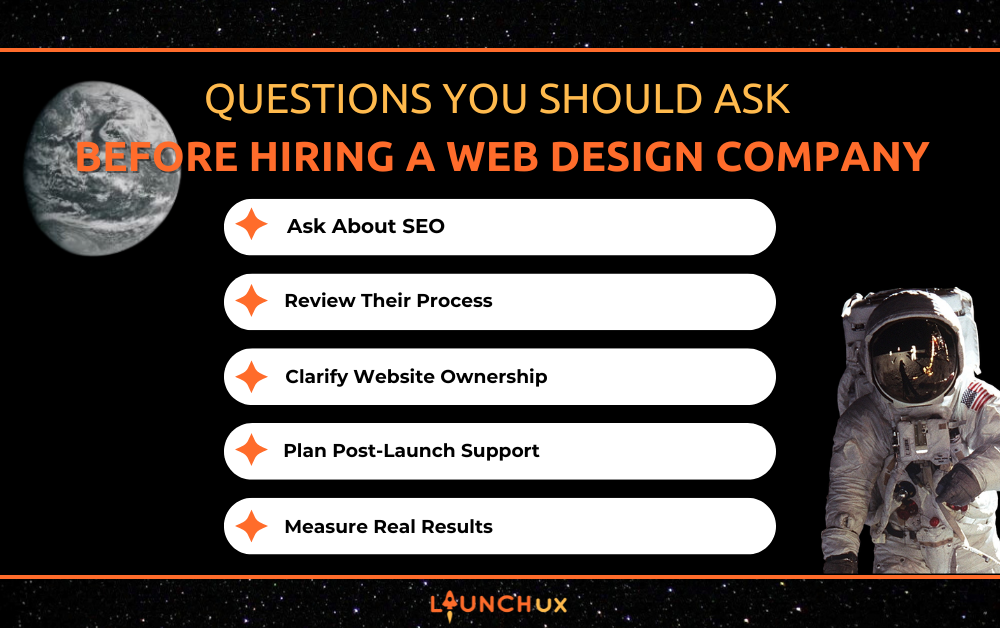
Questions You Should Ask Before Hiring a Web Design Company?

Hiring a web design company is one of the most important decisions you’ll make for your business’s online presence. Your website isn’t just a digital business card. It’s often your first impression, your top salesperson, and one of your most valuable marketing tools.

With so many agencies and freelancers offering web design services, it can be difficult to know who is the right fit. A polished portfolio is important, but it only tells part of the story. The questions you ask before signing a contract can reveal whether a web design company is focused on creating a website that looks good or one that actually helps your business grow.

Before you hire a web design company, use these questions to evaluate your options and make an informed decision.

What Experience Do You Have With Businesses Like Mine?

Industry Experience Matters

Every business has different goals, customers, and challenges. A web design company doesn’t have to specialize exclusively in your industry, but it should understand how to create websites that support businesses similar to yours.

For example, an e-commerce business has different needs than a local service company, and a law firm has different priorities than a restaurant.

Ask about the types of businesses they’ve worked with and how they approach different industries.

Ask to See Relevant Portfolio Examples

Most web design companies have a portfolio, but don’t stop at looking at attractive designs.

Ask to see examples that are similar to your project, such as:

  • Service-based businesses
  • E-commerce websites
  • Professional services
  • Local businesses

Review how easy the websites are to navigate, whether they load quickly, and if they encourage users to take action.

Look Beyond the Design

A beautiful website is only successful if it helps achieve business goals.

Ask questions like:

  • Did the new website improve lead generation?
  • Was SEO considered during development?
  • Did the redesign improve user experience?
  • Were conversion rates measured?

The answers will tell you whether the company focuses on business results instead of just aesthetics.

What Is Included in Your Web Design Process?

Every web design company has its own process, but a well-defined workflow usually leads to better communication and fewer surprises.

Discovery and Strategy

Before any design work begins, the company should take time to understand your business.

This often includes discussing:

  • Business goals
  • Target audience
  • Competitors
  • Brand messaging
  • Website objectives

Without a discovery phase, it’s difficult to build a website that truly supports your business.

Design and Development

Ask how the design process works.

Questions to ask include:

  • Will you receive mockups before development?
  • How many revisions are included?
  • How is feedback collected?
  • What platform will the website be built on?

Knowing what to expect makes the project much smoother.

Testing Before Launch

A professional web design company should thoroughly test the website before it goes live.

Testing should include:

  • Mobile responsiveness
  • Contact forms
  • Browser compatibility
  • Page speed
  • Broken links
  • Navigation

These details help prevent problems after launch.

Will My Website Be Built With SEO in Mind?

One of the biggest mistakes businesses make is treating SEO as something that happens after the website is finished.

In reality, SEO should be built into the project from day one.

SEO Should Start Before Launch

Ask whether the company considers:

  • Site architecture
  • Page hierarchy
  • URL structure
  • Metadata
  • Internal linking

These elements help search engines understand your website.

Technical SEO Matters

A properly built website should also include technical SEO best practices.

Examples include:

  • Fast loading speeds
  • Mobile-friendly design
  • Clean code
  • Crawlable pages
  • Proper heading structure

Ignoring these factors can make it much harder for your website to rank on Google.

Ask How Content and SEO Work Together

Content plays a major role in SEO success.

A knowledgeable web design company should understand how service pages, blog content, and internal linking all contribute to stronger search visibility.

Who Owns the Website After It Is Built?

This is one of the most overlooked questions businesses ask.

Clarify Ownership Early

Before signing a contract, make sure you understand who owns:

  • The website files
  • Written content
  • Images
  • Domain name
  • Hosting account

You should have full access to your business assets.

Understand Platform Access

Ask what platform the website will be built on.

Whether it’s WordPress, Shopify, or another content management system, you should understand how your website will be managed after launch.

Avoid Lock-In Problems

Some companies build websites on proprietary systems that make it difficult to move your site later.

Choosing a platform that gives you flexibility can save significant time and money in the future.

How Will the Website Support Leads and Conversions?

A successful website should do more than display information. It should encourage visitors to take action.

Design Should Guide Users Toward Action

Ask how the website will encourage visitors to:

  • Call your business
  • Submit a contact form
  • Schedule an appointment
  • Make a purchase

Good design always supports a business objective.

Calls-to-Action Matter

Every important page should include a clear next step.

Whether it’s requesting a quote or scheduling a consultation, visitors should always know what to do next.

User Experience Impacts Results

Small details can have a big impact on conversions.

These include:

  • Easy navigation
  • Fast load times
  • Mobile responsiveness
  • Trust signals
  • Clear page layouts

A website that’s easy to use is more likely to generate leads.

What Happens After the Website Launches?

Launching a website is just the beginning.

Without ongoing maintenance, even the best website can become outdated.

Ongoing Maintenance

Ask whether the company offers:

  • Software updates
  • Security monitoring
  • Website backups
  • Technical support

Regular maintenance helps keep your website secure and performing well.

Hosting and Performance

Hosting directly affects website speed, uptime, and reliability.

Ask whether hosting is included or whether they recommend a hosting provider that fits your needs.

SEO and Marketing Support

Once your website launches, you’ll still need people to find it.

Ask whether the company offers services like:

  • Search engine optimization (SEO)
  • Pay-per-click (PPC) advertising
  • Content marketing
  • Social media management

Working with one team for ongoing digital marketing can create a more consistent strategy.

How Do You Handle Communication and Project Timelines?

Clear communication helps projects stay on schedule.

Know Who You’ll Be Working With

Ask:

  • Who will be your primary point of contact?
  • How often will updates be provided?
  • What communication methods are used?

Knowing who to contact makes collaboration easier.

Understand the Timeline

Every website project is different.

Ask for a realistic timeline and discuss factors that could delay the project, such as content approval or additional revisions.

Review the Revision Process

Understanding how revisions work helps avoid misunderstandings later.

Ask:

  • How many revisions are included?
  • How are changes submitted?
  • What happens if additional revisions are needed?

How Do You Measure Website Success?

A website shouldn’t be considered successful simply because it looks good.

It should also produce measurable business results.

Success Should Be Based on Performance

Ask how success will be measured.

Examples include:

  • Website traffic
  • Search rankings
  • Form submissions
  • Phone calls
  • Sales
  • Conversion rates

These metrics provide a much clearer picture of performance than design alone.

Analytics and Tracking

A professional web design company should install tools like Google Analytics and conversion tracking before launch.

These tools help you understand how visitors interact with your website and identify opportunities for improvement.

Continuous Improvement

The best websites continue to evolve after launch.

Regular reviews, content updates, and performance improvements help keep your website competitive as your business grows.

What Red Flags Should You Watch For?

Knowing what to avoid is just as important as knowing what to look for.

Be cautious if a web design company:

  • Doesn’t discuss SEO
  • Can’t clearly explain its process
  • Won’t provide ownership of your website
  • Offers no post-launch support
  • Gives vague pricing or timelines
  • Focuses only on visual design

A quality web design company should be transparent, organized, and focused on helping your business succeed.

Ask the Right Questions Before Choosing a Web Design Company

Choosing a web design company is about much more than finding someone who can create an attractive website. The right partner should understand your business goals, build with SEO and user experience in mind, communicate clearly throughout the project, and continue supporting your website after it launches.

By asking these questions before making your decision, you’ll be better equipped to choose a company that delivers long-term value instead of short-term results.

If you’re looking for a web design company that combines strategic planning, custom design, SEO best practices, and ongoing digital marketing support, LaunchUX is here to help. Contact our team today to discuss your goals and discover how we can build a website that not only looks great but helps your business grow for years to come.

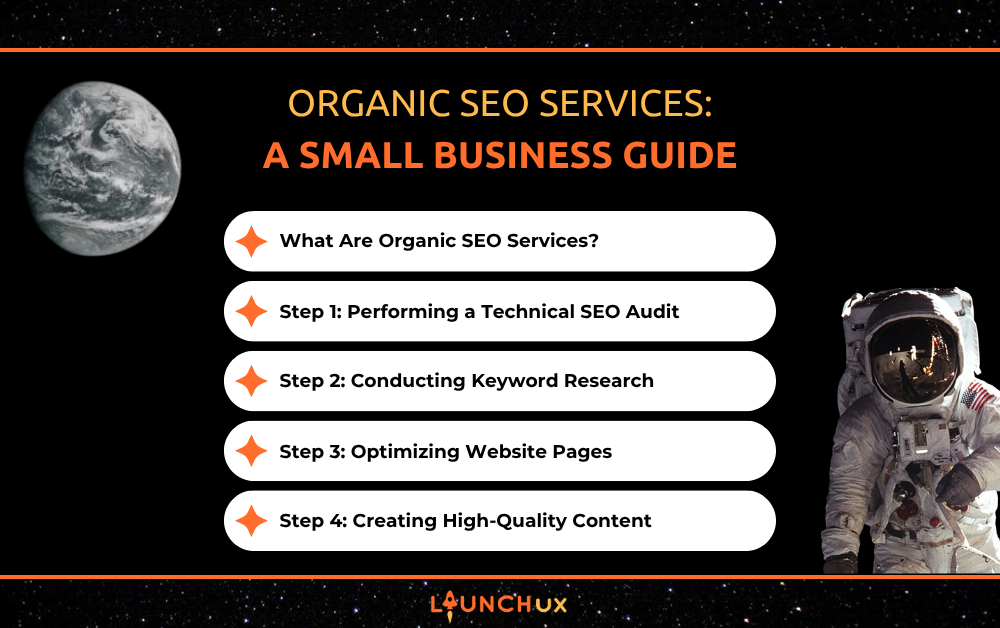
Organic SEO Services: A Small Business Guide

If you have ever wondered why some businesses invariably appear at the top of search results while others seem impossible to find online, you are not alone. Many small business owners invest in websites, social media, and online advertising, only to discover that attracting steady website traffic is more complicated than simply publishing a few pages and waiting for customers to arrive.

That is where organic SEO services come into the picture. At LaunchUX, we often speak with business owners who understand that search engine visibility matters but are unsure how organic SEO actually works. Terms like technical audits, on-page optimization, and link building can sound intimidating, especially if marketing is not your area of expertise.

The good news is that organic SEO is not magic, and it is not reserved for large corporations with unlimited budgets. It is a systematic process designed to help search engines understand your website, recognize its value, and present it to people who are actively searching for your products or services. 

What Are Organic SEO Services?

Before diving into the process, it helps to understand what makes organic SEO different from other forms of digital marketing.

Organic SEO is all about the methods used to improve a website’s visibility in unpaid search engine results. Unlike pay-per-click advertising, where businesses pay for each visitor who clicks an ad, organic SEO focuses on earning rankings naturally through website improvements, quality content, and online authority building.

Think of it like earning a recommendation instead of buying one. Search engines want to provide users with the most helpful and relevant results possible. The purpose of organic SEO services is to demonstrate that your business deserves to be one of those recommended results.

Although organic SEO often takes longer to produce results than paid advertising, it can create lasting visibility that continues generating traffic long after the initial work is completed.

Step 1: Performing a Technical SEO Audit

Every successful SEO campaign starts with understanding the current condition of a website. This is why professional SEO providers begin with a technical audit.

Picture building a house on an unstable foundation. No matter how attractive the finished structure looks, problems will eventually appear. The same concept applies to websites. If technical issues exist behind the scenes, they can prevent search engines from fully accessing, understanding, and ranking your content. 

A technical audit examines factors such as website speed, mobile usability, broken links, crawl errors, indexing issues, site architecture, and security settings.

Some of the most common issues uncovered during a technical audit include:

  • Slow-loading pages that frustrate visitors and increase bounce rates.
  • Missing metadata, broken links, duplicate content, and crawl errors that make it problematic for search engines to understand the website.

Many small business owners are surprised to discover that technical problems can quietly limit rankings even when they have strong products, excellent customer service, and useful content. Addressing these foundational issues often creates opportunities for future SEO improvements to be more effective.

Step 2: Conducting Keyword Research

Once the website’s technical health has been evaluated, the next step is understanding what potential customers are searching for online.

Keyword research is the process of identifying the terms and phrases somebody enters into search engines when looking for information, products, or services.

A common mistake among small business owners is assuming they know exactly what customers search for. In reality, customers often use different language than business owners expect.

For example, a contractor may describe a service using industry terminology, while a homeowner searches using simpler, everyday language. Effective keyword research bridges that gap.

The goal is not simply finding keywords with high search volume. Instead, SEO professionals look for keywords that align with customer intent. Someone searching for general information requires different content than someone ready to make a purchase.

By identifying relevant keywords and understanding user intent, SEO professionals can create a strategy that connects businesses with the right audience at the right stage of the buying journey.

Step 3: Optimizing Website Pages

After identifying target keywords, the next phase involves on-page optimization.

On-page SEO focuses on improving individual pages so that search engines can better comprehend their content and relevance. This process goes far beyond simply inserting keywords throughout a page.

Modern search engines are sophisticated enough to evaluate context, quality, and user experience. As a result, effective optimization focuses on making content genuinely useful while clearly communicating the page’s topic.

Several important elements are typically optimized during this stage:

  • Page titles, meta descriptions, headers, and content structure.
  • Internal links, image optimization, keyword placement, and user experience improvements.

A well-optimized page guides both visitors and search engines through the information in a logical manner. Clear headings, organized content, and relevant supporting information help users find answers quickly while signaling relevance to search engines.

This step is particularly important because even excellent content can struggle to rank if search engines cannot easily determine what the page is about.

Step 4: Creating High-Quality Content

Content is often described as the fuel that powers SEO, and for good reason.

Search engines want to deliver useful answers to user queries. Businesses that consistently publish helpful, informative content create more opportunities to appear in search results.

Many small business owners think content creation means publishing endless blog posts without a clear purpose. Effective SEO content is much more strategic.

The best content addresses real customer questions, solves common problems, and demonstrates expertise. Rather than concentrating solely on selling products or services, quality content builds trust and establishes authority.

For example, a plumbing company might publish articles explaining how to prevent frozen pipes, while a roofing contractor could create guides about identifying storm damage. These resources help potential customers while also creating opportunities to rank for relevant searches.

Over time, a library of useful content can significantly increase a website’s visibility and attract visitors throughout different stages of the customer journey.

Step 5: Improving User Experience

Search engines consider how visitors interact with your website when evaluating its quality, relevance, and overall user experience. 

If visitors quickly leave a site because it is difficult to navigate, slow to load, or confusing to use, search engines may interpret those signals as indicators of poor quality.

This is why modern organic SEO services place significant emphasis on user experience.

User experience improvements often include making navigation simpler, improving mobile responsiveness, increasing page speed, and ensuring content is easy to read. These enhancements benefit both visitors and search engines.

Think about your own online behavior. If a website loads slowly or appears cluttered, you are likely to leave and find information elsewhere. Search engines understand this behavior and prioritize websites that provide a positive experience.

As a result, user experience and SEO are no longer separate considerations. They work together to support stronger rankings and better engagement.

One of the most misunderstood aspects of SEO is link building.

A backlink is a link from another website pointing to your website. Search engines often view these links as votes of confidence. Backlinks from respected websites can strengthen your site’s credibility and authority in the regards of search engines. 

However, not all links carry the same value. A single high-quality link from a respected website is typically far more beneficial than dozens of low-quality links from questionable sources.

Effective link-building strategies may include publishing valuable content, earning mentions from industry websites, securing local business citations, and building relationships with relevant organizations.

The purpose is not simply collecting links. The goal is earning meaningful endorsements that strengthen your website’s authority within its industry.

This process requires patience because authority is built gradually over time. However, strong backlink profiles often play a significant role in helping websites compete for more competitive search terms.

Step 7: Monitoring Performance and Making Adjustments

SEO is not a one-time project that can be completed and forgotten.

Search engines constantly update their algorithms, competitors continue improving their websites, and customer search behavior evolves over time. Because of these changes, ongoing monitoring is essential.

Professional SEO providers regularly track metrics such as organic traffic, keyword rankings, user engagement, conversion rates, and technical website performance.

By analyzing this data, businesses can identify what is performing well and where opportunities for improvement exist. Sometimes a page needs additional optimization. In other cases, new content opportunities emerge based on changing search trends.

The ability to continually refine and improve a strategy is one of the reasons long-term SEO campaigns often outperform short-term marketing efforts.

Why Organic SEO Requires Patience

One of the most important things for small business owners to understand is that organic SEO is a long-term investment.

Unlike paid advertisements that can generate immediate visibility, organic rankings develop gradually. Search engines need time to evaluate website improvements, index new content, and assess authority signals.

This slower timeline can feel frustrating initially, but the long-term benefits are substantial. Strong organic rankings can generate qualified traffic month after month without requiring businesses to pay for every click.

When approached strategically, organic SEO services create a foundation for sustainable growth that becomes increasingly valuable over time.

Final Thoughts

Understanding SEO becomes much less intimidating when you view it as a series of logical steps rather than a collection of mysterious technical tactics. From technical audits and keyword research to content creation, user experience improvements, and link building, each component plays a specific role in helping search engines recognize the value of your website.

The most successful SEO campaigns focus on providing helpful information, creating positive user experiences, and building credibility over time. While results do not happen overnight, businesses that commit to a consistent strategy often achieve stronger visibility, more website traffic, and increased opportunities to connect with potential customers.

If you are ready to improve your online presence and want a clear strategy tailored to your business goals, contact LaunchUX today. A professional SEO strategy built around proven organic SEO services can benefit your business and attract more qualified visitors, compete more effectively online, and create sustainable long-term growth.

What Should Small Business Websites Include in 2026?

A strong website can be one of the most valuable tools a small business has for reaching new customers and building credibility. In 2026, Small Business Websites need to be more than visually appealing. They should be fast, easy to navigate, mobile-friendly, and designed to help visitors quickly understand what the business offers.

The right website features can improve search visibility, build trust, and make it easier for potential customers to take action. Clear service pages, accessible contact information, strong calls to action, and useful content all help create a better experience for visitors while supporting the goals of the business.

What Information Should Small Business Websites Make Easy to Find?

Visitors should not have to search around to understand what a business does, where it operates, or how to get in touch. Small business websites should make the most important information obvious within just a few seconds of landing on the page.

At a minimum, visitors should be able to quickly find:

  • The services or products the business offers
  • Contact information
  • Service areas or business location
  • Hours of operation when relevant
  • A clear way to request more information, schedule a service, or make contact

This information should also be organized in a way that feels intuitive. Important details can appear in the main navigation, footer, service pages, and contact page without being repeated excessively.

Make the Next Step Clear

Once someone understands what the business offers, they should also know what to do next. A well-placed call to action can guide visitors toward calling, submitting a form, requesting a quote, or scheduling a consultation.

The goal is to remove unnecessary friction. If a visitor has to hunt for a phone number or figure out where to request service, there is a greater chance they will leave and look elsewhere.

Why Do Small Business Websites Need Mobile-Friendly Design?

Many potential customers will visit a website on their phone before they ever see it on a desktop computer. If the site is difficult to read, slow to load, or frustrating to navigate on a smaller screen, that first impression can quickly turn into a lost opportunity.

Mobile-friendly design means the website adjusts properly to different screen sizes and keeps important actions easy to complete. Text should be readable without zooming, buttons should be easy to tap, and menus should remain simple to use.

Mobile Design Should Make It Easier to Take Action

A mobile visitor may be trying to call the business, get directions, check services, or submit a quick inquiry. Those actions should be simple and immediate.

Features like click-to-call phone numbers, short contact forms, and clearly placed buttons can make the experience much smoother. A mobile-friendly website should feel just as intentional and easy to use as the desktop version, not like a scaled-down afterthought.

How Can Small Business Websites Build Trust With Visitors?

Before someone contacts a business, they often use its website to decide whether the company seems credible and professional. A website that feels outdated, lacks important information, or contains inconsistent messaging can make visitors hesitate, even if the business itself provides excellent service.

Trust is built through the details visitors see throughout the site. Customer reviews and testimonials can provide reassurance that others have had positive experiences. An About page can give people a better understanding of who they are working with, while certifications, awards, professional affiliations, and years of experience can strengthen the company’s credibility.

Businesses should also make sure their website includes accurate contact information, consistent branding, secure browsing, and current content. These elements may seem simple, but together they help show visitors that the business is established, active, and attentive to its online presence.

Some of the strongest trust signals include:

  • Genuine customer reviews and testimonials
  • Clear information about the company and its team
  • Relevant licenses, certifications, or professional affiliations
  • Consistent branding and professional website design
  • Up-to-date service and contact information

Trust develops throughout the entire website rather than in one section. Each page should give potential customers another reason to feel confident about reaching out.

What SEO Elements Should Small Business Websites Include?

A well-designed website still needs to be easy for search engines to understand. SEO helps connect a business with people who are actively searching for its products or services, which makes the structure and content of the site especially important.

Each page should have a clear purpose and focus on a specific topic, service, or location. Page titles, headings, internal links, and metadata can help search engines better understand what the content is about. Service pages should also provide enough useful information to answer common customer questions instead of relying on a few short paragraphs.

Local businesses can strengthen their visibility by including service area information where it makes sense. This may include dedicated location pages, references to the communities they serve, and consistent business information across the website.

Images should also be optimized so they do not slow down the site, and descriptive alt text can help provide additional context. The goal is to make the website useful for visitors while giving search engines clear signals about the business, its services, and the areas it serves.

How Should Small Business Websites Turn Visitors Into Leads?

Getting someone to visit a website is only part of the goal. Once they arrive, the site should make it easy for them to take the next step. That could mean calling the business, requesting a quote, scheduling a consultation, or submitting a contact form.

Strong calls to action should appear naturally throughout the website instead of being limited to the contact page. A visitor reading about a specific service should have a clear way to reach out without needing to search through the navigation.

The contact process should also stay simple. Long forms that ask for too much information can discourage people from completing them, especially on mobile devices. In many cases, a name, phone number, email address, and short message field are enough to start the conversation.

Small details can also improve conversions. Click-to-call buttons, clearly labeled forms, visible contact information, and service-specific calls to action help reduce friction and make the website easier to use.

A good small business website should guide visitors toward action without making the experience feel pushy. The goal is to make the next step obvious, convenient, and easy to complete.

Build a Website That Works for Your Business

In 2026, Small Business Websites should help customers find information quickly, build trust in the company, support search visibility, and make it easy to take action. A website that is clear, mobile-friendly, informative, and easy to use can become a valuable part of a business’s overall marketing strategy.

If your current website feels outdated or is not helping your business generate new opportunities, LaunchUX can help. Our team can review your site, identify areas for improvement, and create a website that better supports your customers and your business goals.

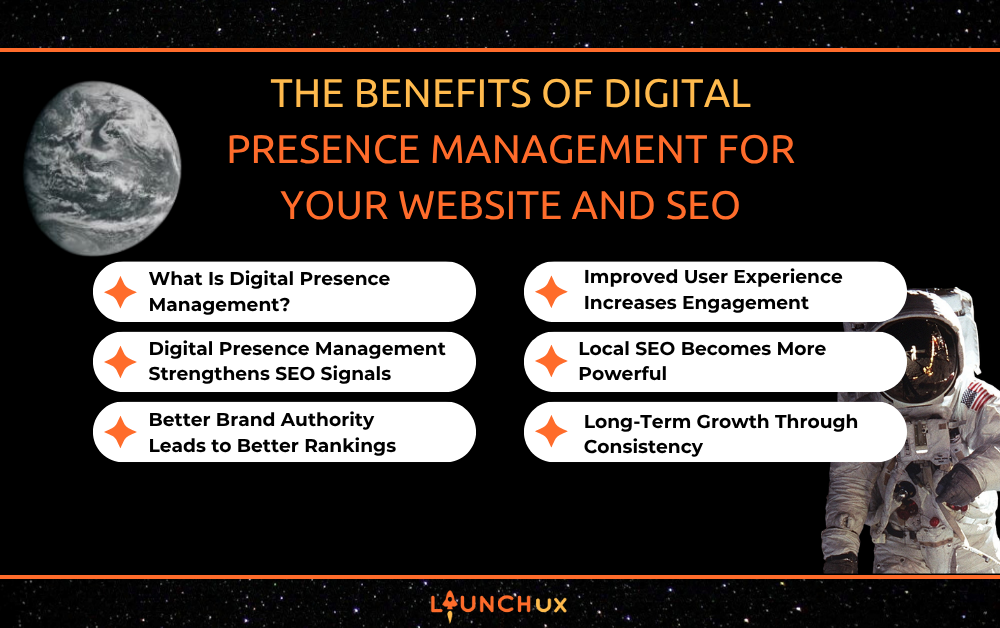
The Benefits of Digital Presence Management for Your Website and SEO

Imagine this: a possible client searches for a service you offer. They find your website, your social media profiles, your business listings, and maybe even a few online reviews. Within seconds, they’ve formed an opinion about your company before ever contacting you.

Now ask yourself: Are all those digital touchpoints working together to build trust and improve your visibility, or are they sending mixed signals?

That’s where digital presence management becomes a game-changer. In today’s competitive online landscape, simply having a website isn’t enough. Businesses need a consistent, professional, and optimized presence across every platform where customers may find them. At LaunchUX, we often tell business owners that your online presence is like a digital ecosystem—every piece affects the others. When managed correctly, it can significantly improve your SEO performance, strengthen your brand reputation, and generate more leads.

Let’s explore why digital presence management has become one of the most valuable strategies for businesses looking to improve their online visibility.

What Is Digital Presence Management?

Digital presence management is the process of monitoring, maintaining, and optimizing all of the online assets associated with your business.

Many people assume it only refers to managing a website, but it actually covers much more than that. Your digital presence includes every place customers can find information about your company online.

This often includes:

  • Your website
  • Google Business Profile
  • Social media accounts
  • Online directories
  • Review platforms
  • Blog content
  • Local business listings
  • Online citations

The goal is to ensure all these channels accurately represent your business and work together to improve visibility, credibility, and customer engagement.

Think of it like managing a team. If every player is doing something different, the team struggles. When everyone works toward the same goal, performance improves. Your digital presence functions the same way.

The stronger and more coordinated your online presence becomes, the easier it is for both customers and search engines to trust your business.

Digital Presence Management Strengthens SEO Signals

Search engines evaluate far more than just your website when determining rankings.

Google wants to provide users with trustworthy and relevant results. To do that, it looks for consistency across multiple online sources. If your business information appears accurate and consistent everywhere, it sends strong trust signals to search engines.

When businesses actively invest in digital presence management, they improve factors such as:

  • Consistent business information across platforms
  • Accurate contact details
  • Updated business descriptions
  • Strong brand messaging
  • High-quality backlinks
  • Verified business profiles

These signals help search engines confirm that your business is legitimate and active.

For example, if your website lists one phone number while your online directories display another, search engines may become less confident about your business information. Inconsistencies like these can negatively impact local SEO performance.

Digital presence management helps eliminate those issues by keeping information synchronized across all online channels.

The result is a stronger foundation for improved rankings and increased online visibility.

Better Brand Authority Leads to Better Rankings

Trust plays a major role in SEO.

Search engines aim to rank businesses that appear authoritative, credible, and helpful. A company with a strong digital presence often appears more established than competitors who neglect their online profiles.

When customers repeatedly encounter consistent branding, helpful content, positive reviews, and professional business information, confidence grows.

Digital presence management helps strengthen authority through:

  • Regular content updates
  • Active social media engagement
  • Review monitoring and responses
  • Consistent branding
  • Accurate directory listings
  • Thought leadership content

Over time, these efforts create a stronger online reputation.

Search engines increasingly consider signals that indicate expertise and trustworthiness. While no single factor guarantees rankings, businesses that actively manage their digital presence often create the kind of online footprint search engines prefer to showcase.

Authority isn’t built overnight. However, consistent management helps create a reputation that compounds over time.

Improved User Experience Increases Engagement

SEO isn’t only about pleasing search engines. It’s also about creating a better experience for real people.

One of the biggest advantages of digital presence management is its ability to improve the customer journey.

Today’s consumers rarely interact with just one online asset before making a decision. They may visit your website, check your reviews, browse your social media pages, and compare your business with competitors.

If each touchpoint provides a positive experience, visitors are more likely to engage with your business.

Some of the ways digital presence management improves user experience include:

  • Keeping business information current
  • Ensuring mobile-friendly experiences
  • Maintaining accurate service descriptions
  • Updating photos and visuals
  • Responding to customer reviews
  • Creating consistent messaging across platforms

When customers find reliable information quickly, they spend less time searching and more time engaging.

These positive interactions often lead to longer website visits, increased page views, and higher conversion rates—all metrics that can indirectly support stronger SEO performance.

Simply put, a better user experience benefits both customers and search engines.

Local SEO Becomes More Powerful

For businesses that operate within a defined service area, local visibility can make or break online success.

Many local searches result in immediate action. Someone searching for a service near them is often ready to contact a business, request a quote, or make a purchase.

That’s why digital presence management is particularly valuable for local SEO.

When properly managed, it helps improve:

  • Google Business Profile optimization
  • Local citations
  • Customer reviews
  • Geographic relevance
  • Business category accuracy
  • Location-based keyword visibility

Search engines use this data to decide which businesses earn prominent placement in local search results.

A well-managed digital presence makes it more manageable for search engines to link your business with relevant local searches.

The businesses that consistently appear in map results and local search listings are often the ones actively maintaining and optimizing their digital footprint.

Long-Term Growth Through Consistency

One of the greatest misconceptions about SEO is that it’s a one-time project.

In reality, online visibility requires ongoing effort. Search algorithms evolve, competitors update their strategies, and customer expectations change constantly.

Digital presence management provides a long-term approach that supports sustainable growth.

Rather than focusing solely on individual SEO tactics, it creates a comprehensive strategy that strengthens every aspect of your online visibility.

Over time, businesses that prioritize digital presence management often experience:

  • Increased search visibility
  • Stronger brand recognition
  • Higher customer trust
  • More qualified website traffic
  • Improved local search performance
  • Better lead generation opportunities

These benefits don’t appear overnight, but they build momentum with consistent effort.

Much like maintaining a healthy garden, regular attention produces stronger results than occasional bursts of activity. Every update, review response, profile optimization, and content improvement contributes to a stronger digital presence.

The cumulative effect can significantly improve your ability to attract customers online.

Conclusion

Your website may be the centerpiece of your online marketing efforts, but it doesn’t operate in isolation. Customers and search engines evaluate your business across dozens of digital touchpoints before making decisions.

That’s why digital presence management has become essential for companies looking to improve SEO performance and strengthen their online reputation. From building trust and authority to enhancing user experience and supporting local SEO, managing your digital presence creates a stronger foundation for long-term visibility and growth.

If you’re inclined to improve your online presence, strengthen your SEO strategy, and create a more consistent digital experience for potential customers, LaunchUX can help. Contact LaunchUX today to learn how professional digital presence management services can help your business stand out, rank higher, and attract more qualified leads online.

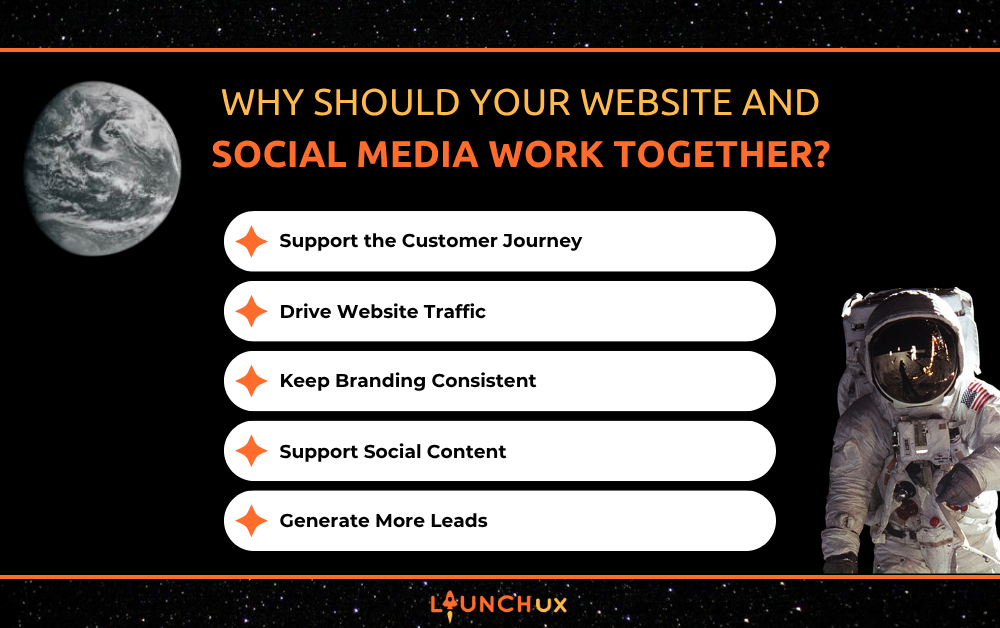
Why Should Your Website and Social Media Work Together?

Your website and social channels should not operate as separate parts of your marketing strategy. When Website and Social Media efforts are aligned, they can support each other by creating more opportunities for people to discover your business, learn what you offer, and decide whether to take the next step.

Social media is often where someone first comes across a business, while the website gives them a place to dig deeper. When the messaging, branding, and user experience feel connected, it becomes easier to move potential customers from initial interest to meaningful action.

How Do Website and Social Media Support Different Parts of the Customer Journey?

Social media is often where awareness begins. A potential customer may first notice a business through a post, video, promotion, or recommendation. That interaction can introduce the brand, highlight a service, or answer a quick question without requiring a major commitment from the user.

The website then gives that person a place to learn more. They can explore services, read about the company, review testimonials, and find the information they need before deciding to reach out.

Keep the Experience Connected

The transition between social media and the website should feel natural. Messaging, branding, and offers should stay consistent so visitors know they have reached the right place.

When both channels support the same customer journey, social media can help create interest while the website gives that interest somewhere to go.

How Can Social Media Drive More Traffic to Your Website?

Social media can do more than build awareness. It can also give people a reason to visit your website and learn more about your business. Sharing blog posts, service pages, special offers, and other useful resources can turn social engagement into website traffic.

The key is to make each post purposeful. Instead of sending every visitor to the homepage, direct them to the page that best matches the content they clicked on. A post about a specific service should lead to that service page, while a post promoting a resource should link directly to it.

Clear calls to action can also help encourage the next step. Phrases such as “Learn More,” “Read the Full Guide,” or “Explore Our Services” give users a simple reason to continue from social media to the website.

Tracking these visits can help businesses understand which platforms and posts are generating the most traffic. That information can then guide future content decisions and show which social efforts are contributing to broader marketing goals.

Why Should Your Branding and Messaging Stay Consistent?

When someone moves from social media to your website, the experience should feel familiar. Using the same logo, colors, tone, and overall messaging helps reinforce your brand and makes it easier for visitors to recognize that they are still interacting with the same business.

Consistency also helps prevent confusion. If a social post promotes one offer or service but the website presents different information, potential customers may hesitate or lose interest.

Keeping your messaging aligned across both channels can help strengthen trust and create a more professional online presence. Service details, promotions, contact information, and brand language should stay accurate wherever customers interact with your business.

How Can Your Website Support Your Social Media Strategy?

A strong website can also make it easier to create useful social media content. Blog posts, service pages, FAQs, case studies, videos, and other website resources can all provide ideas that can be repurposed into posts throughout the month.

Instead of treating every social post as something that needs to be created from scratch, businesses can pull key points from existing website content and adapt them for different platforms. A blog can become a short tip, a carousel, a video topic, or a post that encourages followers to read more.

This approach also helps keep social content connected to the information available on the website. When someone wants more detail, they have a clear place to continue learning rather than reaching the end of the conversation on social media.

How Can Website and Social Media Work Together to Generate Leads?

Social media can capture attention, but the website is usually where someone goes to make a more informed decision. When both channels support the same goal, businesses can create a clearer path from discovery to conversion.

A social post may introduce a service, answer a common question, or highlight a promotion. The website can then provide the deeper information a potential customer needs before reaching out.

Make the Next Step Easy

Once someone arrives on the website, there should be a clear action they can take. That may include:

  • Calling the business
  • Requesting a quote
  • Scheduling a consultation
  • Submitting a contact form
  • Learning more about a specific service

The easier that process feels, the more likely visitors are to continue moving forward. Tracking which social posts lead to website visits, form submissions, and other actions can also help businesses understand which content is contributing to real results.

Bring Your Website and Social Media Together

When Website and Social Media efforts work together, they can create a stronger and more consistent experience for potential customers. Social media can help attract attention and start the conversation, while the website gives people the information they need to learn more and take action.

If your website and social media feel disconnected, LaunchUX can help bring them together. Our team can help you create a strategy that improves consistency, supports your marketing goals, and gives customers a clearer path from discovery to conversion.

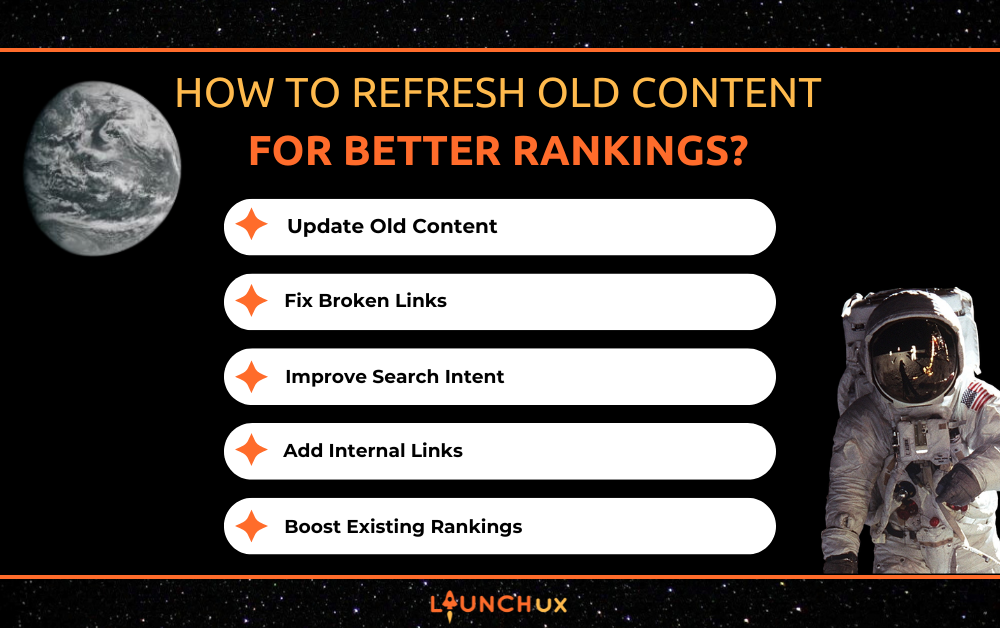
How to Refresh Old Content for Better Rankings

Creating new blog posts is an important part of SEO, but it is not the only way to improve your rankings. In fact, one of the biggest opportunities to grow your organic traffic may already be sitting on your website.

Over time, blog posts and webpages can become outdated. Statistics change, search trends evolve, competitors publish new content, and Google’s algorithms continue to improve. As a result, content that once ranked well can slowly lose visibility.

The good news is that you do not always have to start from scratch. Learning how to refresh old content can help you improve rankings, increase traffic, and get more value from the content you’ve already created.

In this guide, we’ll explain why content refreshes matter, how to identify pages that need updating, and what changes can have the biggest SEO impact.

Why Refreshing Old Content Matters

Search Results Constantly Change

Google’s search results are never static. Every day, new content is published, competitors update their websites, and search algorithms become better at understanding what users want.

A blog that ranked well two years ago may no longer provide the best answer today.

Refreshing your content helps keep it competitive.

Older Content Can Lose Relevance

As time passes, content can become less accurate or useful.

Common examples include:

  • Outdated statistics
  • Old screenshots
  • Broken links
  • Products or services that no longer exist
  • SEO recommendations that have changed

Keeping your content current helps maintain its credibility with both users and search engines.

Refreshing Content Preserves SEO Value

Unlike a brand-new page, older content often already has valuable SEO assets.

These may include:

  • Existing backlinks
  • Search engine indexing
  • Established rankings
  • Internal links from other pages

Updating an existing page allows you to build on that foundation instead of starting over.

How to Identify Content That Needs a Refresh

Not every page needs to be updated at the same time. Prioritize content that has the greatest opportunity to improve.

Look for Declining Traffic

Use tools like Google Search Console or Google Analytics to identify pages that are losing organic traffic or impressions.

Pages that once performed well but have started declining are often excellent candidates for a content refresh.

Review Older Blog Posts

Older content should be reviewed periodically, especially if it covers topics that change over time.

Good candidates include:

  • Blog posts older than 12 to 24 months
  • Industry trend articles
  • SEO or marketing guides
  • Technology-related content

Evergreen topics may also benefit from updates if new information becomes available.

Prioritize High-Potential Content

Some pages deserve attention before others.

Focus on content that:

  • Ranks near the bottom of page one or on page two
  • Supports important service pages
  • Previously generated strong traffic
  • Targets valuable keywords

Small improvements to these pages can often produce noticeable ranking gains.

What to Update When You Refresh Old Content

Refreshing content is more than changing the publication date. The goal is to improve the page so it better serves today’s users.

Update Outdated Information

Review the page carefully for anything that has changed.

Look for:

  • New statistics
  • Updated best practices
  • Current industry trends
  • Recent Google updates

Accurate information builds trust and helps keep your content relevant.

Improve Keyword Optimization

Search behavior changes over time.

Review your target keyword and make sure the content still aligns with what users are searching for today.

Consider:

  • Updating headings
  • Adding related keywords naturally
  • Improving keyword placement
  • Matching current search intent

Expand Thin Sections

Many older blogs are shorter than what users expect today.

Ask yourself:

  • Are there common questions that are missing?
  • Could this topic be explained in greater detail?
  • Would examples make the content more useful?

Expanding valuable sections can improve both user experience and SEO.

Improve Readability

Search engines want to deliver content that people can easily understand.

Improve readability by:

  • Breaking up long paragraphs
  • Adding descriptive headings
  • Using bullet points where appropriate
  • Simplifying complex explanations

Well-organized content keeps readers engaged longer.

Don’t Forget Technical SEO Updates

Refreshing content is also a great opportunity to review technical SEO.

Broken internal and external links create a poor user experience.

Replace outdated links with current resources and remove references that no longer exist.

If you’ve published new blogs or service pages since the article was originally written, add internal links where they make sense.

Internal linking helps:

  • Guide visitors through your website
  • Strengthen topical authority
  • Help search engines discover related content

Optimize Metadata

While reviewing the page, update your:

  • SEO title
  • Meta description
  • Image alt text
  • Header structure

These small improvements can increase click-through rates and improve visibility.

Refreshing Content for AI Search and User Intent

Modern SEO is no longer just about keywords.

Search engines and AI-powered search experiences increasingly focus on user intent and content quality.

Match Current Search Intent

Search behavior evolves over time.

Before updating a page, search your target keyword and review the current top-ranking results.

Ask yourself:

  • What questions are users asking?
  • What type of content ranks best?
  • Does my content still match those expectations?

If not, update it accordingly.

Make Content Easy to Understand

AI systems and search engines both benefit from well-structured content.

Use:

  • Clear headings
  • Bullet points
  • Short paragraphs
  • Frequently asked questions

Organized content is easier to read, understand, and reference.

Focus on Helpful Content

The most successful pages solve problems.

Rather than writing for search engines, write for people.

Content that answers questions clearly and provides real value is more likely to perform well in both traditional search and AI-generated search experiences.

How Often Should You Refresh Content?

There is no single schedule that works for every website.

Some industries change rapidly, while others remain relatively stable.

Review High-Value Pages Regularly

As a general guideline:

  • Review core service pages every 6 to 12 months.
  • Review evergreen blog posts annually.
  • Review time-sensitive content whenever significant industry changes occur.

Regular reviews help prevent content from becoming outdated.

Make Content Audits Part of Your SEO Strategy

Instead of only publishing new content, schedule periodic content audits.

During these reviews, evaluate:

  • Rankings
  • Traffic
  • Search intent
  • Technical SEO
  • Content quality

This proactive approach keeps your website competitive over time.

Common Mistakes to Avoid

Refreshing content can improve rankings, but only if it is done thoughtfully.

Avoid these common mistakes:

Changing URLs Without a Reason

Changing a page’s URL can cause ranking issues if redirects are not handled properly.

Only update URLs when absolutely necessary.

Removing Valuable Content

Instead of deleting useful sections, expand and improve them.

Comprehensive content often performs better than shorter pages.

Updating the Date Without Updating the Content

Simply changing the publication date provides little value.

Make meaningful improvements that benefit readers.

Ignoring User Experience

Every update should make the page easier to read, navigate, and understand.

SEO improvements should always enhance the user experience, not complicate it.

Your Existing Content May Be Your Best SEO Asset

Publishing new content is important, but don’t overlook the value of what you’ve already created.

Refreshing old content helps preserve existing SEO value, improve rankings, and provide users with more accurate and helpful information. In many cases, updating an existing page can deliver faster results than creating a brand-new one.

By reviewing your content regularly, improving outdated information, strengthening technical SEO, and aligning with current user intent, you can extend the life of your best-performing pages and continue growing your organic visibility.

If you’re not sure where to start, LaunchUX can help identify your highest-potential pages, refresh your existing content, and develop an SEO strategy that maximizes the value of every page on your website. Contact LaunchUX today to learn more.

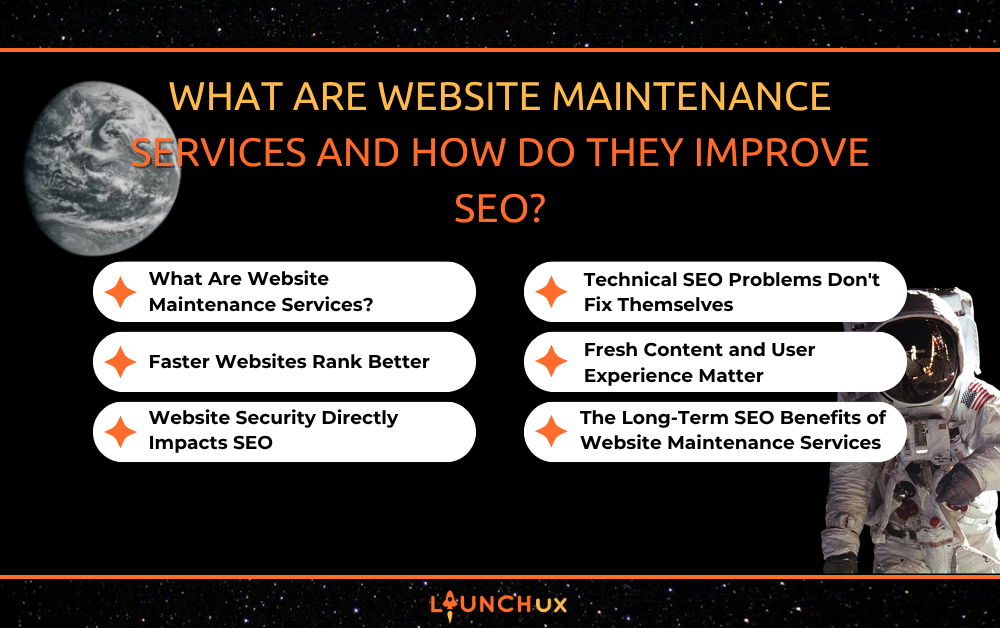
What Are Website Maintenance Services and How Do They Improve SEO?

Your website is often the first, and most important, impression potential customers have of your business. You can invest in beautiful web design, publish helpful content, and run marketing campaigns, but if your website isn’t properly maintained, all that effort can lose momentum quickly.

That’s where website maintenance services come in. Many business owners think website maintenance is simply fixing broken links or updating a plugin once in a while. In reality, it plays a major role in how often your website appears in front of potential customers, how users interact with your site, and how effectively your business generates leads online.

At LaunchUX, we often explain website maintenance as routine care for your digital storefront. Just as a physical business requires cleaning, repairs, and upkeep, your website needs consistent attention to remain secure, fast, and visible in search results.

Let’s take a closer look at what website maintenance services are and why they’re one of the most valuable investments you can make for your SEO strategy.

What Are Website Maintenance Services?

Website maintenance services refer to the ongoing tasks required to keep a website functioning properly, performing efficiently, and staying up to date. Rather than taking a “set it and forget it” approach, maintenance ensures your website continues working at its best long after launch.

These services typically include:

  • Software and plugin updates
  • Security monitoring and protection
  • Website backups
  • Broken link repairs
  • Performance optimization
  • Mobile responsiveness checks
  • Content updates
  • Technical SEO monitoring

Think of website maintenance as preventative care. Instead of waiting for problems to appear, regular maintenance identifies and fixes issues before they negatively impact visitors or search engine rankings.

Search engines want to supply users with the best possible experience. If your website is outdated, slow, or full of errors, Google is less likely to recommend it to potential customers.

That’s why maintenance and SEO are more connected than many business owners realize.

Faster Websites Rank Better

Website speed has become one of the most important ranking factors in modern SEO.

When customers land on your website, they expect pages to load almost instantly. If your site takes too long to load, visitors often leave before they even see your content. This behavior increases bounce rates and sends negative signals to search engines.

Regular website maintenance services help improve site speed by identifying performance issues such as:

  • Large image files
  • Outdated plugins
  • Excessive code
  • Slow-loading scripts
  • Server performance problems

Over time, websites naturally accumulate digital clutter. New plugins, added content, and software updates can gradually slow performance if they aren’t monitored.

Maintenance professionals routinely optimize these areas to ensure your website remains fast and responsive.

A speedier website creates a better user experience, improves engagement metrics, and increases the likelihood of ranking higher in search results.

Website Security Directly Impacts SEO

Many business owners don’t realize that security issues can damage SEO performance.

Search engines prioritize websites that are safe for users. If your site becomes infected with malware, experiences a security breach, or displays security warnings, search engines may reduce its visibility or even remove pages from search results.

A compromised website can result in:

  • Lost rankings
  • Decreased traffic
  • Lower customer trust
  • Damaged brand reputation
  • Costly recovery efforts

Professional website maintenance services help prevent these problems through regular security updates, vulnerability monitoring, malware scans, and backup management.

When your website software, themes, and plugins remain updated, hackers have fewer opportunities to exploit weaknesses.

Backups are equally important. If something goes wrong, a recent backup allows your website to be restored quickly, minimizing downtime and protecting your SEO progress.

Security may not seem like an SEO strategy at first glance, but maintaining a secure website protects the rankings and visibility you’ve worked hard to earn.

Technical SEO Problems Don’t Fix Themselves

Many SEO issues occur behind the scenes where visitors never see them.

A website may look perfectly fine on the surface while hidden technical problems quietly hurt search performance.

Regular maintenance helps identify and correct issues such as:

  • Broken internal links
  • 404 error pages
  • Duplicate content
  • Missing meta descriptions
  • Redirect errors
  • Crawlability issues
  • Mobile usability problems

Search engines rely on clean website architecture to understand and index content effectively.

For example, if important pages return errors or search engine crawlers encounter obstacles while navigating your site, your rankings can suffer even if your content is excellent.

Website maintenance teams routinely perform technical audits to uncover these issues before they become major problems.

This proactive approach keeps your website healthy and ensures search engines can access, understand, and rank your content properly.

Fresh Content and User Experience Matter

Google’s goal is to deliver the most useful results possible.

A website that hasn’t been updated in years can appear less relevant than a competitor that consistently improves its content and user experience.

One of the most overlooked benefits of website maintenance services is the ability to keep content current and engaging.

Regular maintenance may include:

  • Updating outdated information
  • Refreshing service pages
  • Improving page layouts
  • Adding new images
  • Enhancing mobile usability
  • Fixing formatting issues
  • Updating calls to action

These improvements may seem small individually, but together they create a significantly better experience for visitors.

When users stay longer, visit multiple pages, and engage with your content, search engines take notice.

Improved user engagement can contribute to stronger SEO performance over time because it demonstrates that visitors find value in your website.

A maintained website not only attracts visitors but encourages them to stay, explore, and eventually become customers.

The Long-Term SEO Benefits of Website Maintenance Services

SEO is not a one-time project. It is an ongoing process that requires continuous attention.

Many businesses focus heavily on keyword research, content creation, and link building while overlooking the health of the website itself. However, even the best SEO strategy can struggle if the website supporting it is outdated, slow, or technically flawed.

Consistent website maintenance services create a strong foundation that supports every other SEO effort.

Over the long term, maintenance helps:

  • Preserve existing rankings
  • Improve website speed
  • Strengthen security
  • Enhance user experience
  • Reduce downtime
  • Improve crawlability
  • Increase mobile performance
  • Support content optimization efforts

Instead of constantly reacting to problems, maintenance creates a proactive system that keeps your website functioning efficiently year-round.

This permits business owners to focus on growth while knowing their website remains optimized for both users and search engines.

Conclusion

A successful website is never truly finished. Technology evolves, search engine algorithms change, and customer expectations continue to rise. Businesses that invest in ongoing website maintenance services position themselves to adapt, compete, and maintain strong online visibility over time.

From improving site speed and security to supporting technical SEO and user experience, website maintenance plays a critical role in search engine performance. It’s one of the most effective ways to protect your digital investment while creating a stronger foundation for future growth.

If you’re ready to improve your website’s performance, strengthen your SEO strategy, and create a better experience for your customers, the team at LaunchUX can help. Contact LaunchUX today to learn how professional website maintenance services can keep your website healthy, competitive, and visible where it matters most.

Why SEO Performance Reporting Matters and How It Improves Results

Imagine spending months improving your website, publishing blog posts, optimizing pages, and sharing content on social media—only to have no idea whether any of it is actually working.

You might see your website traffic going up, but is that traffic bringing in potential customers? Maybe one of your pages suddenly ranks on the first page of Google, but are people clicking on it? And if your rankings drop, would you know why?

This is where performance reporting becomes essential.

SEO is not a “set it and forget it” marketing strategy. Search algorithms change, competitors update their websites, customer behavior shifts, and some strategies simply work better than others. Performance reporting gives business owners a clearer picture of what is happening behind the scenes so they can make smarter decisions instead of relying on assumptions.

At LaunchUX, using meaningful data to evaluate digital marketing efforts can help businesses understand where their SEO strategy is succeeding and where there is room for improvement. The goal is not to drown you in numbers. It is to turn those numbers into useful information you can actually act on.

What Is SEO Performance Reporting?

At its simplest, SEO performance reporting is the process of tracking, analyzing, and presenting data related to your website’s search engine performance.

Think of it like checking the scoreboard during a game. You cannot improve your strategy if you never look at the score.

A good SEO report can illustrate how your website is executing in search results, how much organic traffic it receives, which pages are attracting guests, and how visitors interact with your site. Depending on what you want to achieve, it can also include conversions, leads, engagement, backlinks, keyword rankings, and other important metrics.

The key is understanding that not every number deserves equal attention.

For example, getting 10,000 website visitors may sound impressive. But if only a handful of those visitors become leads or customers, the traffic number alone does not tell the whole story.

On the other hand, a smaller website might attract fewer visitors but generate significantly more qualified leads. That could indicate that its SEO strategy is reaching a more relevant audience.

Effective performance reporting connects the numbers to your actual business goals.

Why SEO Reporting Matters for Your Business

One of the biggest advantages of SEO reporting is that it replaces guesswork with evidence.

Without data, business owners may assume a marketing strategy is successful simply because they are publishing regularly or because a particular keyword appears to be ranking well. But SEO involves many moving parts, and one metric rarely tells the complete story.

Performance reports help you see what is actually happening.

For example, you might discover that an older blog post is bringing in significantly more organic traffic than several newer articles. That information could influence which topics you create next. You may also notice that a service page receives plenty of traffic but very few inquiries, suggesting that the page needs stronger calls to action or clearer information.

A useful report can help answer questions such as:

  • Which are the best pages for organic traffic?
  • Which keywords are bringing qualified visitors to the website?
  • Are search rankings improving or declining?
  • Which pages are generating leads or conversions?
  • Are visitors engaging with the content once they arrive?
  • Where are there opportunities for improvement?

These insights give you something much more valuable than a collection of statistics: direction.

The SEO Metrics You Should Actually Pay Attention To

SEO dashboards can contain an overwhelming number of metrics. The good news is that you do not need to become a data scientist to understand your website’s performance.

Start with the metrics that connect most directly to your goals.

Organic traffic is one of the most familiar. It measures visitors who reach your website through unpaid search results. Watching organic traffic over time can help you identify growth, declines, and seasonal patterns.

Keyword rankings can also provide useful information. They show where your pages appear for specific search terms. However, rankings should not be treated as the ultimate measure of success. Ranking first for a keyword that nobody searches—or that attracts people who are unlikely to become customers—does not necessarily help your business.

Click-through rate is another valuable metric. It measures how often people click your page after seeing it in search results. If a page has strong visibility but a low click-through rate, your title or meta description may not be exciting enough to encourage users to visit.

Then there are engagement and conversion metrics. These can reveal whether visitors actually find your website useful once they arrive.

Depending on your business, important metrics may include:

  • Organic traffic and traffic trends
  • Keyword rankings and search visibility
  • Click-through rates from search results
  • Leads, form submissions, calls, or purchases
  • Engagement and user behavior
  • Backlinks and referring domains
  • Top-performing and underperforming pages

The important thing is not to track every available metric simply because you can. Choose measurements that help answer meaningful business questions.

How Performance Reporting Helps You Improve Your SEO Strategy

Data becomes valuable when you use it to make decisions.

Imagine that your website has a blog post ranking on the second page of Google for an important keyword. Instead of publishing another article on a completely different subject, your SEO strategy might focus on improving that existing post.

You could expand outdated information, answer related questions, improve internal linking, add helpful examples, or make the content easier to navigate. If the page eventually moves onto the first page, your report can help you see whether that change resulted in more traffic and conversions.

This creates a cycle:

Measure → Analyze → Improve → Measure Again.

That cycle is one of the most important parts of successful SEO.

Performance reporting can also reveal content gaps. Perhaps your website ranks well for broad topics but lacks pages addressing specific questions customers frequently search for. Those gaps represent opportunities to create useful blog posts, landing pages, or service content.

Reports can even help you identify problems before they become major setbacks.

A sudden drop in organic traffic, for example, could indicate a technical issue, a ranking change, outdated content, or increased competition. Instead of discovering the problem months later, regular reporting gives you a reason to investigate sooner.

Turning SEO Reports Into Actionable Decisions

A report should do more than sit in an email inbox once a month.

The most useful performance reporting connects data to specific actions. Rather than simply saying, “Organic traffic increased by 15%,” a strong report should help explain why that increase happened and what you should do next.

Maybe three newly published blog posts began ranking for valuable long-tail keywords. Perhaps an updated service page started generating more organic leads. Or maybe a successful social media campaign drove more branded searches to your website.

Understanding the “why” is often more valuable than knowing the number itself.

It is also important to compare performance over time. A single month’s results may not tell you much because SEO can fluctuate for many reasons. Comparing month-over-month and year-over-year data can reveal larger trends.

For example, a seasonal business may naturally see traffic decrease during certain months. Without historical data, that decline could look like an SEO problem when it is actually a normal seasonal pattern.

Your reports should also lead to priorities. If one page is generating substantial traffic and conversions, protecting and improving that page may be more valuable than spending hours optimizing a low-performing article.

In other words, do not just collect data—use it to decide what deserves your attention next.

Making SEO Reporting Part of Your Long-Term Strategy

SEO is a long-term investment, and performance reporting helps you see that investment more clearly.

You are unlikely to publish one blog post on Monday and see dramatic results by Friday. Search engines need time to crawl through your web pages and evaluate content, while businesses need time to build authority and earn visibility.

Regular reporting allows you to track progress without expecting overnight results.

It also makes it easier to communicate the value of SEO to everyone involved in the business. When you can show that organic search is generating more qualified traffic, leads, or revenue over time, SEO becomes easier to understand as a business investment rather than an abstract marketing expense.

Just remember that your reporting process should evolve along with your business. Your goals may change. New products may launch. Your target audience may shift. Competitors may become more aggressive.

Your reports should reflect those changes.

The goal is not to create the biggest or most complicated report possible. The goal is to create a clear picture of what is working, what is not, and what you should do next.

Use Your SEO Data to Drive Better Results

SEO becomes much more powerful when you stop treating it as a guessing game.

Performance reporting gives you the information needed to understand where your website stands, identify opportunities, uncover problems, and make more informed marketing decisions. Instead of blindly creating content or chasing keywords, you can use real data to determine which strategies deserve more attention.

The best SEO strategy is not necessarily the one with the most content, the most keywords, or the most impressive-looking dashboard. It is the strategy that continuously learns from its results and adapts.

That is why reporting should not be the final step in your SEO strategy. It should be part of the process from the beginning.

If you are unsure which SEO metrics matter, how to interpret your data, or what to do with the information you’re collecting, LaunchUX can help. Their team can help you turn SEO data into actionable strategies designed to improve visibility, attract the right audience, and support your broader business goals.

Ready to stop speculating and start making smarter SEO decisions? Contact LaunchUX today to learn how effective performance reporting can help move your digital strategy forward.

When Does Rebranding Make Sense for a Business? 

Rebranding is not just for struggling businesses. Successful companies often rebrand because they have evolved beyond their original identity, entered new markets, or need to connect with a different audience. When guided by a clear strategy, rebranding can strengthen recognition, improve customer trust, and prepare a business for its next stage of growth. This blog explains the signs that rebranding may make sense, what the process can include, and how a stronger brand can support future growth. 

What Does Rebranding Include?

Rebranding is the process of changing how a business presents itself to customers. It may involve updating a few recognizable elements or developing an entirely new identity. The scope depends on how much the company, its audience, and its goals have changed.

A rebranding project may include updates to:

  • Business name
  • Logo
  • Colors and typography
  • Brand voice and messaging
  • Website design
  • Social media profiles
  • Marketing materials
  • Brand positioning

Successful rebranding creates a consistent identity across every customer touchpoint. The website, social media content, advertisements, and printed materials should all communicate the same message and reflect the business accurately.

Rebranding should also involve more than choosing a modern logo or new color palette. Each update should support a clear business goal, whether that means reaching a new audience, explaining expanded services, standing out from competitors, or improving how customers perceive the company.

What Are the Signs Your Business Needs Rebranding?

A brand should accurately represent what a business offers, who it serves, and what makes it different. When the current identity no longer communicates those details effectively, rebranding may be worth considering.

Common signs that your business may need rebranding include:

  • Your branding looks outdated: Older colors, fonts, graphics, or website designs may make customers assume your business has not kept up with industry changes.
  • Your services have changed: Your original brand may no longer represent everything your company provides.
  • You are targeting a new audience: Branding that connected with previous customers may not appeal to the people you want to reach now.
  • Customers misunderstand your business: Unclear messaging can make it difficult for people to understand your services and value.
  • You blend in with competitors: A generic identity can prevent customers from recognizing what makes your company different.
  • Your branding is inconsistent: Different logos, colors, and messages across your website, social media, and printed materials can weaken recognition.
  • Your business is entering a new market: Expansion into new locations or industries may require a brand that appeals to a broader audience.

One outdated element does not always mean you need a complete rebrand. However, if several of these issues are affecting customer perception or limiting growth, a strategic rebranding project could help your business move forward with a clearer identity.

Rebranding or Brand Refresh: Which Do You Need?

A brand refresh updates parts of your existing identity while preserving what customers already recognize. It may include modernizing your logo, adjusting your color palette, updating typography, or refining your messaging. This approach often works well when your overall brand remains relevant but needs a more polished and consistent appearance.

Rebranding involves a larger change to how your business is positioned and presented. It may include a new name, visual identity, brand voice, target audience, or core messaging. A complete rebrand may make sense when your services, goals, market, or company direction have changed significantly.

Before deciding, identify what is no longer working. If your visual identity simply looks dated, a refresh may be enough. If customers misunderstand your business or your brand no longer reflects what you offer, a more comprehensive rebranding strategy may be necessary. The right choice should address the underlying problem without discarding valuable brand recognition unnecessarily.

What Should You Consider Before Rebranding?

Rebranding can affect how customers recognize and connect with your business, so the process should begin with a clear strategy. Before changing your logo, messaging, or website, identify what you want the new brand to accomplish.

Consider the following factors:

  • Business goals: Determine whether the rebranding supports growth, new services, expansion, or another specific objective.
  • Target audience: Understand what your ideal customers value and how they perceive your current brand.
  • Existing recognition: Identify which elements customers already know and trust before replacing them.
  • Competitor positioning: Look for opportunities to stand out without copying common industry trends.
  • Budget and timeline: Account for the cost and time required to update your website, signage, social profiles, and marketing materials.
  • Customer expectations: Make sure the new identity still reflects the quality and experience customers expect.
  • Team support: Help employees understand the reasons behind the change and how to communicate it.

Rebranding should solve a specific problem or support a clear opportunity. Defining those goals before making design decisions can help create an identity that remains effective long after its launch.

How Can Rebranding Help Your Business Grow?

Effective rebranding can make it easier for customers to understand your business, recognize its value, and remember it. A more professional and consistent identity can also build trust before a potential customer contacts your team.

Rebranding may support business growth by:

  • Attracting a more relevant target audience
  • Communicating services and values more clearly
  • Differentiating your business from competitors
  • Supporting expansion into new markets
  • Creating consistency across marketing channels
  • Strengthening customer recognition and trust
  • Giving employees a clearer way to represent the company

A strong brand cannot replace quality products or services, but it can improve how people perceive them. When your visual identity and messaging accurately reflect your business, customers can more easily understand why they should choose you. This clarity can support stronger marketing, better customer connections, and long-term growth.

How Do You Introduce a New Brand Successfully?

Launching a new brand requires more than replacing your logo. Customers should see a clear and consistent identity wherever they interact with your business. Before announcing the rebranding, create brand guidelines that define how your logo, colors, typography, voice, and messaging should be used.

Update key customer touchpoints, including your website, social media profiles, email templates, online listings, advertisements, signage, and printed materials. Your employees should also understand what is changing and how to explain the new brand to customers.

When introducing the new identity, share the reason behind the change. Explain how the rebranding reflects the company’s growth, services, values, or future direction. This context can help existing customers understand the transition while giving new audiences a stronger introduction to your business.

After launch, monitor customer feedback, website activity, and social engagement. Consistent use of the new identity will help build recognition and make the transition feel intentional.

Build a Brand That Reflects Your Business

Rebranding makes sense when your current identity no longer represents your services, audience, values, or future direction. Whether your business needs a simple refresh or a complete transformation, the process should begin with clear goals and a strategy that protects the recognition you have already built.

LaunchUX can help your business create a cohesive brand supported by professional website design and digital marketing. Contact LaunchUX to build an identity that reflects your business and supports its next stage of growth.