
rocketfuel, Author at LaunchUX - Page 25 of 28

Author: rocketfuel

Optimizing for Voice Search: A Guide for Businesses

As voice-activated devices like Amazon’s Alexa, Google Assistant, and Apple’s Siri become more prevalent, optimizing for voice search is no longer optional—it’s essential. The way people search is evolving, and businesses need to adapt to stay relevant. In this blog, we’ll explore actionable strategies to get your business recognized by voice search, complete with examples.

The Rise of Conversational Queries

Focus on Long-Tail Keywords

Voice searches are often more conversational and longer than traditional text-based searches. For example, instead of typing “best pizza NYC,” a voice search might be “Where can I find the best pizza in New York City?” To capitalize on this, focus on long-tail keywords that are more likely to be spoken than typed.

Example:

If you own a pizza restaurant in New York, you might want to optimize for phrases like “best New York-style pizza near me” or “where to find authentic Italian pizza in New York.”

Voice searches are frequently local in nature. Users often ask for directions, store hours, or services near them. It’s crucial to ensure your business is listed in local directories and that your Google My Business profile is up-to-date.

Example:

If you run a dental clinic, make sure your Google My Business listing includes accurate information about your location, hours of operation, and services. Use keywords like “family dental clinic in [Your City]” to improve your chances of appearing in local voice searches.

Answering the Questions People Ask

Create FAQ Pages

Voice search queries are often phrased as questions. An effective way to target these queries is by creating FAQ pages that answer common questions about your business or industry.

Example:

If you own a pet grooming service, your FAQ page could include answers to questions like “How often should I get my dog groomed?” or “What services do you offer for cat grooming?” This not only provides valuable information but also increases your chances of being picked up by voice search algorithms.

Schema Markup and Structured Data

Use Schema Markup

Schema markup helps search engines understand the context of your content. This is useful for voice search, where providing quick, accurate answers is crucial.

Example:

If you run an e-commerce website, use schema markup to highlight product features, reviews, and pricing. This is easier for voice search algorithms to pull information from your site when someone asks, “What’s the best-rated vacuum cleaner under $200?”

The Role of Speed and Mobile Optimization

Optimize for Mobile and Improve Site Speed

Voice searches often happen on mobile devices. A fast, mobile-optimized website is more likely to rank higher in voice search results.

Example:

If you own an online clothing store, ensure that your website loads quickly and is easy to navigate on mobile devices. Use compressed images and leverage browser caching to improve load times.

Voice search is changing how we use search engines, not just a trend. To get ahead, focus on long-tail keywords, local search optimization, FAQ pages, schema markup, and a better mobile site. This positions your business well for voice recognition.
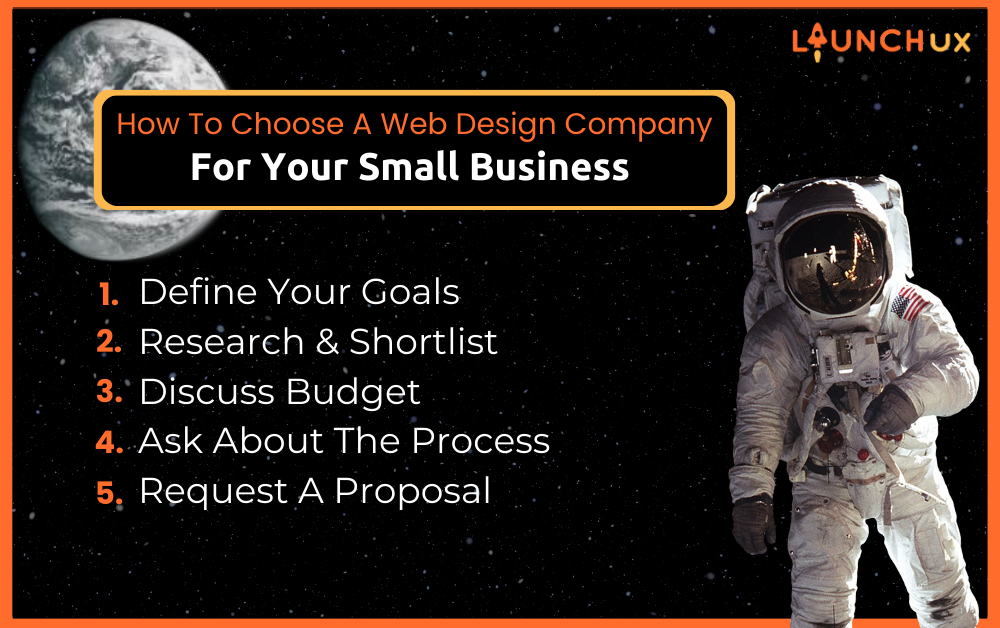
How To Choose A Web Design Company For Your Small Business

In the digital age, a strong online presence is essential for the success of any small business. Your website is often the first interaction potential customers have with your brand, making it a critical asset for building trust, credibility, and attracting new clients. However, designing an effective website that reflects your brand and converts visitors into customers can be challenging.

This is where a professional web design company can make a significant difference. They have the expertise, experience, and tools to create a website that not only looks great but also performs optimally. In this guide, we will delve into the process of choosing the right web design company for your small business.

Who Counts As A Small Business?

Before diving into the process of selecting a web design company, let’s understand who can benefit the most from their services. Small business web design is particularly beneficial for:

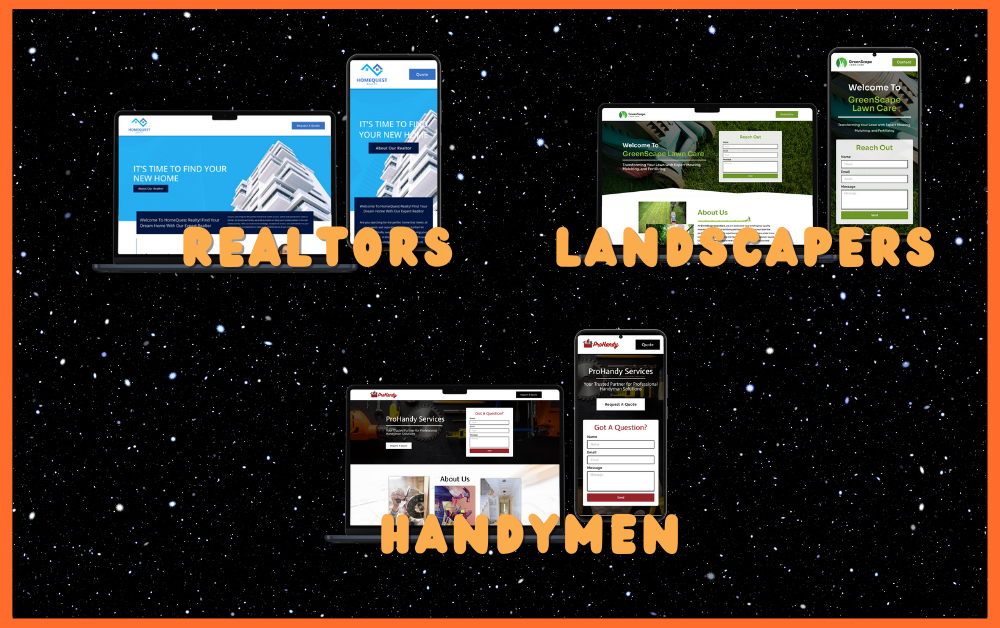
Realtors: Enhance your real estate business’s online presence to showcase properties effectively and attract potential buyers or renters.

Landscapers: Create a visually appealing website to showcase your landscaping projects, services, and expertise in transforming outdoor spaces.

Handymen: Reach a broader audience by showcasing your handyman services, expertise, and availability through a professional website.

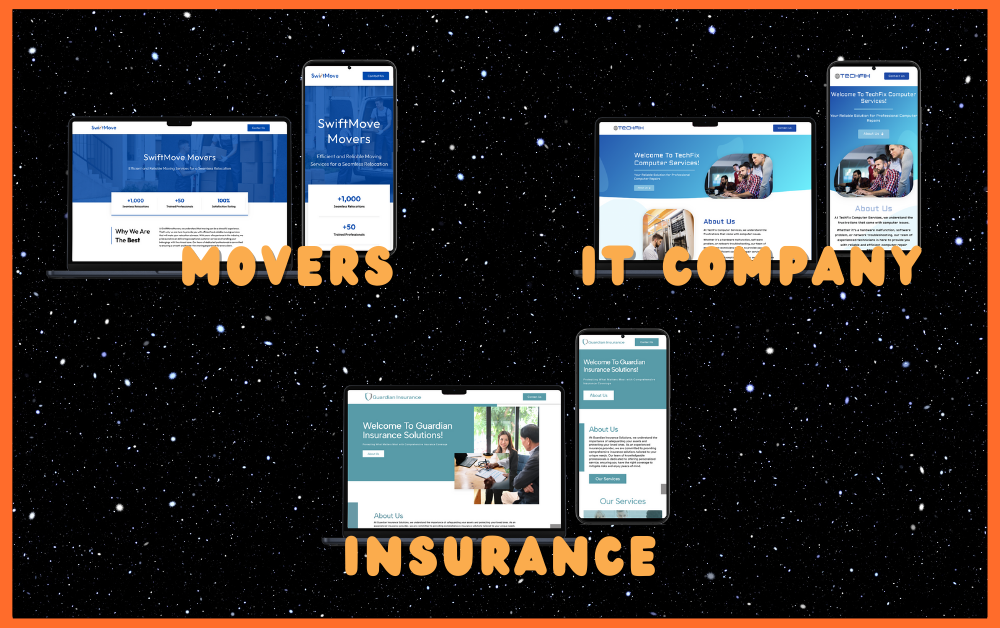
Moving Services: Improve your moving company’s credibility and visibility online, making it easier for customers to find and hire your services.

IT Companies: Showcase your IT solutions, services, and technical expertise to potential clients in need of reliable technology solutions.

Insurance Companies: Establish trust and provide valuable information about your insurance products and services to potential clients.

Now that we’ve identified industries that can benefit from small business web design, let’s move on to the steps for choosing the right web design company to meet your specific needs.

Elevate Your Small Business with Professional Web Design

In the competitive digital landscape, your small business needs more than just an online presence; it needs a compelling and user-friendly website to stand out. Here’s why investing in professional web design is a game-changer:

Search Engine Visibility:

Professional web designers understand the importance of SEO (Search Engine Optimization). They implement best practices, optimizing your website to rank higher in search engine results, and attracting organic traffic.

Brand Consistency:

Consistency in branding is key to building recognition and trust. Web design experts ensure your website aligns with your brand’s visual identity, reinforcing brand consistency.

Faster Loading Times:

Slow-loading websites frustrate users and negatively impact SEO. Professional designers optimize your site for speed, enhancing user experience and search engine rankings.

Competitive Advantage:

A professionally designed website sets you apart from competitors with generic or outdated websites. It positions your small business as a serious player in your industry.

How Do I Hire a Web Designer for My Small Business?

Hiring the right web designer or company is crucial for the success of your online presence. Here are the steps you should follow:

Define Your Goals:

Before you start looking for a web design company, it’s essential to define your goals and objectives. What do you want to achieve with your website? Understanding your goals will help you communicate your needs effectively to potential web designers.

Research and Shortlist:

Start by researching web design companies that specialize in working with small businesses. Look for companies with a strong portfolio and positive reviews. Ask for recommendations from colleagues or fellow business owners.

Discuss Your Budget:

Be clear about your budget from the beginning. A good web design company will work with you to create a website that fits your budget while still meeting your goals.

Ask About Their Process:

Apart from design aesthetics, it’s crucial to evaluate the technical capabilities of the web design company. They should be proficient in modern web technologies, responsive design, and SEO best practices.

Request A Proposal:

Ask the shortlisted companies to provide a detailed proposal, including cost breakdowns and project timelines. Compare the proposals to make an informed decision.

Communicate Clearly:

Effective communication is vital throughout the entire process. Ensure that you can easily reach out to the web design team and that they understand your vision.

Why Should I Choose a Web Design Company Instead of Doing It Myself?

While there are website builders and DIY options available, there are several compelling reasons to choose a professional web design company for your small business:

  1. Expertise and Experience: Professional web designers have the knowledge and experience to create websites that are visually appealing and functional.
  2. Customization: Web design companies can tailor your website to meet your specific needs and brand identity, providing a unique online presence.
  3. Time Efficiency: Hiring professionals saves you time, allowing you to focus on running your business while they handle the technical aspects of web design.
  4. SEO Optimization: Web design companies understand SEO best practices and can optimize your site for search engines, improving your online visibility.
  5. Responsiveness: They ensure that your website is responsive and works well on all devices, providing a seamless user experience.
  6. Technical Support: Professional web design companies offer ongoing technical support, helping you address issues and keep your site up to date.

Elevate Your Small Business with Professional Web Design

In the world of small business web design, choosing the right partner can make all the difference. If you’re looking for a trusted and nationally recognized web design and development solution, consider Apollo Sites.

Apollo Sites, powered by the experts at LaunchUX, ranks among the 1% of web developers according to UpCity. With their affordable website development solutions, you can take your small business to the next level online.

Don’t miss the opportunity to make a lasting impression of your audience with a professionally designed website. Contact Apollo Sites today to explore how they can help you achieve your online goals and grow your small business.


Difference between Domains, Hosting and Websites

Just like building a house involves various steps—such as securing land, building the structure, and decorating the interior—setting up a website also involves several components. In this easy-to-understand guide, we’ll use the example of a construction company to explain three essential pieces: Domains, Web Hosting, and Websites.

What is a Domain?

Imagine you’re starting a construction company and you name it “SturdyBuilds.” This name is how people will recognize and find you. In the digital world, a domain serves the same purpose—it’s the address where people can find your website. It’s what they type into their browsers to land on your page, like “SturdyBuilds.com.”

What is Web Hosting?

Once you’ve named your construction company, you need a physical location—a plot of land where you can set up your office and store all your building materials. This physical space is analogous to web hosting in the digital realm. Web hosting is the server space where your website’s files are stored. These servers need to be reliable and fast so that your website can be accessed at any time, from anywhere.

What is a Website?

Now that you have a name and location for your construction company, you need an actual office building and display models of homes you offer. This is your website in the digital landscape. It’s the content and design that people see and interact with once they’ve typed in your domain and the hosting server delivers your site to them.

How Do They Work Together?

  1. Choose a Domain: This is like naming your construction company. It’s how people will find you online.
  2. Secure Web Hosting: This is like finding a plot of land to build your physical office. It’s the server space where your website files live.
  3. Build Your Website: This is like constructing your office and the show models. In digital terms, it involves creating the pages, layout, and content for your site.
  4. User Experience: When someone types your domain name into their browser, their computer connects to your web hosting server and displays your website. A well-organized and fast-loading website is like offering visitors a smooth experience when they visit your construction firm.

Why Does This Matter?

Much like in construction, the foundation (domain) needs to be solid, the location (hosting) needs to be secure, and the final building (website) has to be well-designed and functional. Each element impacts how people perceive your business and how easily they can find and interact with you.

In summary, the domain is your business name online, the web hosting is where your website lives, and the website is the actual content people see and interact with. Understanding how these components come together can help you make informed decisions for your construction business’s online presence.

Need help setting all these up? At LaunchUX, we simplify these complex processes for you. Feel free to reach out to us for tailored solutions.

Website vs Mobile App—Why Websites Win

Businesses are often faced with the dilemma of choosing between a website and a mobile app. While both platforms offer unique advantages, websites often emerge as the more versatile and cost-effective solution. In this blog, we’ll delve into the key differences between websites and mobile apps, and why website development should be your go-to choice.

Accessibility and Reach

Websites Offer Universal Access

One of the most compelling advantages of a website is its universal accessibility. Unlike mobile apps, which require users to download and install software, websites can be accessed instantly via a web browser on any device. This eliminates the barrier to entry and allows businesses to reach a broader audience.

Example:

Imagine you run a local bakery. A well-optimized website allows anyone—from a nearby resident searching for “best bakery near me” to a tourist planning their trip—to find your business and browse your offerings without needing to install an app.

Cost-Effectiveness

Lower Development and Maintenance Costs

Developing a mobile app can be expensive, especially if you want it to be available on multiple platforms like Android and iOS. Websites, on the other hand, are generally less expensive to develop and maintain. Moreover, updates can be rolled out instantly without requiring users to download anything new.

Example:

If you own a small e-commerce business, developing a mobile app with all the necessary features like secure payment gateways, product catalogs, and customer reviews could cost a fortune. A website can offer the same functionalities at a fraction of the cost.

SEO and Discoverability

Websites Have the SEO Edge

Search Engine Optimization (SEO) is crucial for any business looking to establish an online presence. Websites have a distinct advantage in this area because they can be easily optimized for search engines, making them more discoverable.

Example:

Let’s say you run a digital marketing agency. By optimizing your website for relevant keywords like “digital marketing services” or “SEO agency,” you can improve your search rankings and attract more organic traffic, something a mobile app can’t achieve.

Flexibility and Scalability

Easier to Update and Scale

Websites are easier to update with new content, features, or design elements. This flexibility allows businesses to adapt quickly to market changes or customer feedback.

Example:

If you operate an online news portal, updating content or adding new sections is as simple as logging into your Content Management System (CMS) and making the changes. With a mobile app, such updates would require a more complex deployment process and user downloads.

Mobile apps are beneficial, but websites win with accessibility, affordability, and adaptability, often making them better for businesses. A smart, SEO-friendly website expands your reach, cuts costs, and navigates the dynamic digital world with ease. So, when it comes to the battle between websites and mobile apps, websites clearly have the upper hand.

The Power of System Integration in Business

In today’s rapidly evolving business landscape, staying ahead of the competition requires seamless connectivity, streamlined operations, and data-driven decision-making. That’s where the concept of system Integration and business integration come into play. In this comprehensive blog, we will explore the myriad benefits of system integration and how it can revolutionize the way businesses operate. By the end, you’ll have a deep understanding of why system integration is more than just a buzzword—it’s a catalyst for growth and efficiency.

What is System Integration?

Before diving into the benefits, let’s clarify what system integration entails. System integration refers to the process of connecting different software applications and hardware systems to work together as a coordinated whole. In essence, it breaks down data silos and enables various systems to communicate seamlessly.

Streamlined Operations

One of the primary benefits of system integration is streamlined operations. When systems and applications can communicate effortlessly, manual data entry and redundant processes become a thing of the past. This automation of tasks reduces human errors, eliminates inefficiencies, and frees up valuable time and resources.

For example, imagine a retail business that integrates its point-of-sale (POS) system with its inventory management system. When a customer makes a purchase, the inventory is automatically updated in real-time, ensuring accurate stock levels. This not only prevents overstocking or understocking but also reduces the need for manual stock checks and data reconciliation.

Enhanced Data Accuracy

Inaccurate or inconsistent data can wreak havoc on a business’s operations and decision-making processes. System integration ensures data consistency and accuracy by eliminating data silos and minimizing the need for manual data entry.

Consider a scenario where customer information is stored in multiple systems within an organization—sales, marketing, and customer support. Without integration, inconsistencies and errors in customer data are almost inevitable. System integration harmonizes this data, providing a single source of truth that improves decision-making, customer service, and marketing efforts.

Improved Decision-Making

In today’s data-driven world, quick and informed decision-making is a competitive advantage. System integration provides decision-makers with access to real-time, comprehensive data from various sources. This access to accurate information empowers them to make informed choices that can lead to better outcomes.

For instance, a manufacturing company that integrates its production data with sales and supply chain information can make more precise production forecasts. This not only reduces waste but also ensures that products are available when customers demand them, enhancing customer satisfaction and boosting profitability.

Enhanced Customer Experience

Customers expect a seamless and personalized experience when interacting with businesses. System integration plays a pivotal role in delivering on these expectations. By providing a unified view of customer data, it enables businesses to offer consistent and personalized service across channels.

Imagine a bank that integrates its customer relationship management (CRM) system with its online banking platform. This integration allows bank employees to access a customer’s transaction history and preferences quickly, enabling them to offer tailored financial advice and solutions. It also ensures that customers have a consistent experience whether they interact with the bank in person or online.

Cost Savings

While there is an initial investment in integration development, the long-term cost savings are substantial. Automating processes, reducing manual data entry, and eliminating data discrepancies all contribute to a leaner and more cost-effective operation.

For example, a logistics company that integrates its transportation management system with its inventory tracking can optimize routes and reduce fuel consumption. This not only lowers operational costs but also reduces the company’s carbon footprint, aligning with sustainability goals.

Competitive Advantage

In today’s competitive business environment, agility and responsiveness are key differentiators. System integration enables agility by connecting systems and applications, making it easier to embrace new technologies and respond to changing market demands.

Consider a retail chain that integrates its e-commerce platform with its inventory management system. This integration allows the retailer to offer services like buy online, pick up in-store (BOPIS) and real-time inventory availability on its website. As a result, the company can compete more effectively with online giants while leveraging its physical store presence.

Real-World Success Stories

Let’s explore some real-world examples to illustrate the transformative power of system integration:

a) Healthcare: In the healthcare sector, system integration can link electronic health records (EHRs) with billing systems, improving patient care coordination and streamlining billing processes. This not only enhances patient care but also reduces administrative overhead.

b) Manufacturing: In manufacturing, integrating production data with enterprise resource planning (ERP) systems enables real-time monitoring of production lines and facilitates just-in-time inventory management. This results in reduced production costs and improved resource allocation.

In a world where data is king, and business operations are increasingly complex, system integration has become a strategic imperative. It delivers streamlined operations, enhanced data accuracy, improved decision-making, cost savings, and a competitive edge. Businesses that embrace integration are not only better equipped to thrive in today’s fast-paced environment but also poised for sustained growth and efficiency in the years to come. System integration isn’t just a buzzword; it’s the roadmap to success in the digital age.

Navigating the Maze of Redirects

Redirects are a crucial part of website management and SEO strategy, but they can be confusing. With various types of redirects available, it’s essential to understand the differences between them to use them effectively. This blog aims to demystify the world of redirects by explaining the key types and their respective use-cases.

301 Redirect: Permanent Move

A 301 redirect is used to permanently move a URL to a different location. This is the most SEO-friendly type of redirect because it passes most of the link equity (around 90-99%) to the redirected page. Use a 301 redirect when you have permanently moved content from one URL to another, such as during a site migration or a rebranding exercise.

302 Redirect: Temporary Move

A 302 redirect indicates a temporary move or change of a URL. Unlike a 301 redirect, a 302 redirect does not pass link equity, making it less ideal for SEO purposes. Use this type of redirect when you’re temporarily relocating a page for maintenance or for short-term promotional campaigns.

303 Redirect: See Other

A 303 redirect is used to indicate that a resource has been replaced by another. This type of redirect is often used after form submissions to prevent duplicate submissions when a user refreshes the page. It ensures that the subsequent request will be done using a GET method, even if the original request was a POST method.

307 Redirect: Temporary Redirect (HTTP 1.1)

A 307 redirect is similar to a 302 but is explicitly an HTTP 1.1 version of a temporary redirect. It ensures that the method and the body of the original request will not be changed in the subsequent request. This is useful when you want to maintain the integrity of the original request during the redirect.

308 Redirect: Permanent Redirect (HTTP 1.1)

A 308 redirect is the HTTP 1.1 version of a 301 redirect. Like a 301, it indicates a permanent move and passes link equity, but it also ensures that the method and body of the original request remain unchanged. This is particularly useful for API services where the request method and body are important.

Meta Refresh

Unlike server-side redirects, a Meta Refresh is a client-side redirect that happens within the HTML of a page. It’s often used for timed redirects, where the page will automatically redirect to another URL after a specified number of seconds. However, it’s not recommended for SEO purposes as it doesn’t pass link equity.

JavaScript Redirects

JavaScript redirects are also client-side redirects that use JavaScript to change the location of the browser. These are generally not recommended for important pages because they are not as SEO-friendly as server-side redirects.

Understanding the different types of redirects is crucial for effective website management and SEO strategy. Whether you’re dealing with site migrations, temporary page moves, or form submissions, there’s a redirect that’s appropriate for your needs. By choosing the right type of redirect, you can maintain your site’s user experience and SEO value.

How Font Choice Can Impact Website Lead Generation

Typography might seem like a minor detail when designing your website, but its impact on user experience and lead generation is far from trivial. In the world of online marketing, where every element can contribute to a website’s success or failure, even something as subtle as font choice matters. At LaunchUX, we specialize in the intricacies that make a website not just good but great, and typography is definitely on that list. In this blog, we will explore how the right font choices can enhance lead generation.

First Impressions Matter

Before your audience reads the content, they’ll gauge the overall look and feel of your website. Fonts play a crucial role here. A clean, readable font can set the tone for professionalism, trustworthiness, and credibility—all essential factors in lead conversion.

The Psychology of Fonts

Different fonts evoke different emotions. Serif fonts like Times New Roman often denote formality and trust, which might be suitable for law firms or financial institutions. In contrast, sans-serif fonts like Arial and Helvetica give a modern, clean look suitable for tech companies. Knowing your target audience and the emotions you want to evoke can guide your font selection.

Readability: The Overlooked Factor

The primary purpose of your website’s text is to be read. Fonts that are hard to decipher can be an immediate turn-off, causing visitors to leave your page, which results in lost leads. Fonts should be legible across various devices and screen sizes.

Speed Matters

It’s worth mentioning that custom fonts can slow down your website, affecting both user experience and SEO ranking. Web-safe fonts or Google fonts are often optimized for web use, making them a smart choice for balancing aesthetics and performance.

Consistency is Key

Keeping fonts consistent throughout your site is essential for creating a cohesive experience. This doesn’t mean you can’t vary fonts for headings and body text, but the fonts you choose should complement each other and align with your brand’s image.

Examples

Company A: When Fancy Fonts Fail

What Happened: Company A, an art gallery, used a complex, decorative font on their website. It looked artistic but was hard to read.

Outcome: Their website had a high rate of people leaving quickly (high bounce rate). When they switched to a simpler font, the bounce rate dropped and more people filled out their contact form.

Company B: The Power of Simple Fonts

What Happened: Company B, a financial firm, went for a clean and straightforward font. They chose “Open Sans,” which is easy to read.

Outcome: After the change, they had more people stay on their website and take actions like clicking on services or contacting them. Their lead conversion rate went up by 20%.

These case studies serve as cautionary tales and success stories. Make informed choices, and don’t underestimate the power of fonts in lead generation.

Why LaunchUX is Your Ideal Partner for Web Design Choices

Typography is just one aspect of web design, albeit a crucial one. At LaunchUX, we pay attention to every detail to ensure that your website not only looks great but also performs exceptionally when it comes to lead generation. If you’re in need of a website redesign or are starting from scratch, don’t hesitate to reach out to us. We can help you make typography and other design choices that will positively impact your lead generation.

Font choice is an essential element of web design that directly affects user experience and, by extension, lead generation. From first impressions and emotional impact to readability and site speed, the font you choose can make or break your website’s performance. Trust experts like us at LaunchUX to guide you through these intricate design decisions, elevating your website’s potential for generating quality leads.

Why WordPress is the Superior Choice for Content Marketing and SEO

In an era where content is king and search engine optimization (SEO) serves as the castle’s guard, choosing the right platform for your website becomes increasingly crucial. While there are several platforms to choose from, WordPress distinctly shines as the ideal choice, especially when pitted against popular platforms like Wix and Squarespace. At LaunchUX, we have the expertise to transform platforms into marketing powerhouses—and WordPress consistently proves to be the most effective. Here’s why.

The Flexibility Factor

WordPress

WordPress is an open-source platform, which means you have almost unlimited customization options at your fingertips. With over 50,000 plugins available, you can extend your website’s functionality to include anything from SEO tools to advanced e-commerce capabilities. Themes are aplenty as well, enabling you to adapt your website’s appearance to align with your brand identity without compromising on functionality.

Wix & Squarespace

Wix and Squarespace offer limited flexibility in comparison. While they offer a selection of plugins and themes, their closed ecosystems prevent you from installing third-party extensions. The limited customization options can be a bottleneck, especially as your content marketing and SEO needs become more sophisticated.

The SEO Advantage

WordPress

One of the main reasons SEO experts gravitate towards WordPress is its robust SEO support. Plugins like Yoast SEO and All in One SEO Pack provide deep customization, allowing you to modify meta descriptions, titles, and even add Schema markup to your posts. Furthermore, you can create clean, short URLs—a proven factor in ranking well on search engines.

Wix & Squarespace

In contrast, Wix and Squarespace offer rudimentary SEO features. You can set meta descriptions and titles, but the level of SEO detail you can get into is not comparable to what WordPress offers. Additionally, these platforms have been criticized for generating messy URLs, which can have a negative impact on SEO.

Content Scalability: Built for Growth

WordPress

WordPress not only handles your current content needs but also scales seamlessly as your content library grows. Whether you have 10 blog posts or 10,000, WordPress ensures consistent performance. The platform can also manage a wide variety of content types, from video and audio to podcasts and social media feeds, all while maintaining optimal speed and functionality.

Wix & Squarespace

The scalability of Wix and Squarespace is questionable. As you add more content, especially multimedia elements, you may begin to experience performance issues. The platforms are not engineered to handle extensive libraries efficiently, and this could lead to slow loading times—an SEO nightmare.

An Army of Supporters: The Community

WordPress

WordPress boasts a massive community of developers, SEO experts, and content marketers who constantly contribute to its rich repository of plugins, themes, and best practices. This support network ensures that you’re equipped with the latest tools and knowledge to stay ahead in the content marketing and SEO game.

Wix & Squarespace

While Wix and Squarespace offer customer support, they lack a vibrant community of contributors. You’re often reliant on the platforms’ native capabilities and support resources, which limits your potential for growth and adaptation.

Analytics: Beyond the Basics

WordPress

WordPress can be integrated seamlessly with state-of-the-art analytics tools like Google Analytics, Adobe Analytics, or any other third-party analytics software. This allows for detailed data collection and insights that can inform your content marketing and SEO strategies.

Wix & Squarespace

Wix and Squarespace do offer some analytics functionalities, but they are generally basic and lack the depth provided by specialized analytics tools. This limitation makes it more challenging to interpret user behavior and adapt your strategies accordingly.

Why LaunchUX is Your Ideal Partner

When your business outgrows the limited functionalities of platforms like Wix or Squarespace, transitioning to a more robust platform like WordPress becomes a necessity. At LaunchUX, we offer a host of specialized solutions, tailored to elevate your content marketing and SEO strategies. Reach out to us, and let’s discuss how we can transform your website into a high-performing asset for your business.

When you factor in flexibility, SEO capabilities, scalability, community support, and analytics, WordPress emerges as the clear winner against Wix and Squarespace for content marketing and SEO optimization. If you’re serious about these aspects of digital marketing, partnering with experts like us at LaunchUX can provide you with the advantage you need. Let’s start the conversation today.

Social Media’s Impact on Business Growth: Profile Views and Exposure

In today’s digital age, social media has evolved from being a platform for personal connections to becoming a powerful tool for businesses looking to expand their reach and thrive in the competitive market. Among the many advantages it offers, two key elements stand out: profile views and business exposure. In this blog, we will explore why social media is crucial for growing a business and how it can significantly impact your success.

1. Unparalleled Reach and Audience Engagement

One of the primary reasons social media is essential for business growth is the unparalleled reach it provides. Platforms like Facebook, Instagram, Twitter, and LinkedIn boast billions of active users combined, making them fertile ground for businesses to connect with their target audience. By creating and maintaining an active social media presence, businesses can reach potential customers, partners, and collaborators across the globe.

When it comes to profile views, social media platforms offer businesses a unique opportunity to showcase their products, services, and values. Regular posts, updates, and interactions help boost your profile views, ensuring that more people discover and engage with your business. The more profile views you receive, the greater your chances of converting viewers into loyal customers.

2. Enhanced Business Exposure

Business exposure is a crucial factor that can make or break a company’s success. Without adequate exposure, even the most outstanding products or services may remain hidden in the shadows. Social media serves as a powerful spotlight, illuminating your business to a vast and diverse audience.

Through strategic posting and engagement, businesses can increase their online visibility, ensuring that their target audience encounters their brand frequently. Consistency is key here. Regularly sharing valuable content and interacting with followers within your industry can significantly enhance your business exposure.

For instance, if you’re a fashion retailer, posting daily outfit inspiration, behind-the-scenes content, and engaging with fashion enthusiasts can significantly boost your visibility in the fashion community. As your content gains traction, it will appear in the feeds of users interested in fashion. Increasing the likelihood of profile views and, ultimately, conversions.

3. Building Brand Authority and Trust

Another vital aspect of business growth facilitated by social media is the opportunity to build brand authority and trust. Modern consumers are discerning and cautious, and they often turn to social media to research businesses before making a purchase. A well-maintained social media profile that showcases your expertise, industry knowledge, and commitment to customer satisfaction can go a long way in establishing trust and credibility.

By consistently sharing high-quality content that addresses your audience’s pain points and interests, you position your business as an industry authority. When potential customers view your profile and see a wealth of informative and relevant posts, they are more likely to trust your brand and choose your products or services over competitors.

4. Leveraging Paid Advertising

While organic growth through regular posting and engagement is valuable, social media also offers businesses the option of leveraging paid advertising to further increase profile views and business exposure. Platforms like Facebook and Instagram allow businesses to create highly targeted ad campaigns. Ensuring that their content reaches the right audience.

Paid advertising can be especially effective in driving profile views, as these ads are often prominently displayed to users who match your ideal customer profile. By allocating a budget to social media advertising, businesses can accelerate their growth by reaching a larger, more tailored audience.

5. Real-time Feedback and Analytics

Social media not only enhances profile views and business exposure but also provides valuable real-time feedback and analytics, including post engagement and audience demographics.

By analyzing this data, businesses can fine-tune their strategies for better results. For instance, if you identify content or posting schedules that consistently drive higher profile views and engagement, you can adjust your strategy to maximize business exposure.

6. Fostering Customer Engagement and Loyalty

Social media is not about attracting new customers but also about fostering engagement and loyalty among your existing customer base. By maintaining an active and responsive social media presence, you can keep your customers engaged, address their concerns, and create a sense of community around your brand.

Encourage your followers to share their experiences, provide feedback, and interact with your content. This not only increases your profile views as more people engage with your posts but also helps solidify customer loyalty, turning one-time buyers into repeat customers and brand advocates.

In conclusion, social media is undeniably crucial for growing a business, profile views and business exposure. By harnessing the power of social media platforms, businesses can reach a vast audience and establish brand authority. Whether through organic growth strategies or paid advertising, social media provides businesses with the tools they need to thrive in the digital landscape. So, don’t underestimate the significance of social media in your business growth journey. It might just be the key to unlocking your full potential.

Does my Website Need a Privacy Policy?

Privacy policies aren’t just legalese or fine print. In today’s digital world, they’re a critical part of responsible website ownership. While many website owners might view a privacy policy as optional, failing to include one can lead to serious legal consequences. This blog post will guide you through the importance of having a privacy policy on your website and discuss the legal implications of not having one.

What Is a Privacy Policy?

A Privacy Policy is a legal document that outlines how a website will collect, store, and use visitors’ personal data. This includes information such as names, email addresses, and browsing history. The policy should also specify any third-party services that might have access to that data.

Why Is It Important?

Builds Trust

Transparency about how you handle customer information can foster trust. Visitors are more likely to engage with your website if they know their information is in safe hands.

In many jurisdictions, privacy laws require websites that collect personal data to have a privacy policy. For example, the European Union’s General Data Protection Regulation (GDPR) and California’s Consumer Privacy Act (CCPA) impose stringent requirements on data collection and usage.

Risk Mitigation

Having a clear and robust privacy policy can protect you from potential legal disputes related to data mishandling or unauthorized data sharing. It can act as a safeguard and show that you took reasonable steps to protect user data.

Financial Penalties

Regulatory agencies can impose hefty fines on businesses that fail to adhere to privacy laws. For example, companies can be fined up to €20 million or 4% of their annual global turnover under GDPR.

Lawsuits

Individuals could bring legal action against your company for misusing or not protecting their personal data. Even if you win the case, the legal costs and bad press can severely damage your reputation.

Loss of Business

Customers and clients who don’t see a privacy policy may lose faith in your business and go elsewhere. Trust is a crucial element in consumer behavior, and not having a privacy policy can deter potential business.

What Should Be Included?

  1. Data Collection Methods: Clearly describe what data you collect and how you collect it.
  2. Data Use: Explain what you do with the data. Be transparent about any third-party involvement.
  3. Data Storage and Security: Describe where and how the data will be stored and protected.
  4. User Rights: Inform the user of their rights regarding their data.
  5. Contact Information: Provide a way for users to contact you for further clarification or concerns.

Privacy policies are more than just a legal requirement; they’re a business necessity. Failing to include one can expose you to fines, legal action, and loss of trust from your audience. If you’re unsure where to start, consider seeking professional guidance.

At LaunchUX, we understand that navigating legal aspects of website management can be daunting. We offer services that can help you get compliant and stay compliant. Don’t hesitate to reach out for specialized assistance.