
rocketfuel, Author at LaunchUX - Page 16 of 28

Author: rocketfuel

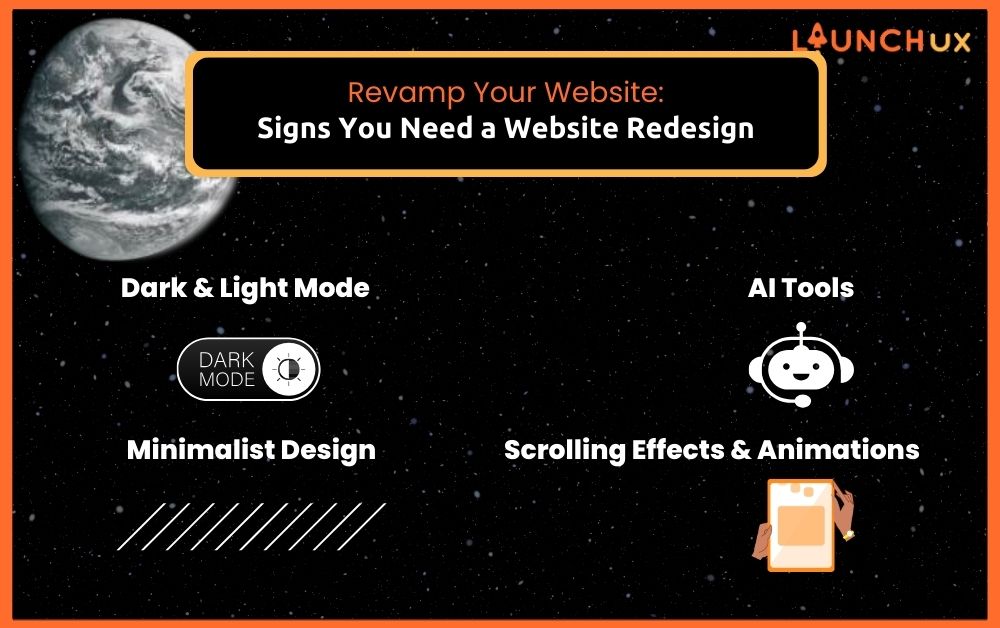
Revamp Your Website: Signs You Need a Website Redesign

Is your website struggling to keep up with the demands of today’s digital landscape? If you’re experiencing a decline in traffic, a surge in bounce rates, or if your site feels stuck in the past, it might be time for a website redesign. A modern, efficient website is not just a digital storefront but a crucial component of your business strategy. Let’s dive straight into the signs that indicate it’s time to revamp your website.

Signs You Need a Website Redesign

Poor Ranking in Search Engines

One of the clearest indicators that you need a website redesign is poor ranking in search engine results. Search engines like Google are constantly updating their algorithms to provide users with the best possible results. An outdated website can easily fall behind these changes, leading to a drop in rankings. Factors such as old content, lack of mobile optimization, and slow loading times can negatively impact your SEO. When your website isn’t showing up on the first page of search results, you’re missing out on valuable traffic and potential customers.

Poor Mobile Experience

With more than half of all web traffic coming from mobile devices, having a mobile-friendly website is no longer optional. If your site doesn’t provide a seamless experience on smartphones and tablets, you’re likely losing a significant portion of your audience. Signs of a poor mobile experience include difficult navigation, unreadable text, and slow load times. A website redesign focused on mobile optimization ensures that your visitors can easily access and interact with your site, no matter what device they’re using.

Slow Site Speed

In today’s fast-paced world, users expect websites to load quickly. If your site takes more than a few seconds to load, visitors are likely to abandon it and look for faster alternatives. Slow site speed not only frustrates users but also negatively impacts your SEO. Google has stated that site speed is a ranking factor, meaning that a slow website can hurt your search engine rankings. Tools like Google PageSpeed Insights can help you identify issues slowing down your site. A website redesign can address these problems, improving both user experience and SEO performance.

Your Site is More Than 5 Years Old

Technology and design trends evolve rapidly. If your website is more than five years old, it’s probably time for a website redesign. Older websites often lack modern features that enhance user experience, such as responsive design, fast loading times, and advanced security measures. Additionally, design trends change over time, and an outdated website can make your business appear out of touch. By investing in a website redesign, you can ensure your site meets current standards and expectations, providing a better experience for your visitors and staying competitive in your industry.

Design Styles to Consider for Your Website Redesign

When it comes to a website redesign, selecting the right design style is crucial for creating a visually appealing and functional site. Here are some modern design styles to consider that can enhance the user experience and keep your site looking fresh and contemporary.

Dark and Light Mode

What It Is: Dark mode and light mode refer to the color schemes of a website. Dark mode features a dark background with light text, while light mode has a light background with dark text. Many websites now offer users the option to switch between these modes based on their preference.

Benefits: Implementing both dark and light modes can improve user experience by reducing eye strain, especially in low-light environments. It also caters to user preferences, making your site more versatile. Dark mode can also save battery life on OLED screens, making it a practical choice for mobile users. A website redesign that includes dark and light mode options can make your site more user-friendly and visually appealing.

Minimalist Design

What It Is: Minimalist design focuses on simplicity and clarity, using only essential elements to create a clean and uncluttered look. It often features plenty of white space, simple typography, and limited color palettes.

Benefits: Minimalist design enhances user focus by eliminating unnecessary distractions. It can also improve load times, as simpler designs require fewer resources. This style is particularly effective for conveying professionalism and elegance. During a website redesign, adopting a minimalist approach can help streamline the user experience and make your content stand out.

Incorporating AI Tools

What It Is: AI tools in web design include features like chatbots, personalized content recommendations, and automated design adjustments based on user behavior.

Benefits: AI tools can significantly enhance user engagement and satisfaction by providing personalized experiences. Chatbots, for example, can assist visitors in real-time, answering questions and guiding them through the site. Personalized content recommendations keep users interested by showing them relevant information. An AI-powered website redesign can make your site more interactive and user-centric, improving overall user experience and boosting conversion rates.

Scrolling Effects and Animations

What It Is: Scrolling effects and animations refer to dynamic elements that move or change as users scroll through the website. Examples include parallax scrolling, where background images move slower than foreground content, and animations that trigger upon scrolling.

Benefits: These effects can make your website more engaging and visually appealing. They help tell a story and guide users through the content in a more interactive way. However, it’s important to use them sparingly to avoid overwhelming users. A website redesign incorporating tasteful scrolling effects and animations can create a memorable browsing experience, encouraging visitors to spend more time on your site.

By integrating these modern design styles into your website redesign, you can create a site that is not only visually appealing but also user-friendly and aligned with current trends. 
LaunchUX’s Process for Web Design

At LaunchUX, we believe that a successful website redesign is more than just a facelift. It’s about creating a site that truly represents your brand, engages your audience, and meets your business goals. Here’s a detailed look at our process for web design, ensuring a smooth and effective transformation for your website.

Researching Your Business

Understanding Your Brand and Target Audience: Our first step is to get to know your business inside and out. We take the time to understand your brand identity, your mission, and your goals. We also delve into your target audience to grasp their needs, preferences, and behaviors. This comprehensive research helps us create a website that resonates with your audience and aligns with your brand.

Competitive Analysis and Setting Goals: We analyze your competitors to identify strengths and weaknesses in their web design. This helps us determine what works well in your industry and what can be improved. Based on this analysis, we set clear, achievable goals for your website redesign to ensure it delivers measurable results.

Designing Attractive Pages

Collaboration with Clients to Create Visually Appealing Designs: Our design process is highly collaborative. We work closely with you to create designs that are visually appealing and reflect your brand’s personality. We present multiple design options and iterate based on your feedback to ensure the final design meets your expectations.

Importance of Aligning with Your Brand Identity: Every element of the design, from colors and fonts to images and layout, is chosen to align with your brand identity. This consistency helps build brand recognition and trust among your audience.

Adding Meaningful Content and Media

Crafting Messages That Resonate with Your Audience: Content is king, and we make sure your website features high-quality, meaningful content. Our team of skilled writers crafts messages that resonate with your audience, effectively conveying your brand’s story and value propositions.

Integrating High-Quality Images and Videos: Visual content is crucial for engaging visitors. We integrate high-quality images and videos that complement your text and enhance the overall user experience. These visuals not only make your site more attractive but also help communicate your message more effectively.

Developing Audience Appeal

Strategies to Make Your Website More Attractive to Your Target Audience: To appeal to your target audience, we employ various strategies such as intuitive navigation, compelling calls-to-action, and personalized user experiences. We ensure your website is easy to navigate, with clear paths to important information and actions.

Enhancing User Experience Through Intuitive Navigation and Functionality: A well-structured site with intuitive navigation keeps visitors engaged and helps them find what they’re looking for quickly. We focus on creating a seamless user experience, ensuring that your visitors have a positive interaction with your site from start to finish.

Approval and Launch

Final Revisions and Client Approval: Before going live, we conduct thorough testing and make final revisions based on your feedback. This ensures that everything works perfectly and looks exactly as you envisioned.

Launching the Website and Post-Launch Support: Once you approve the final design, we launch your website and monitor its performance closely. We offer post-launch support to address any issues and ensure your site continues to perform optimally.

By following this comprehensive process, LaunchUX ensures that your website redesign is not only aesthetically pleasing but also strategically effective. Our goal is to create a website that helps you achieve your business objectives and provides a superior user experience.

Transform Your Online Presence with a Website Redesign

Revamping your website is more than just an aesthetic upgrade; it’s a strategic move to enhance your online presence and meet the evolving needs of your audience. By recognizing the signs that it’s time for a redesign, exploring modern design styles, and following a comprehensive web design process, you can create a site that truly reflects your brand and engages your visitors. At LaunchUX, we are committed to helping you achieve these goals with a website that not only looks great but also performs exceptionally.

Ready to Revamp Your Website? Let’s Get Started Today!

Don’t let an outdated website hold your business back. A modern, user-friendly, and SEO-optimized website is just a few steps away. Contact LaunchUX today to begin your website redesign journey. Our team of experts is here to guide you through every step, from initial research to the final launch. Let’s create a website that sets you apart from the competition and drives your business forward. Get in touch with us now and take the first step towards a stunning new website!
Why Mobile-Friendly Websites Are Essential for Business Growth

With the advent of smartphones and tablets, people are no longer confined to their desktops to browse the web. Mobile devices have become an integral part of our daily lives, influencing how we shop, communicate, and consume information. This shift in internet usage trends highlights the growing importance of mobile-friendly websites. Businesses must adapt to these changes to stay competitive and ensure their online presence is optimized for mobile users. This article delves into why having a mobile-friendly website is crucial for business growth, exploring its benefits, key elements, and steps to achieve mobile optimization.

Understanding Mobile-Friendly Websites

A mobile-friendly website is designed to provide an optimal viewing and interaction experience across a wide range of devices, including smartphones and tablets. These websites are built to adapt to different screen sizes and resolutions, ensuring that content is easily accessible and navigable. Key features of a mobile-friendly website include:

  • Responsive Design: Automatically adjust the layout based on the screen size and orientation of the device.
  • Fast Loading Times: Ensures that pages load quickly, even on slower mobile networks.
  • Easy Navigation: Features intuitive menus and buttons that are easy to tap and interact with on a touchscreen.
  • Readable Text: Ensures that text is legible without the need for zooming or horizontal scrolling.
  • Optimized Images and Videos: Scales media appropriately to avoid excessive loading times and bandwidth usage.

Statistics on Mobile Usage

The importance of mobile-friendly websites is underscored by the growing number of mobile internet users. According to recent statistics, over 60% of global web traffic comes from mobile devices. In 2023, it was reported that there were 4.32 billion unique mobile internet users worldwide, highlighting the vast audience businesses can reach through mobile optimization. Moreover, studies show that users are more likely to abandon a website if it takes more than three seconds to load on their mobile device. These statistics emphasize the need for businesses to prioritize mobile-friendly designs to capture and retain their audience.

The Business Benefits of Mobile-Friendly Websites

1. Enhanced User Experience

One of the primary benefits of having a mobile-friendly website is the enhanced user experience it offers. A well-optimized website ensures that users can easily navigate, read content, and interact with various elements without any frustration. When users have a positive experience, they are more likely to stay longer on the site, explore different pages, and ultimately convert into customers. This improved user experience can lead to higher customer satisfaction and retention rates, fostering long-term loyalty and trust.

2. Improved Search Engine Rankings

Search engines, particularly Google, prioritize mobile-friendly websites in their search results. With the implementation of mobile-first indexing, Google primarily uses the mobile version of a website’s content for indexing and ranking. This means that websites optimized for mobile devices are more likely to rank higher in search engine results pages (SERPs), leading to increased visibility and organic traffic. By ensuring your website is mobile-friendly, you can improve your search engine rankings and attract more potential customers.

3. Increased Engagement and Conversion Rates

Mobile optimization can significantly impact engagement and conversion rates. When users find it easy to navigate and interact with a website on their mobile devices, they are more likely to engage with the content, make purchases, or complete desired actions. Studies have shown that mobile-friendly websites have higher conversion rates compared to those that are not optimized for mobile. For instance, a study by Google found that 61% of users are unlikely to return to a mobile site they had trouble accessing, and 40% visit a competitor’s site instead. By optimizing your website for mobile, you can enhance user engagement and increase conversion rates, driving business growth.

Key Elements of a Mobile-Friendly Website

1. Responsive Design

Responsive design is a fundamental aspect of mobile-friendly websites. It involves using flexible layouts, grids, and images that automatically adjust based on the screen size and orientation of the device. This ensures that users have a seamless experience, whether they are browsing on a smartphone, tablet, or desktop. Implementing responsive design can significantly improve usability and accessibility, making it easier for users to interact with your website across different devices.

2. Fast Loading Times

Website speed is a critical factor in mobile optimization. Users expect websites to load quickly, and any delay can lead to higher bounce rates and lost opportunities. To optimize loading times, businesses should:

  • Optimize Images: Compress and resize images to reduce loading times without compromising quality.
  • Minimize HTTP Requests: Reduce the number of elements on a page to minimize HTTP requests.
  • Enable Browser Caching: Allow browsers to store frequently accessed files to speed up subsequent visits.
  • Use Content Delivery Networks (CDNs): Distribute content across multiple servers to ensure faster delivery.

3. Easy Navigation and Readability

Intuitive navigation and readable content are crucial for a positive mobile experience. Users should be able to easily find information and interact with the website without any difficulty. To achieve this, businesses should:

  • Simplify Menus: Use simple and concise menus that are easy to tap on small screens.
  • Prioritize Important Content: Ensure that critical information is easily accessible and prominently displayed.
  • Use Readable Fonts: Choose fonts that are easy to read on small screens and ensure sufficient contrast between text and background.
  • Optimize Touch Targets: Make buttons and links large enough to be easily tapped with a finger.

Common Pitfalls to Avoid

1. Overcomplicated Designs

While visually appealing designs can attract users, overly complex designs can hinder mobile usability. Avoid using excessive graphics, animations, or intricate layouts that may slow down the website and make it difficult to navigate. Focus on simplicity and functionality to provide a smooth and efficient user experience.

2. Ignoring Mobile SEO

Mobile SEO is essential for ensuring that your website ranks well in search engine results. Ignoring mobile-specific SEO practices can negatively impact your visibility and organic traffic. Key mobile SEO practices include:

  • Using Mobile-Friendly URLs: Ensure that URLs are short, descriptive, and easy to read.
  • Optimizing Meta Tags: Use concise and relevant meta titles and descriptions that cater to mobile users.
  • Implementing Structured Data: Use structured data markup to help search engines understand your content and provide rich snippets in search results.

3. Lack of Testing

Regular testing is crucial to ensure that your website functions properly across different mobile devices and browsers. Conduct thorough testing to identify and fix any issues related to layout, performance, and usability. Use tools like Google’s Mobile-Friendly Test and PageSpeed Insights to evaluate your website’s mobile performance and make necessary improvements.

Steps to Optimize Your Website for Mobile

1. Audit Your Current Website

Start by conducting a comprehensive audit of your current website to identify areas that need improvement. Use the following checklist to evaluate your website’s mobile-friendliness:

  • Responsive Design: Check if your website adapts to different screen sizes.
  • Loading Speed: Measure loading times on various mobile devices.
  • Navigation: Ensure that menus and buttons are easy to use.
  • Content Readability: Verify that text is legible without zooming or horizontal scrolling.

2. Implement Responsive Design

If your website is not already using responsive design, implement it to ensure a consistent experience across all devices. Use flexible grids, layouts, and images that automatically adjust based on the device’s screen size. Test the responsive design on multiple devices to ensure compatibility and functionality.

3. Optimize Content and Media

Content and media optimization are crucial for enhancing mobile performance. Follow these best practices:

  • Resize and Compress Images: Use tools to resize and compress images to reduce loading times.
  • Optimize Videos: Use formats and sizes that are compatible with mobile devices and consider using lazy loading for videos.
  • Use Short Paragraphs and Bullet Points: Break up content into short, digestible paragraphs and use bullet points for easy readability.

4. Use Mobile-Friendly Tools and Plugins

Leverage mobile-friendly tools and plugins to enhance your website’s functionality and performance. Some recommended tools include:

  • AMP (Accelerated Mobile Pages): A framework that helps create fast-loading mobile pages.
  • Mobile-Friendly Themes: Use themes designed specifically for mobile optimization.
  • Caching Plugins: Use caching plugins to speed up loading times by storing frequently accessed files.

The Imperative of Mobile Optimization for Business Success

Mobile-friendly websites are essential for business growth in today’s digital landscape. By providing an enhanced user experience, improving search engine rankings, and increasing engagement and conversion rates, mobile optimization can drive significant business benefits. To achieve mobile optimization, businesses should focus on responsive design, fast loading times, easy navigation, and readable content. Avoid common pitfalls such as overcomplicated designs, ignoring mobile SEO, and lack of testing. By following the steps outlined in this article, you can optimize your website for mobile and stay ahead of emerging trends and innovations.

Ready to take your website to the next level? Contact LaunchUX today for a free consultation on optimizing your website for mobile devices. Our team of experts will conduct a comprehensive audit and provide actionable recommendations to enhance your mobile performance. Don’t miss out on the opportunity to grow your business in the mobile-first world. Visit our services page to learn more and get started today!

What Are the Secrets Behind Powerful Content Optimization?

Content Optimization stands as a critical pillar, essential for both engaging audiences and enhancing visibility across search engines. This strategy transcends simple keyword insertion, embracing a more holistic approach that ensures content is not only discoverable but also resonates deeply with readers. Here, we delve into the nuanced realm of content optimization, unraveling its complexities and revealing how to leverage every piece of content to its fullest potential for maximum engagement and optimal search engine performance.

Understanding Content Optimization

Defining Content Optimization

Content optimization is the meticulous process of refining and adjusting your content to ensure it attracts maximum visibility and engagement online. It’s an expansive concept that includes optimizing texts for search engines while ensuring the content remains engaging and valuable to the audience. By enhancing various elements from keyword density to the readability and relevance of the information provided, content optimization makes your website more appealing to both search engines and users.

The Relationship Between Content and SEO

The symbolic relationship between content and search engine optimization (SEO) is foundational to successful digital marketing strategies. As search engines evolve, they increasingly prioritize content that offers relevance and quality over mere keyword frequency. This shift underscores the need for content that is not only well-optimized but also rich in information and engaging to the reader, thereby enhancing both user experience and search engine rankings.

Key Techniques for Effective Content Optimization

Keyword Research and Selection

The cornerstone of effective content optimization is robust keyword research. Utilizing sophisticated tools such as Google Keyword Planner, Ahrefs, or SEMrush allows you to uncover the terms and phrases your target audience used in their search queries. This insight enables you to craft content that directly answers their questions or provides the information they seek, making your content invaluable and more likely to attract traffic.

Strategic Keyword Placement

Identifying keywords is only the first step; placing them strategically throughout your content is critical. Integrate keywords thoughtfully into your titles, headings, subheadings, introductory sentences, and even meta descriptions. This strategic placement ensures that your content is not only SEO-friendly but also flows naturally, making it more appealing to readers and search engines alike.

The Role of Meta Tags

Meta tags, particularly title tags and meta descriptions, play a pivotal role in content optimization. These elements are crucial as they provide snapshots of your content’s subject matter at a glance, influencing both click-through rates and search engine rankings. Crafting these tags to be compelling and reflective of the content’s core message can significantly improve your visibility in search results.

Optimizing for User Intent

Aligning your content with user intent is increasingly crucial in a landscape where search engines strive to match results to the nuances of user queries. By understanding the intent behind search terms – whether informational, navigational, or transactional – you can tailor your content to meet those specific needs, thereby increasing its relevance and effectiveness in search results.

Enhancing Readability and Engagement

Structuring Your Content

Effective communication is as much about presentation as it is about content. Employing clear headers, subheaders, and bullet points not only enhances the readability of your content but also makes it more accessible to readers, who often scan for quick answers. A well-structured article or blog post invites deeper engagement, encouraging readers to spend more time on your page and interact more extensively with your content.

Visuals and Multimedia

Incorporating relevant visuals and multimedia elements such as images, videos, and infographics can dramatically boost the appeal and effectiveness of your content. These elements not only help to illustrate and reinforce your textual content but also improve engagement by breaking up large blocks of text and providing a visual treat, making the content more memorable and shareable.

Improving User Engagement

Keeping users engaged is crucial for both SEO and the overall success of your content. Employ interactive elements such as calls to action (CTAs), quizzes, or interactive infographics to encourage active participation. Additionally, linking internally to other relevant content on your site can help keep users engaged and interested, reducing bounce rates and increasing the perceived value of your site.

Advanced Content Optimization Strategies

Mobile Optimization

With a significant portion of web traffic coming from mobile devices, optimizing content for mobile is no longer optional. This includes ensuring that your website’s design is responsive, that content loads quickly, and that the layout is suited to smaller screens. A mobile-friendly website not only provides a better user experience but also ranks better in search engines.

Voice Search Optimization

Voice search is rapidly becoming a popular mode of online search, driven by AI assistants like Siri and Google Assistant. Optimizing your content for voice search involves focusing on natural language phrases and questions, as voice queries tend to be more conversational than types ones. This shift requires a nuanced approach to content that anticipates and answers these conversational queries effectively.

AI and Content Optimization

The advent of AI in digital marketing, particularly in content optimization, is transformative, offering new ways to enhance content strategy. AI can analyze data at scale to predict trends, suggest content modifications, and even generate content drafts based on best SEO practices. Leveraging AI can streamline the optimization process and elevate the precision of your content strategies.

Measuring Content Optimization Success

Key Performance Indicators (KPIs)

Measuring the success of your content optimization efforts is crucial and should be guided by clear KPIs such as organic traffic, search engine rankings, user engagement rates, and conversion rates. These indicators help gauge the effectiveness of your strategies and guide future content development.

Tools for Monitoring Content Performance

There are numerous tools available that can help you monitor and evaluate the performance of your content. Google Analytics, Moz, and BuzzSumo are just a few examples that provide insights into how well your content is performing in terms of attracting and engaging users. These tools are invaluable for making informed decisions that can enhance your content optimization efforts.

Mastering Content Optimization for Lasting Impact

Content optimization is an ongoing journey that requires continuous refinement and adaptation to ever-changing search engine algorithms and user preferences. By integrating both technical SEO and engaging high-quality content, you can ensure that your digital content not only reaches its target audience but also drives meaningful interactions.

Is your content strategy not performing as expected? It might be time to revisit and revamp your approach with LaunchUX. Don’t hesitate to reach out to discuss a customized optimization plan that can elevate your content to new heights. Contact us today to enhance your online presence through superior content optimization.

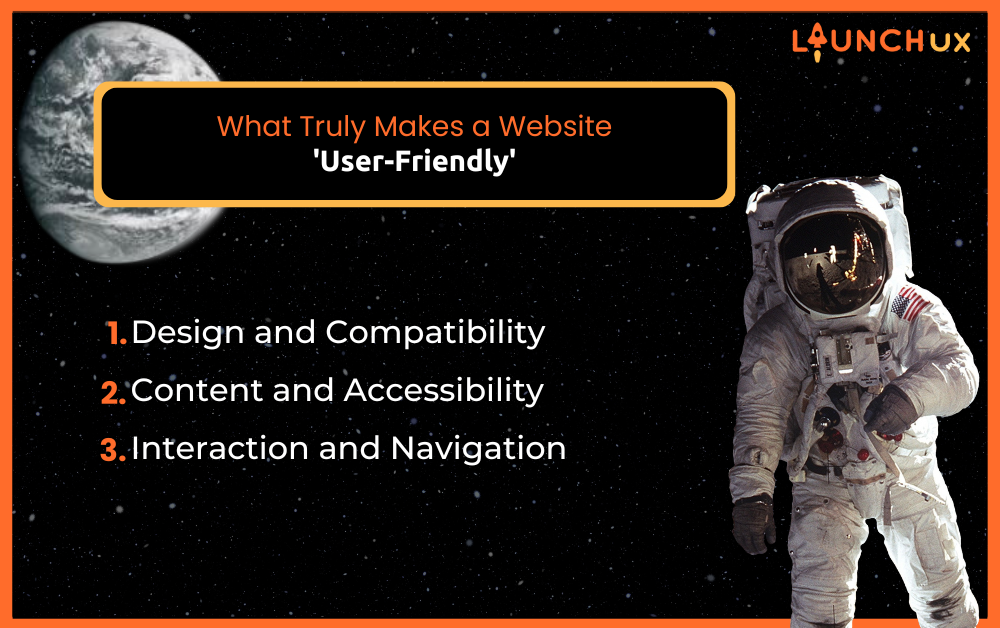
What Truly Makes a Website ‘User-Friendly’

A user-friendly website is not just a luxury; it’s a necessity in today’s digital landscape. It significantly affects user engagement, satisfaction, and ultimately, the success of your business. In this post, we’ll explore what makes a website genuinely user-friendly, focusing on essential aspects such as mobile compatibility, responsive design, readability, accessibility, intuitive navigation, and well-designed forms.

Design and Compatibility

Mobile Compatibility

In an era dominated by smartphones, your website’s ability to function seamlessly on mobile devices is crucial. Over half of all web traffic now comes from mobile phones, making mobile compatibility a non-negotiable feature for a user-friendly website. A mobile-compatible site ensures that users have a positive experience, regardless of the device they use to browse your site, which can significantly boost your SEO rankings and keep your bounce rates low.

Practical steps to enhance mobile compatibility include implementing a responsive layout, optimizing image sizes for quick loading, and ensuring that clickable elements are spaced adequately for touch navigation. Remember, a mobile-friendly website is not just about shrinking your site to fit a smaller screen; it’s about creating a coherent experience that translates fluidly from desktop to mobile.

Responsive Design

Responsive design goes hand-in-hand with mobile compatibility. It ensures that your website automatically adjusts to fit the screen size of any device used to view it. This approach offers a versatile user experience by optimizing your site’s layout, images, and functionalities for desktops, tablets, and phones alike.

To implement responsive design effectively, use CSS media queries to alter styles based on the device’s characteristics, prioritize mobile-first design to ensure faster loading times on mobile devices, and continually test your site’s responsiveness on various devices. By doing so, you create a universally welcoming environment that appeals to all visitors, making your website not just accessible, but genuinely user-friendly.

Content and Accessibility

Readability

Ensuring that your website’s content is easy to read and digest is fundamental to maintaining a user-friendly interface. The choice of font size, style, and contrast can significantly influence how users perceive your site. Opt for high-contrast color combinations and clear, legible fonts to improve readability. Also, organize your content with headings, subheadings, and bullet points to help users quickly scan and find the information they need.

But readability extends beyond visual appeal. Your writing style also plays a crucial role. Keep sentences short and straightforward, use active voice, and avoid jargon unless your audience is familiar with it. Tools like the Flesch Reading Ease Score can help you gauge the readability of your site’s content, ensuring it’s accessible to a broader audience.

Accessibility

Accessibility is about creating a website that everyone, including people with disabilities, can use without barriers. Making your site accessible is not only a moral obligation but also a legal requirement in many regions. It enhances your reach and opens your business up to a wider audience.

Start by adhering to Web Content Accessibility Guidelines (WCAG), which provide a set of standards for making content accessible, particularly to users with impairments. Include alternative text for images, use screen reader-friendly design, and ensure all interactive elements are keyboard-navigable. Additionally, consider the logical organization of your site’s structure and the use of ARIA (Accessible Rich Internet Applications) labels to help users understand and interact with your content. Remember, an accessible website is a more inclusive and, inherently, a more user-friendly website.

Interaction and Navigation

Navigation

Intuitive navigation is pivotal to any user-friendly website. It guides visitors through your website’s architecture effortlessly, allowing them to find what they need without confusion or frustration. Design your navigation menu with clarity and simplicity in mind. Utilize a consistent layout across pages, and group-related information under comprehensive categories. Dropdown menus can be useful for organizing content, but keep them concise to avoid overwhelming your visitors.

Tools such as breadcrumb trails and a well-placed search bar can further enhance navigation by providing users with clear paths and quick access to specific content. Remember, the goal is to minimize the number of clicks a user has to make to reach their desired destination. A well-thought-out navigation structure not only improves the usability of your site but also reinforces the feeling of control and satisfaction among your users.

Usable Forms

Forms are a critical component of many websites, serving as the primary tool for interaction, from contact pages to sign-ups and beyond. A user-friendly form is straightforward, asking only for essential information, using clear labels, and providing useful guidance for data entry. Ensure each form field is appropriately tagged so that form errors are easy to identify and correct, which reduces user frustration and abandonment rates.

Consider implementing real-time validation to provide immediate feedback as users fill out forms. This not only helps in correcting mistakes on the go but also enhances user satisfaction by making the interaction smoother. Remember, the easier it is to interact with your website, the more likely users are to complete essential actions, from making a purchase to signing up for newsletters.

Building Bridges: Transforming Your Website into a User-Friendly Haven

A user-friendly website isn’t just about aesthetics—it’s about creating a seamless, accessible, and enjoyable experience that meets the needs of all users. By focusing on mobile compatibility, responsive design, readability, accessibility, intuitive navigation, and usable forms, you ensure your site not only attracts visitors but also keeps them engaged.

Investing in these areas can dramatically improve the effectiveness of your website, enhancing user engagement, satisfaction, and ultimately, your business success. Review your website with these factors in mind to identify areas for improvement and take your online presence to the next level.

Enhance Your Web Experience

Is your website doing everything it can to welcome and retain visitors? Don’t let poor design and usability chase your customers away. Contact us today to discuss how we can help transform your website into a user-friendly platform that converts visitors into loyal customers.

The Art of Content Writing for Your Business

Ever wondered why some businesses effortlessly attract attention while others struggle in the digital arena? Well, let me let you in on a little secret—it’s all about content writing. In today’s fast-paced world, where every click counts, the power of words cannot be underestimated. From compelling website copy to engaging social media updates, content writing is the fuel that propels your brand forward in the digital age. So, if you’re ready to unlock the secrets of successful content writing and take your business to new heights, you’ve come to the right place. Get ready to dive into the world of content creation and discover how it can revolutionize your digital strategy.

Understanding Content Writing

What is Content Writing?

Content writing is crafting compelling material for digital platforms like websites, blogs, and social media. It’s about understanding your audience, conveying messages effectively, and driving actions. This encompasses various materials, from website copy to social media posts, each serving a specific purpose. Effective content writing involves choosing the right words and understanding persuasion and storytelling. Mastering this art allows you to connect with customers, build brand loyalty, and drive business growth.

Why Content Writing Matters for Your Business

Content writing is essential for your business because it’s the cornerstone of your digital presence. In today’s competitive landscape, quality content sets you apart and builds trust with your audience. Engaging blog posts and captivating social media updates draw in customers, spark interest, and drive conversions. Effective content writing speaks directly to your audience, addresses their pain points, and showcases your value proposition. It’s about building relationships, fostering trust, and ultimately driving business success.

Mastering Blog Content Writing

The Significance of Blogs for Websites

Blogs are the unsung heroes of the digital world, quietly working behind the scenes to boost your website’s visibility, attract organic traffic, and establish your authority in the industry. Unlike static web pages, blogs offer a dynamic platform for sharing valuable insights, industry trends, and thought leadership content. When you regularly publish high-quality blog posts, you signal to search engines that your website is active and relevant, improving your chances of ranking higher in search results. Moreover, blogs provide valuable fodder for social media sharing, email newsletters, and other marketing channels. They extend your reach and amplify your message across the web.

However, the benefits of blogging extend far beyond SEO. Blogs also serve as a powerful tool for engaging with your audience, fostering meaningful conversations, and building a loyal community around your brand. By addressing common pain points, answering frequently asked questions, and providing helpful tips and advice, you position yourself as a trusted resource in your niche. Plus, blogs allow you to showcase your expertise, share success stories, and humanize your brand, making it more relatable to your target audience. Blogging is not just about driving traffic; it’s about nurturing relationships and leads through every stage of the customer journey.

Crafting Compelling Blog Content

Now that we understand the importance of blogs for websites, let’s dive into the nitty-gritty of crafting compelling blog content that resonates with your audience and drives results. First, it’s essential to start with a clear understanding of your target audience and their needs, interests, and pain points. By aligning your content with your audience’s needs, you can create blog posts that resonate deeply and compel them to take action.

Next, let’s talk about generating ideas for your blog content. The key here is to think beyond the obvious and tap into your unique perspective and expertise. Consider conducting keyword research to identify trending topics and relevant keywords in your niche. Additionally, pay attention to industry news, customer feedback, and common challenges faced by your audience. These insights can serve as valuable inspiration for your blog posts. Once you have your topic ideas, it’s time to think about how to structure and format your content for maximum impact.

Start by crafting a compelling headline that grabs attention and promises value to your readers. Break up your content into digestible chunks with subheadings, bullet points, and numbered lists to improve readability and comprehension. Finally, don’t forget to optimize your blog posts for SEO by incorporating relevant keywords, meta tags, and internal links to other pages on your website. With these strategies in place, you’ll be well on your way to creating blog content that drives traffic, engages readers, and generates leads for your business.

Navigating Social Media Content Writing

Unveiling the Importance of Social Media Content

In the age of social media, content is king, and your ability to craft compelling messages that resonate with your audience can make or break your online presence. Social media platforms like Facebook, Instagram, Twitter, and LinkedIn offer unparalleled opportunities to connect with your target audience, build brand awareness, and drive engagement. Whether you’re sharing updates, promoting products, or engaging in conversations, the content you create plays a pivotal role in shaping how your audience perceives your brand. In essence, social media content is your digital storefront—a window into your brand’s personality, values, and offerings.

But social media content goes beyond mere self-promotion; it’s about building relationships and adding value to your audience’s lives. By sharing informative articles, entertaining videos, and inspiring stories, you can establish yourself as a trusted authority in your niche and foster meaningful connections with your followers. Moreover, social media content allows you to humanize your brand, showcasing the people behind the products and services and giving your audience a glimpse behind the scenes. In today’s world, authenticity is key, and social media showcases your brand’s human side perfectly.

Tailoring Content for Different Social Media Platforms

Each social media platform has its own unique quirks, audience demographics, and content formats, so it’s essential to tailor your content to fit the specific platform you’re using. Let’s take a closer look at some of the most popular platforms and how to craft effective content for each:

– Facebook: With its diverse user base and robust targeting options, Facebook is ideal for sharing a wide range of content, from blog posts and videos to live streams and interactive polls. Focus on creating engaging posts that spark conversations and encourage sharing among your followers.

– Instagram: Known for its visual appeal, Instagram is the perfect platform for showcasing stunning photos, behind-the-scenes glimpses, and user-generated content. Leverage Instagram Stories, IGTV, and Reels to connect with your audience in creative and authentic ways.

– X (Twitter): With its character limit and fast-paced nature, Twitter is all about brevity and real-time engagement. Craft concise, punchy tweets that capture attention and encourage interaction, whether it’s through hashtags, mentions, or retweets.

– LinkedIn: As the premier platform for professional networking, LinkedIn is ideal for sharing industry insights, thought leadership content, and career updates. Focus on creating informative articles, engaging in group discussions, and connecting with like-minded professionals.

By understanding the unique strengths and limitations of each platform, you can tailor your content to maximize its impact and reach on social media. Whether you’re sharing blog posts, product updates, or behind-the-scenes stories, remember to keep your audience top of mind and focus on providing value and building relationships. With a strategic approach to social media content writing, you can elevate your brand presence, engage your audience, and drive meaningful results for your business.

Unlocking the Potential of Content Writing

Content writing is not just a skill; it’s a powerful tool that can transform your business. By crafting compelling written material for your digital platforms, you can attract, engage, and convert your audience like never before. From informative blog posts to captivating social media updates, each piece of content serves as a building block in your digital presence, helping you establish your brand, connect with your audience, and drive business growth. So, whether you’re a seasoned marketer or a budding entrepreneur, don’t underestimate the power of quality content. Embrace the art of content writing, and watch as your business thrives in the digital landscape.

Ready to Elevate Your Brand? Let LaunchUX Transform Your Content Strategy!

Are you ready to take your content strategy to the next level? Let LaunchUX be your guide. Our team of seasoned content writers specializes in crafting compelling material that resonates with your audience and drives results. Whether you need captivating blog posts, engaging social media updates, or persuasive website copy, we’ve got you covered. Don’t let subpar content hold your business back—partner with LaunchUX and unlock the full potential of your brand. Contact us today to learn more about our content writing services and take the first step toward digital success!

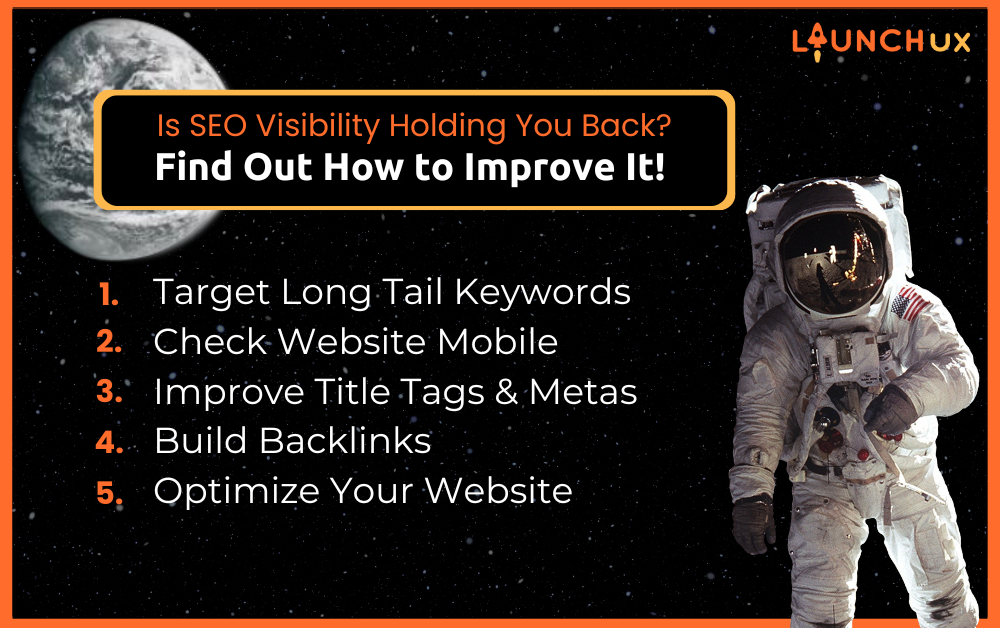
Is SEO Visibility Holding You Back? Find Out How to Improve It!

Are you struggling to make your mark on the digital landscape? It might be time to ask yourself: is your SEO visibility holding you back? In today’s hyper-competitive market, simply having a website or online presence isn’t enough. You need to be visible to your target audience at the right time and in the right place. This blog will guide you through understanding, assessing, and boosting your SEO visibility to ensure your business not only survives but thrives online.

What is SEO Visibility?

SEO visibility is a metric that indicates the extent to which your website appears in search engine results. It’s not just about appearing on the first page of Google for a single popular keyword. Instead, it’s about consistently appearing for a wide range of relevant keywords that your targeted audience is searching for. This visibility determines how likely potential customers are to find you during their search queries and directly influences traffic, engagement, and conversions.

What Influences Your Search Visibility?

  • Search Intent and Relevance: Your content must address the intent behind the user’s search to rank well. Ensuring relevance between search queries and your website content is key.
  • Meta Tags: These HTML tags provide search engines with metadata about your metadata about your webpage. Well-crafted meta titles and descriptions help improve search engines and can earn you higher rankings.
  • Content Quality: High-quality, engaging content is favored by search engines and can earn you higher rankings.
  • Website Architecture: A logically structured website helps search engines easily crawl and index your pages, improving visibility.
  • Mobile Responsiveness: With mobile devices generating approximately half of all global web traffic, having a mobile-friendly website is crucial for SEO.
  • User Experience: Websites that provide a great user experience (including fast load times and easy navigation) tend to rank higher in search results.
  • Backlinks and Mentions: Earing backlinks from reputable sites can significantly boost your credibility and SEO ranking.

How to Improve SEO Visibility?

1. Target Long Tail Keywords

Long tail keywords are more specific and generally less competitive than broader keywords. They cater directly to a more targeted audience and often lead to better conversion rates as they match the specific search queries of users. To leverage long tail keywords effectively, use keyword research tools to find phrases that your target customers are searching for and integrate these naturally into your content, titles, and meta descriptions.

2. Check Your Website’s Mobile-Friendliness

In a mobile-first world, having a website that performs flawlessly on mobile devices is essential. Use Google’s Mobile-Friendly Test to analyze how well your site works on mobile. It not only tests loading time and responsiveness but also suggests improvements. Enhancing mobile usability can significantly boost your SEO visibility as search engines favor mobile-optimized sites in their rankings.

3. Improve Your Title Tags and Metas

Title tags and meta descriptions play a critical role in both search engine rankings and user engagement. They should be compelling enough to click and accurately reflective of the content on the page. Keep your titles concise yet descriptive, and ensure your meta descriptions provide a clear summary of the page content. This helps improve your click-through rates from search engine results pages.

Backlinks are a strong ranking signal for search engines. Focus on acquiring high-quality backlinks from reputable websites in your industry as they significantly enhance your site’s authority and visibility. You can build backlinks through guest blogging, partnerships, or by creating valuable content that naturally attracts links from other websites.

5. Optimize Your Website to Grab Attention

A visually appealing and interactive website can drastically reduce bounce rates and encourage visitors to stay longer, which can positively affect your SEO rankings. Incorporate engaging visuals, infographics, videos, and interactive elements like quizzes or polls to enhance user engagement. Additionally, ensure that your site layout is intuitive and information is easy to find.

6. Improve Pages That Are Ranking on Page 2

Pages that are on the second page of search results are close to gaining substantial visibility but need a little boost. Analyze these pages to see what could be improved – perhaps more focused keywords, better quality content, or stronger internal linking. Often, minor tweaks can elevate these pages to the first page, dramatically increasing their visibility.

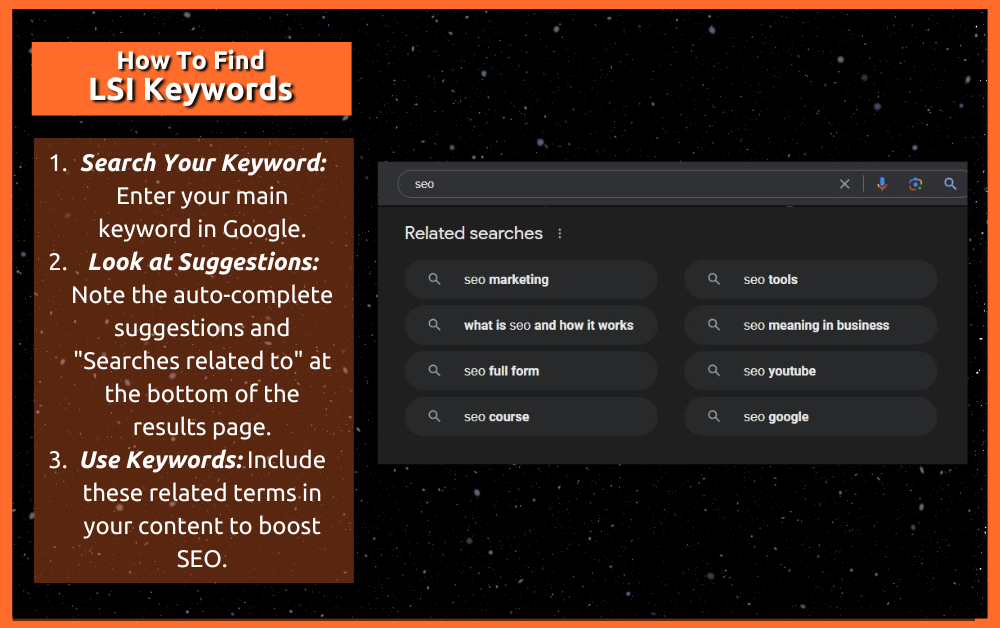
7. Add LSI Keywords to Your Content

Latent Semantic Indexing (LSI) keywords are terms and phrases related to your primary keywords. These are the words or phrases that naturally occur in a discussion about your main topic. Including LSI keywords helps search engines understand your content better and index it for relevant searches. Use tools to research related keywords or simply look at Google’s “searches related to” at the bottom of the search results page.

Internal linking helps spread link equity throughout your site, which boosts the SEO performance of individual pages. Moreover, it improves site navigation, helping both users and search engines find information on your site. Ensure that every new piece of content links back to existing content where relevant, and revisit old posts to link to newer content.

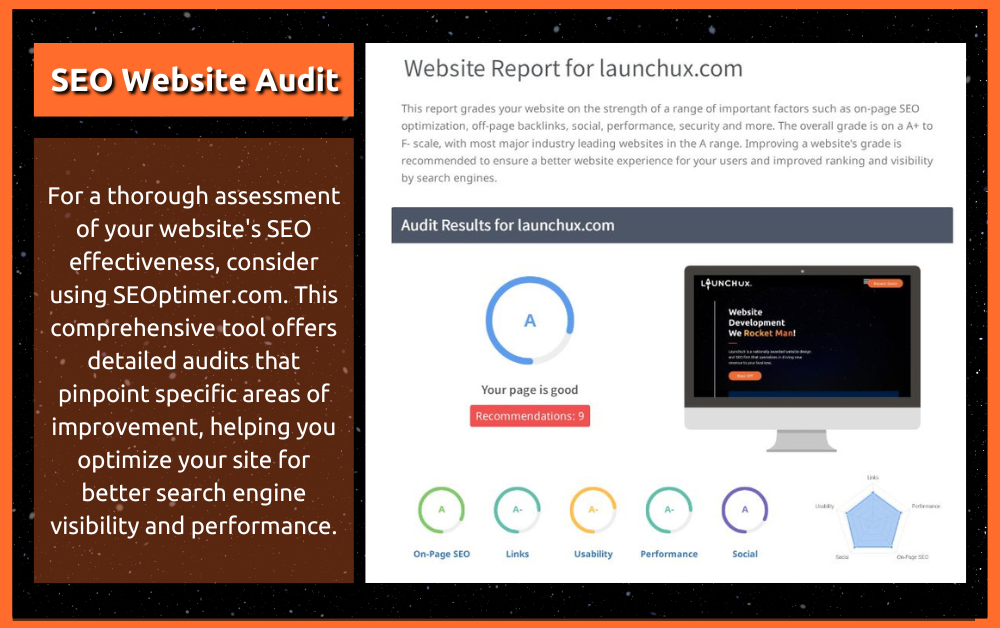
9. Run an SEO Website Audit

Regular SEO audits are crucial for identifying both strengths and weaknesses in your SEO strategy. Use SEO audit tools to analyze how well your site adheres to best practices. An audit should cover your site’s structure, content quality, backlink profile, and more. Fixing issues identified during an audit can lead to significant improvements in your site’s search engine visibility.

Why Measuring SEO Visibility Useful?

Tracking your SEO visibility allows you to gauge the effectiveness of your SEO strategy. By understanding your visibility, you can identify areas where your site excels and where it could use improvement. It helps in making informed decisions that can lead to increased traffic and better engagement with your site.

What Are Some Common Misconceptions About SEO Visibility Scores?

  • High Visibility Equals High Traffic and Sales: Many assume that a high SEO visibility score directly translates to increased traffic and more sales. While high visibility can improve the chances of your site being seen, it does not automatically guarantee more clicks or conversions. Success in these areas also heavily depends on the quality of your content, how well it resonates with your audience and the effectiveness of your calls to action.
  • SEO Visibility is All About Keywords: Another prevalent myth is that SEO visibility is solely about integrating the right keywords. While keywords are fundamental to SEO, visibility is also influenced by a myriad of other factors such as the quality of backlinks, the user experience provided by the site, and even the technical aspects of SEO like site speed and mobile responsiveness.
  • SEO Visibility is a Quick Fix for Ranking Issues: Some marketers treat SEO visibility as a quick fix to elevate their rankings. In reality, improving visibility is an ongoing effort that involves continuous optimization of content, regular updates to align with search engine algorithms, and consistent monitoring of SEO metrics. It’s a strategic process rather than a one-time adjustment.

Are You Ready to Elevate Your SEO Visibility?

By now, you should have a solid understanding of what SEO visibility is, why it matters, and how you can improve it. Implementing the steps outlined above will help elevate your visibility in search engine results, attract more traffic, and ultimately, convert more leads. So, are you ready to take your SEO strategy to the next level and ensure that your business is not just visible, but unmissable?

If you’re looking to enhance your SEO or need a comprehensive review of your current strategy, don’t hesitate to contact us at LaunchUX. Or, if you’ve got tips or experiences to share about improving SEO visibility, drop a comment below—we’d love to hear from you!

Understanding the Costs of PPC Strategies

Pay-Per-Click (PPC) advertising is a powerful tool that can drive traffic, generate leads, and boost sales for businesses of all sizes. However, the costs associated with PPC strategies can vary widely depending on the scale and scope of the campaign. In this blog, we’ll break down the expected costs for small, medium, and national businesses, providing examples to illustrate the investment required at each level.

Small Business: Local Reach

Example: Jane’s Bakery

Jane runs a local bakery in a mid-sized town and wants to attract more customers within a 20-mile radius. Her goal is to increase foot traffic and online orders through a targeted PPC campaign on Google Ads and social media platforms like Facebook and Instagram.

Budget Breakdown:

  1. Keyword Research and Setup: $300 – $500
  2. Monthly Ad Spend: $500 – $1,500
  3. Management Fees: $200 – $400 per month

Total Monthly Cost: $1,000 – $2,400

For Jane’s Bakery, a modest monthly budget of $1,000 to $2,400 can yield significant results. The PPC campaign will focus on local keywords such as “bakery near me,” “fresh bread in [town name],” and “best cakes in [town name].” By targeting a local audience, Jane can see a high return on investment (ROI) with relatively low costs.

Medium Business: Regional Reach

Example: Mike’s Plumbing Services

Mike owns a plumbing company that serves a larger region, covering multiple cities within a 100-mile radius. He wants to increase his customer base and drive more service calls through an aggressive PPC strategy on Google Ads and Bing Ads.

Budget Breakdown:

  1. Keyword Research and Setup: $500 – $1,000
  2. Monthly Ad Spend: $2,000 – $5,000
  3. Management Fees: $400 – $800 per month

Total Monthly Cost: $2,900 – $6,800

For Mike’s Plumbing Services, a monthly budget of $2,900 to $6,800 is recommended. The campaign will target broader regional keywords such as “plumbing services in [city],” “emergency plumber [city],” and “water heater repair [city].” This larger geographic area requires a higher ad spend to reach a more extensive audience effectively.

National Business: Nationwide Reach

Example: Sarah’s E-Commerce Store

Sarah runs an online store that sells eco-friendly home products nationwide. She wants to increase her brand visibility and drive sales across the United States through a comprehensive PPC campaign on Google Ads, Facebook, Instagram, and Amazon Ads.

Budget Breakdown:

  1. Keyword Research and Setup: $1,000 – $2,000
  2. Monthly Ad Spend: $10,000 – $50,000
  3. Management Fees: $1,000 – $3,000 per month

Total Monthly Cost: $12,000 – $55,000

For Sarah’s E-Commerce Store, a robust monthly budget of $12,000 to $55,000 is necessary to compete on a national level. The PPC campaign will target a wide range of keywords related to eco-friendly products, sustainable living, and specific product categories. Given the national scope, the ad spend needs to be substantial to generate a significant impact and achieve a competitive ROI.

Factors Influencing PPC Costs

  1. Industry and Competition: Highly competitive industries like legal services, insurance, and finance tend to have higher CPCs (cost per click). Businesses in these sectors should expect to invest more in their PPC campaigns.
  2. Geographic Targeting: The broader the geographic area, the higher the cost. Local campaigns are generally less expensive than regional or national campaigns.
  3. Ad Quality and Relevance: Google and other platforms reward high-quality, relevant ads with lower CPCs. Investing in well-crafted ad copy and landing pages can improve your ad quality score and reduce overall costs.
  4. Seasonality and Market Demand: Certain times of the year may require higher ad spends due to increased competition. For example, e-commerce businesses often spend more during the holiday season.

Tailoring Your PPC Budget to Your Business Needs

PPC advertising is a versatile tool that can be tailored to fit the budget and goals of businesses of all sizes. Whether you’re a local bakery, a regional service provider, or a national e-commerce store, understanding the costs involved and planning your budget accordingly is crucial for success.

At LaunchUX, we specialize in creating and managing effective PPC campaigns that deliver results. By partnering with us, you can ensure that your investment in PPC advertising is optimized for maximum ROI. If you’re ready to take your business to the next level with a tailored PPC strategy, contact us today to get started.

Why You Shouldn’t Pay Someone to Develop a Wix Website

Platforms like Wix have made it easier than ever to create a website with their drag-and-drop functionality and pre-made templates. However, when it comes to long-term growth and control, investing in a Wix website may not be the best choice. Here’s why you shouldn’t pay someone to develop or set up a Wix website and why their quotes are often lower.

You Never Truly Own a Wix Site

One of the most significant drawbacks of using Wix is that you never truly own your website. When you build a site on Wix, you are essentially renting space on their platform. This means that your website is subject to their rules, limitations, and potential changes in pricing structures. If Wix decides to change their terms of service or increase prices, you have no choice but to comply.

In contrast, with a platform like WordPress, you own your website entirely. You have full control over your hosting, your content, and your design. This ownership gives you the freedom to make any changes you want and ensures that your site remains under your control.

Limited Functionality

Wix is designed to be user-friendly, but this simplicity comes at the cost of functionality. While Wix offers a variety of templates and basic tools, it lacks the flexibility and advanced features that a platform like WordPress provides. Here are some of the limitations you might encounter with a Wix website:

  1. Customization: Wix offers limited customization options. If you want to add unique features or functionality, you may find yourself constrained by what Wix allows.
  2. SEO: While Wix has made improvements in its SEO capabilities, it still falls short compared to WordPress. WordPress offers a wide range of SEO plugins and tools that can help you optimize your site more effectively.
  3. Scalability: As your business grows, you may find that Wix cannot scale with your needs. Whether it’s adding an online store, integrating third-party applications, or handling higher traffic, Wix’s limitations can become a significant hurdle.

Married to the Platform

Some web developers sell websites built with Wix, which means you are effectively married to the platform. This marriage can be limiting and problematic in several ways:

  • Dependency: You become dependent on Wix for hosting, maintenance, and any future changes. If Wix changes its policies, prices, or features, your website—and consequently your business—may suffer.
  • Migration Challenges: Moving your site away from Wix to another platform can be complex and costly. This dependency locks you into a system that may not be the best long-term solution for your business needs.

The Appeal of Lower Quotes

You might wonder why quotes for developing a Wix website are often lower than those for a WordPress site. The primary reason is the simplicity and limitations of the platform. Wix’s drag-and-drop builder and pre-made templates reduce the amount of time and expertise required to build a website. However, this simplicity often results in a less robust, less customizable, and less scalable site.

On the other hand, building a WordPress site, like those offered by Apollo Sites, requires more time and expertise. This investment results in a website that is fully customizable, scalable, and owned by you. The initial cost may be higher, but the long-term benefits and control you gain are well worth the investment.

Consider Apollo Sites for Affordable, High-Quality Websites

If budget is a concern, consider Apollo Sites (apollosites.com). For just $750, you can get a professional WordPress website that you own. Unlike Wix, Apollo Sites offers the flexibility, scalability, and control that you need for your business. Here’s why Apollo Sites is a superior choice:

  1. Ownership: With an Apollo Site, you own your website. You have full control over the hosting, design, and content, ensuring that your site remains under your control.
  2. Customization: WordPress offers endless customization options. Whether you need specific plugins, unique design elements, or advanced features, WordPress can accommodate your needs.
  3. SEO: WordPress is known for its powerful SEO capabilities. With a range of plugins and tools, you can optimize your site for search engines more effectively than with Wix.
  4. Scalability: As your business grows, your WordPress site can grow with it. You can add new features, handle increased traffic, and integrate third-party applications with ease.

While Wix might be tempting due to its lower initial cost and ease of use, it’s essential to consider the long-term implications of your decision. By investing in a WordPress site through Apollo Sites, you gain ownership, flexibility, and scalability that Wix simply cannot offer. Don’t settle for a quick and disposable solution. Invest in a website that will grow with your business and provide the functionality and control you need to succeed.

At LaunchUX, we believe in empowering businesses with the tools and expertise they need to thrive in the digital age. If you’re ready to take your website to the next level, consider the benefits of a WordPress site and make a wise investment in your business’s future.

Why Do Business Reviews Matter For Your Company’s Success?

Reviews serve as a crucial bridge between consumer perception and business credibility, directly impacting purchasing decisions and company profitability. This guide delves deep into the critical role of business reviews and provides a strategic approach for effectively soliciting them, helping your business thrive in a competitive market.

The Significance of Business Reviews

The Psychological Impact of Reviews on Consumers

Business reviews tap into the social proofs principle, where individuals look to other’s actions to make their own decisions. This phenomenon is particularly potent in the online realm, where personal recommendations are scarce, and consumers rely heavily on the collective experiences of others. Reviews serve as a beacon, guiding potential customers through their decision-making process by providing reassurance and trust in your business.

Building Trust Through Transparency

Transparency is key to building trust, and nothing showcases transparency like a well-rounded review profile. Positive reviews build a stellar reputation, while the manner in which a business responds to negative reviews demonstrates its commitment to customer satisfaction and service quality. This transparency not only helps in retaining customer loyalty but also attracts new customers who value honesty and responsiveness.

The SEO Advantage of Regular Reviews

Search engines prioritize content that is regularly updated and user-engaging. Reviews fulfill these criteria perfectly, offering fresh user-generated content that can improve search engine rankings. Higher rankings lead to greater visibility, which translates into more traffic and, ultimately, increased sales. Integrating reviews into your website also keeps your content dynamic and relevant, further enhancing your SEO efforts.

Real Success Stories from LaunchUX

LaunchUX’s commitment to excellence is vividly reflected in its client testimonials. For example, Kelly C.’s experience reveals the company’s dedication: “Our company was in a very serious situation, and even with no obligation to us, LauncUX provided excellent customer care and went above and beyond to assist us in solving our problem. They are absolutely awesome and 10/10 recommend!” This kind of feedback not only showcases LaunchUX’s exceptional service but also its readiness to support clients beyond contractual obligations.

Emly H. shares her satisfaction with the responsiveness and professionalism of LaunchUX: “When we recently had a request for them to update our website, they had it taken care of in minutes!” This rapid response is crucial in today’s fast-paced digital environment, where time efficiency translates directly to client satisfaction and retention.

From Salvation Marine Services: “LaunchUX worked wonders on our website. The design is sleek and totally fits our vibe. Plus, the SEO is making us more visible than ever.” This review emphasizes LaunchUX’s ability to deliver customized solutions that not only meet but exceed client expectations, ensuring their business not only exists but excels online.

The Impact of These Reviews

These testimonials are invaluable as they do more than just validate LaunchUX’s capabilities – they illuminate the tangible impacts of its work on client businesses. They act as robust endorsements for potential clients considering LaunchUX for their digital marketing needs, showcasing real-world examples of satisfaction and success.

Strategies for Acquiring Business Reviews

1. Initiating the Conversation: Asking for Reviews

The simplest yet most effective way to get reviews is to ask for them directly. Timing is crucial; request reviews when the customer’s satisfaction is highest, typically just after a purchase or a positive interaction. Train your team to integrate these requests into their regular customer interactions seamlessly.

2. Streamlining the Process for Ease

To ensure that customers follow through on leaving a review, simplify the process. Provide direct links to review platforms via email, text messages, or after-service chat. Ensure that these platforms are accessible and user-friendly, minimizing the time and effort required to leave a review.

3. Ethically Incentivizing Reviews

While it’s important to stay within the ethical boundaries of review solicitation, businesses can still encourage the submission of reviews through appropriate incentives. Offering a discount on future services or an entry into a giveaway in exchange for honest reviews can motivate customers to share their experiences.

4. Follow-Up Strategies

Deploy follow-up strategies to capture reviews from customers who may have forgotten to submit feedback initially. A gentle reminder via email or SMS can be effective. Ensure the follow-up is timely, typically a week after the purchase or interaction, to catch customers while their experiences is still fresh in their minds. Personalize these messages to reflect specifics of their purchase or interaction, showing genuine appreciation for their business.

5. Creating a Review Culture

Foster a review culture within your company by regularly sharing the importance and impact of reviews with your team. Celebrate positive reviews during team meetings and discuss any negative feedback constructively. When your team understands the value of customer feedback, they are more likely to encourage satisfied customers to leave reviews.

Leveraging Reviews for Sustained Growth

1. Proactive Engagement with Reviews

Respond actively to all reviews, acknowledging positive feedback and addressing any criticisms constructively. This not only shows that you value customer input but also that you are committed to continuous improvement.

2. Utilizing Reviews as Marketing Tools

Incorporate positive reviews into your marketing strategy by featuring them prominently on your website, in advertisements, and across social media channels. Highlighting positive customer experiences can attract new customers and reinforce your brand’s credibility.

Embracing the Power of Reviews

Business reviews are not just reflections of past interactions but also a driving force for future business success. They build trust, enhance online visibility, and provide critical consumer insights that can shape strategic decisions. If you’re ready to leverage the full potential of reviews to enhance your online presence, consider partnering with a digital marketing expert like LaunchUX.

Take your business to the next level with LaunchUX’s expert digital marketing services. Harness the power of business reviews and robust SEO strategies to boost your visibility and credibility online. Visit LaunchUX today to start your journey to enhanced digital success.

How Outsourcing Digital Marketing to an Agency Like LaunchUX Can Save You Money

As Hank Williams Jr. once sang, “The interest is up and the stock markets down.” Business cycles naturally fluctuate, and in the current market, digital marketing has become a necessity rather than an option. However, hiring and maintaining an in-house digital marketing team can be prohibitively expensive, particularly for small to medium-sized businesses. This is where outsourcing to a specialized agency like LaunchUX can make a significant difference. Not only does it provide access to a diverse team of experts, but it also results in substantial cost savings. Let’s explore how this works.

The High Cost of In-House Digital Marketing

When you decide to build an in-house digital marketing team, you need to consider several costs:

  1. Salaries: Hiring experienced digital marketing professionals can be costly. According to industry data, the average salary for a digital marketing manager in the U.S. is around $70,000 per year. Specialized roles like SEO experts, content creators, social media managers, and PPC specialists often demand similar or higher salaries.
  2. Benefits and Overheads: Beyond salaries, there are additional costs for benefits such as health insurance, retirement plans, paid time off, and other perks. Additionally, overhead costs such as office space, equipment, and software licenses add up quickly.
  3. Training and Development: The digital marketing landscape is constantly evolving. Investing in continuous training and professional development for your team is crucial, but it adds another layer of expense.

The LaunchUX Advantage: A Team of Specialists

Outsourcing your digital marketing to an agency like LaunchUX offers a cost-effective alternative. Here’s how:

  1. Access to a Full Team of Experts: When you partner with LaunchUX, you gain access to a team of specialists, each with their own area of expertise. Instead of relying on one or two in-house employees to manage everything, you benefit from a comprehensive team that includes SEO experts, content creators, social media managers, PPC specialists, web developers, and more.
  2. Cost Efficiency: The combined cost of hiring a full team in-house far exceeds the cost of outsourcing. By partnering with LaunchUX, you get the expertise of a full team for less than the salary of a single experienced digital marketing professional. This includes all the overhead costs associated with employment, such as benefits, training, and office space.
  3. Scalability: One of the key benefits of outsourcing is scalability. LaunchUX can easily adjust the level of service based on your business needs and growth. Whether you need to ramp up your marketing efforts during peak seasons or scale back during slower periods, the flexibility is there without the need for hiring or laying off staff.

Case Study: Cost Comparison

Let’s break down the cost comparison between an in-house team and outsourcing to LaunchUX:

In-House Team Costs

  • Digital Marketing Manager: $70,000
  • SEO Specialist: $65,000
  • Content Creator: $60,000
  • Social Media Manager: $55,000
  • PPC Specialist: $70,000

Total Salaries: $320,000 per year
Benefits and Overheads (estimated 30%): $96,000 per year
Training and Development: $10,000 per year

Total Annual Cost: $426,000

By outsourcing, a business can save a significant amount annually. These savings can be reinvested into other areas of the business, driving further growth and profitability.

Outsourcing your digital marketing to an agency like LaunchUX is not just a cost-saving measure; it’s a strategic choice that provides access to a team of experts dedicated to your success. By leveraging our specialized skills and industry knowledge, you can achieve your marketing goals more efficiently and effectively than with an in-house team.

At LaunchUX, we are committed to helping businesses thrive in the digital age. If you’re ready to maximize your marketing budget and achieve outstanding results, consider partnering with us. Let’s work together to take your business to new heights.