
rocketfuel, Author at LaunchUX - Page 5 of 28

Author: rocketfuel

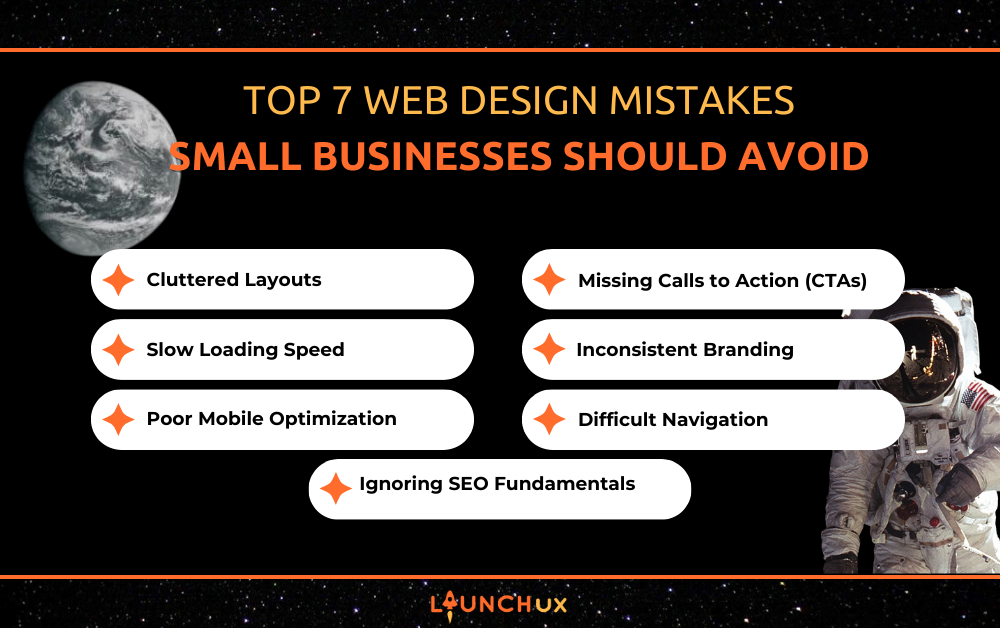
Top 7 Web Design Mistakes Small Businesses Should Avoid

Your website is often the first impression customers have of your business; a poorly designed site can discourage visitors and erode trust. Small-business web design requires attention to user experience, performance, and clarity to convert visitors effectively. Many owners unknowingly make design mistakes that reduce engagement and sales. Partnering with experts like LaunchUX ensures that your website avoids common pitfalls and maximizes its potential. By understanding frequent errors, businesses can create a site that looks professional and functions smoothly for every visitor.

Cluttered Layouts

Overcrowded Elements Overwhelm Visitors

Overcrowding a website with too many images, text blocks, or buttons can confuse users and make navigation difficult. Visitors often struggle to focus on key information when pages feel cluttered. This can lead to higher bounce rates and fewer conversions. Prioritizing simplicity and white space allows essential messages to stand out. Thoughtful layout design guides visitors naturally through content while maintaining brand credibility. Clean, organized pages reflect professionalism and build trust with your audience.

Visual Hierarchy Drives Engagement

A clear visual hierarchy helps users understand what content is most important. Headings, subheadings, and strategically placed images create a natural flow. Without hierarchy, visitors may miss critical calls to action or important information. Small business web design should emphasize readability and guide the eye to key areas. An effective hierarchy keeps users engaged longer and increases conversion opportunities. It also reduces frustration, encouraging visitors to explore the site further.

Sections and Concise Content Improve Usability

Breaking content into well-defined sections makes websites easier to scan and understand. Long paragraphs or walls of text can discourage readers from engaging. Concise, targeted content communicates messages quickly and efficiently. Using sections to separate topics ensures visitors can find information easily. Well-structured pages enhance user experience and support overall website goals. This approach is particularly practical for small business web design, where every element should serve a purpose.

Slow Loading Speed

User Frustration and Bounce Rates

Slow-loading websites frustrate visitors, often causing them to leave before exploring content. Slow performance reduces engagement and can harm search engine rankings. Small business web design must prioritize speed to maintain a positive user experience. Optimized images, efficient code, and reliable hosting are essential factors. Even minor improvements in load time can significantly increase conversions. Ensuring fast performance demonstrates professionalism and reliability.

Performance Issues From Scripts and Images

Excessive scripts or large, unoptimized images can contribute to sluggish page load times. Each additional resource increases the time it takes for a page to render. Small businesses should audit and streamline their websites to minimize unnecessary elements. Regular maintenance ensures that updates or new features do not compromise speed. Efficient design techniques keep the site responsive across all devices. Fast-loading pages enhance engagement and user satisfaction.

Regular Testing for Continuous Improvement

Monitoring load times and performance metrics helps identify areas for improvement—small business web design benefits from ongoing performance testing to maintain high standards. Tools like PageSpeed Insights can pinpoint slow-loading assets or problematic code. Addressing these issues proactively prevents user frustration and lost traffic. Continuous optimization supports better SEO and overall usability. Consistent performance ensures that visitors have a smooth experience every time they visit.

Poor Mobile Optimization

Mobile Users Make Up the Majority

Most users now access websites on smartphones or tablets, making mobile optimization crucial. Websites that aren’t mobile-friendly risk losing a large portion of their audience. Poor mobile design can include broken layouts, difficult navigation, and unreadable text. Responsive small business web design adapts to all screen sizes and devices. Mobile optimization improves engagement, reduces bounce rates, and supports SEO efforts. Prioritizing mobile ensures all visitors enjoy a seamless experience.

Responsive Design Adapts Layouts

Responsive design allows content to adjust dynamically to various screen sizes. Without it, users may struggle to view important information or complete actions. Implementing flexible grids, scalable images, and adaptable menus is essential for usability. Small-business web design should incorporate responsive design from the start. Testing across devices ensures consistency and smooth navigation. A responsive website increases accessibility and satisfaction for all visitors.

Testing and Ongoing Optimization

Regular testing on multiple devices helps identify issues that affect user experience. Even minor display errors can frustrate visitors and reduce conversions. Small businesses should review mobile performance periodically and adjust as needed. Optimizing forms, buttons, and touch-friendly elements improves interaction. Continuous mobile-focused adjustments support both engagement and search visibility. Mobile-first design thinking is a cornerstone of effective small business web design.

Missing Calls to Action (CTAs)

Guiding Visitors Toward Conversions

Without clear calls to action, users may not know what steps to take next. Whether it’s making a purchase, filling out a form, or contacting the business, CTAs drive conversions. Small business web design should emphasize prominent, actionable buttons that stand out. Placing CTAs strategically ensures users notice and interact with them. Effective CTAs convert casual visitors into leads and customers. Consistency in design and messaging reinforces their effectiveness.

Placement Above the Fold

CTAs should be visible without requiring users to scroll excessively. Above-the-fold placement increases visibility and encourages engagement. Small-business web design should balance above-the-fold elements with a clean design. Highlighting key actions ensures visitors can complete tasks efficiently. This placement strategy supports higher conversion rates and a better overall experience. Proper positioning also enhances visual hierarchy and user flow.

Aligning with Page Goals

CTAs must align with the page’s purpose to be effective. Conflicting or unclear messages can confuse users and reduce engagement. Small-business web design integrates CTAs that align with each page’s content and goals. Tailoring actions ensures they feel relevant and encourages users to take the desired step. Alignment between content and CTAs improves both usability and conversion potential—well-designed calls to action drive measurable results for businesses.

Inconsistent Branding

Weakens Recognition and Trust

Inconsistent use of colors, fonts, or logos diminishes brand recognition. Visitors may perceive a site as unprofessional or unreliable. Small-business web design should ensure that all elements reflect a cohesive visual identity. Consistent branding builds familiarity and trust with the audience. A strong, unified brand encourages repeat visits and customer loyalty. Professional appearance strengthens credibility and engagement.

Style Guides Promote Consistency

Creating a style guide for typography, colors, and imagery helps maintain uniformity. Style guides ensure every page aligns with brand standards—small-business web design benefits from clear guidelines to prevent inconsistencies. Consistent use of visual elements reinforces brand identity. Style guides also make it easier to implement updates or create new pages. This approach enhances overall professionalism and recognition.

Cohesive Experience Across Pages

Every page should feel connected through consistent design elements. Inconsistencies can distract visitors and harm trust. Small business web design must consider navigation, layout, and visuals as part of a unified experience. Cohesion improves user satisfaction and encourages exploration. A cohesive site strengthens brand messaging and supports conversions. Maintaining consistency is essential for long-term engagement.

Difficult Navigation

Confusing Menus Frustrate Users

Complex or hidden menus can make content hard to find. Frustrated visitors may leave the site before taking action. Small business web design should focus on intuitive, easy-to-use navigation. Clear labeling and logical organization help users locate information quickly. Well-structured menus reduce bounce rates and improve satisfaction. Effective navigation is crucial for keeping visitors engaged.

Excessive Options Cause Overwhelm

Too many links or dropdowns can overwhelm users. Visitors may struggle to choose or locate the most critical content. Small business web design should limit options and simplify pathways. Grouping related items and prioritizing key pages makes the site easier to use. Simple, concise navigation improves accessibility and clarity. Focused navigation encourages interaction and conversion.

Search Features Improve Accessibility

Adding a search function helps visitors find specific information efficiently. A well-designed search improves user experience and reduces frustration. Small business web design benefits from tools that make content accessible and discoverable. Search capabilities support diverse user needs and enhance engagement. Combined with clean navigation, search ensures visitors can fully explore the site. Prioritizing accessibility strengthens usability and satisfaction.

Ignoring SEO Fundamentals

Reduced Visibility in Search Engines

Websites that neglect basic SEO miss opportunities to drive organic traffic. Poorly optimized titles, meta descriptions, headings, and URLs reduce ranking potential. Small business web design should integrate SEO best practices from the start. Optimized content attracts the right audience and increases discoverability. SEO ensures that your website reaches potential customers effectively. Higher visibility supports growth and competitive advantage.

Optimized Content Drives Engagement

Including keyword-rich copy, optimized images, and internal linking improves search performance. Neglecting content optimization limits engagement and audience reach. Small-business web design should focus on creating high-quality, relevant content; optimized content also enhances user experience and time on site. Search-friendly design supports both usability and marketing goals. Strong SEO enhances overall business success.

Regular Audits Maintain Performance

Websites require ongoing SEO audits to stay competitive. Search algorithms and best practices change over time. Small-business web design should include routine reviews and updates to maintain rankings. Monitoring performance helps identify and resolve issues quickly. Continuous optimization ensures long-term discoverability and growth. Regular attention keeps the site effective for both users and search engines.

Conclusion

Avoiding common mistakes is essential to successful small-business web design. Cluttered layouts, slow load times, poor mobile optimization, missing CTAs, inconsistent branding, difficult navigation, and ignored SEO fundamentals all reduce engagement and conversions. Addressing these challenges early improves the user experience, builds trust, and maximizes your website’s effectiveness. Partnering with experts like LaunchUX ensures your website avoids these pitfalls and performs at its best. 

If you want to elevate your online presence and drive meaningful results, contact LaunchUX today to explore professional small business web design solutions that grow your business and delight your audience.
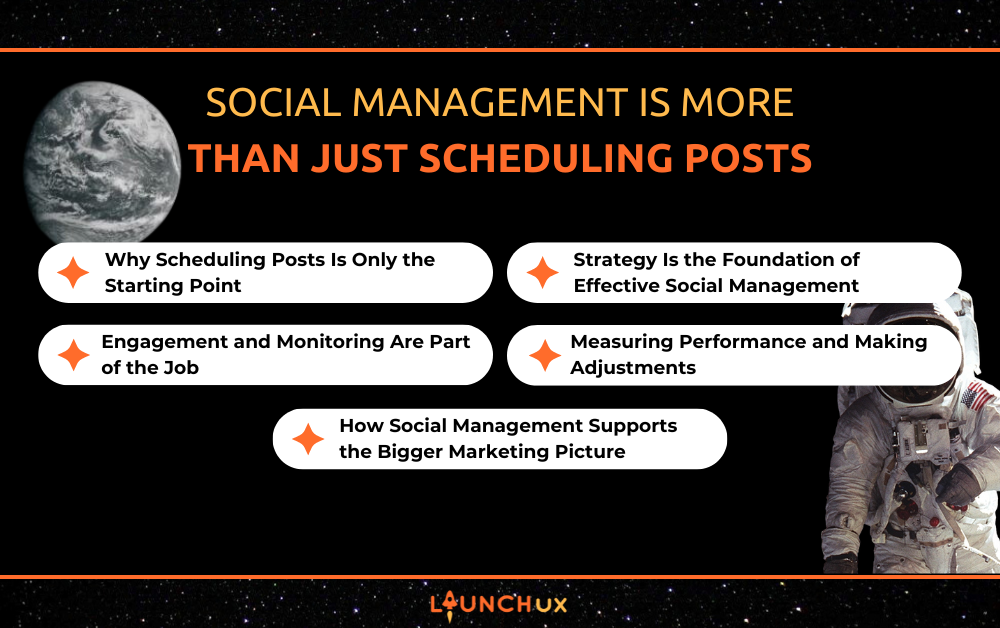
Social Management Is More Than Just Scheduling Posts

For many small business owners, social management can feel like just another task on an already full plate. Posting consistently often becomes the goal—get something up, schedule it, and move on. While that approach keeps accounts active, it rarely delivers the visibility or engagement businesses expect.

Social management goes beyond simply filling a content calendar. It’s about using social media with purpose—sharing the right messages, engaging with the right audience, and learning from what works over time. When managed intentionally, social media becomes a practical tool that supports brand recognition, customer trust, and steady business growth rather than just another box to check.

Why Scheduling Posts Is Only the Starting Point

Posting Consistently Doesn’t Equal Managing Social Media

Scheduling posts is often where small businesses begin with social media, and it serves an important purpose. Consistency helps maintain visibility and signals that a business is active. However, consistency without intention rarely leads to meaningful engagement or business impact.

When posts are created simply to fill space on a calendar, they tend to feel generic or repetitive. Audiences may see the content, but they are less likely to interact with it or remember the brand behind it. Effective social management requires understanding why a post exists—whether it’s meant to educate, build trust, start a conversation, or guide someone toward a next step.

The Limits of “Set It and Forget It” Social

Scheduling tools make it easy to plan content in advance, but relying on automation alone creates gaps. Social platforms change frequently, and audience preferences shift over time. A post scheduled weeks in advance may no longer be timely, relevant, or aligned with current conversations when it finally goes live.

“Set it and forget it” social media also removes the opportunity to respond in real time. Comments, questions, and messages are a key part of how social media works, especially for small businesses building relationships with their audience. Without active monitoring, those interactions go unanswered, which can hurt engagement and credibility.

True social management treats scheduling as just one step in an ongoing process. It involves reviewing performance, adjusting content based on what resonates, and staying engaged with your audience. For small businesses, this approach turns social media from a passive task into an active channel that supports awareness, trust, and long-term growth.

Strategy Is the Foundation of Effective Social Management

Defining Goals Before Creating Content

Before a single post is written or scheduled, social management should start with clear goals. For small business owners, this step is often skipped, which leads to content that feels busy but unfocused. Goals help determine what success actually looks like—whether that’s increasing brand awareness, driving website traffic, generating leads, or strengthening relationships with existing customers.

When goals are clearly defined, content becomes more intentional. Educational posts support awareness, behind-the-scenes content builds trust, and promotional posts guide users toward action. Without this structure, it becomes difficult to measure performance or understand why certain posts succeed while others fall flat.

Platform-Specific Strategy Matters

Not every platform serves the same purpose, and treating them all the same limits results. What works on Facebook may not perform well on Instagram or LinkedIn. Each platform has its own audience expectations, content formats, and engagement patterns.

Effective social management considers where your audience spends time and how they use each platform. For example, Facebook may be ideal for community-focused content and updates, while LinkedIn supports professional insights and thought leadership. Aligning content with platform behavior helps posts feel natural rather than forced.

Content Pillars vs Random Posting

Content pillars provide a framework for what your business talks about on social media. These themes might include education, industry insights, customer stories, promotions, and brand values. When posts align with defined pillars, social feeds feel consistent and purposeful.

Random posting, on the other hand, often leads to mixed messaging and uneven performance. Content pillars make planning easier, improve consistency, and help audiences understand what your business represents over time. For small business owners, this structure reduces guesswork and turns social management into a repeatable, manageable process.

Engagement and Monitoring Are Part of the Job

Social Media Is a Two-Way Channel

One of the most overlooked aspects of social management is engagement. Social media is not just a place to broadcast updates—it’s a space for conversation. When followers comment, react, or send messages, they are opening a line of communication with your business.

For small business owners, responding to comments and messages helps build trust and credibility. Even simple interactions show that there are real people behind the brand. Over time, this responsiveness encourages more engagement, which can increase reach and visibility across platforms.

Monitoring Mentions and Conversations

Not all engagement happens directly on your posts. Customers may mention your business in comments, tag your account, or discuss your services elsewhere on social platforms. Monitoring these mentions allows you to stay informed about how your brand is being talked about and gives you opportunities to join relevant conversations.

Active monitoring also helps identify questions, concerns, or trends that can inform future content. When businesses pay attention to what their audience is saying, social media becomes a feedback loop rather than a one-sided message board.

How Engagement Impacts Reach and Visibility

Engagement plays a direct role in how social platforms distribute content. Posts that receive likes, comments, and shares are more likely to be shown to additional users. When engagement is ignored, even well-written posts may struggle to gain traction.

Consistent interaction signals to platforms that your content is valuable to your audience. For small businesses, this makes engagement an essential part of social management—not an optional add-on. Responding, listening, and participating help extend reach while strengthening relationships with the people most likely to support your business.

Measuring Performance and Making Adjustments

Metrics That Matter Beyond Likes

Likes are easy to notice, but they rarely tell the full story. For small business owners, effective social management means looking at metrics that reflect real impact. Reach shows how many people are seeing your content, engagement reveals how they interact with it, and clicks indicate whether social posts are driving traffic to your website or other key pages.

Understanding these metrics helps clarify what content is resonating with your audience. A post with fewer likes but higher clicks may be far more valuable than one that looks popular but leads nowhere.

Identifying What Content Actually Works

Performance data provides insight into patterns over time. Certain topics, formats, or posting times may consistently perform better than others. Reviewing this information helps businesses move away from guesswork and focus on content that delivers results.

This process also highlights what is not working. Content that repeatedly underperforms may need to be adjusted or retired altogether. Social management is most effective when it uses performance insights to guide future decisions rather than repeating the same approach indefinitely.

Optimizing Based on Data, Not Assumptions

Making adjustments is a critical part of managing social media. This might include refining messaging, testing different visuals, adjusting posting frequency, or shifting focus to higher-performing platforms. Small, consistent improvements compound over time.

For small business owners, this ongoing optimization turns social media into a learning process. Instead of posting blindly, social management becomes a system that adapts to audience behavior and continuously improves performance.

How Social Management Supports the Bigger Marketing Picture

Reinforcing Brand Voice and Consistency

Social media is often one of the most frequent touchpoints a customer has with a small business. Consistent messaging, tone, and visuals help build recognition and trust over time. When social management is handled intentionally, every post reinforces who the business is, what it stands for, and how it helps its audience.

Without this consistency, social feeds can feel disjointed. Messaging may shift from post to post, making it harder for customers to connect with the brand. A thoughtful social management approach keeps communication clear and recognizable across platforms.

Supporting SEO, Paid Ads, and Website Traffic

Social media does not work in isolation. Strong social management supports SEO, pay-per-click advertising, and overall website performance by amplifying content, reinforcing key messaging, and driving qualified traffic back to your site.

Social platforms often serve as the bridge between discovery and action. When social posts lead users to a clear, fast, and well-structured website, they support SEO efforts by improving engagement signals and encouraging deeper site interaction. When posts point to a slow, confusing, or outdated website, that momentum is lost—regardless of how strong the content or targeting may be.

Effective social management works alongside SEO, not separately from it. A solid website ensures that traffic coming from social media has a place to land, explore, and convert, allowing social, SEO, and pay-per-click advertising to work together as part of a cohesive marketing strategy.

When DIY Social Media Starts to Break Down

Many small business owners begin managing social media themselves, which can work early on. Over time, competing priorities often lead to inconsistent posting, limited engagement, and missed opportunities. Without regular analysis and coordination with the website and other marketing efforts, social media can become disconnected from actual business goals.

Recognizing when DIY social media is no longer effective is an important step. Social management delivers the most value when it works alongside a strong website and a clear marketing strategy, rather than operating as a standalone task.

Conclusion

Social management is more than keeping your accounts active—it’s about using social media with intention. For small business owners, that means moving beyond scheduling posts and focusing on strategy, engagement, performance, and how social fits into the bigger marketing picture. When social media is managed thoughtfully, it becomes a tool that supports visibility, trust, and steady growth.

The most effective social management works in sync with a strong website, clear SEO goals, and other marketing efforts like pay-per-click advertising. Each channel supports the others, creating a consistent experience from first impression to conversion. If your social media feels busy but not productive, it may be time to step back and evaluate how it’s being managed. For businesses looking to build a more connected, results-driven approach, LaunchUX can help align social management with the rest of your digital strategy.

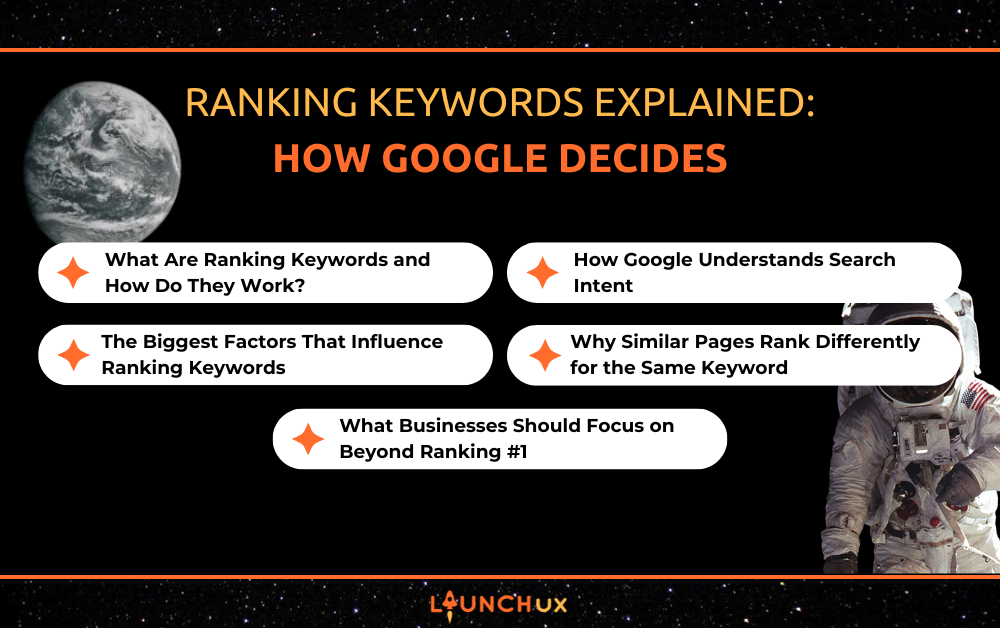
Ranking Keywords Explained: How Google Decides

Ranking keywords are often treated as the ultimate measure of SEO success, but they are really the result of a much broader evaluation process. Google considers relevance, intent, authority, and user experience—not just keyword placement—when deciding which pages deserve to rank first.

At LaunchUX, we view ranking keywords as signals, not shortcuts. Understanding how Google determines rankings helps businesses move beyond guesswork and build SEO strategies that drive sustainable visibility, qualified traffic, and long-term growth.

What Are Ranking Keywords and How Do They Work?

Target Keywords vs Keywords You Actually Rank For

Target keywords are the phrases a business intentionally optimizes a page around. Ranking keywords, on the other hand, are the terms that the page actually appears in search results. These are not always the same. A well-optimized page often ranks for dozens of related searches, even if only one or two were planned during content creation.

Google evaluates topics, not just individual phrases. When content thoroughly covers a subject, it naturally aligns with multiple search variations and related terms. This is why strong pages earn visibility across a broader keyword set rather than relying on a single exact match.

How Rankings Reflect Search Demand

Ranking keywords evolve based on how people search. As language, trends, and user needs change, Google adjusts results to match that demand. Pages that stay relevant, clear, and useful are more likely to maintain or improve their rankings over time, while thin or outdated content gradually loses visibility.

How Google Understands Search Intent

The Different Types of Search Intent

Search intent is the “why” behind a keyword. Two people can search similar phrases but expect completely different results. Because of this, search intent plays a major role in how ranking keywords are determined. Google’s goal is to predict what the user wants to accomplish and show the page that best satisfies that expectation.

Most searches fall into three primary intent categories:

  • Informational intent: The user is looking to learn, research, or better understand a topic. These searches often include phrases like how to, what is, why, guide, or examples. Google typically favors blog posts, guides, videos, and FAQ-style pages because the user is seeking answers rather than immediate action.
  • Navigational intent: The user wants to reach a specific website, brand, or platform. These searches usually include brand names, product names, or location-based branded terms. Google responds by prioritizing homepages, branded service pages, Google Business Profiles, and authoritative directory listings.
  • Transactional intent: The user is ready to take action, such as requesting a quote, booking a service, or making a purchase. Searches often include words like pricing, near me, services, company, best, or a specific service name. Google typically favors service pages, location pages, product pages, and comparison content because the user is closer to converting.

In practice, intent is not always cleanly separated. Many searches blend informational and transactional intent, especially during the research phase. Google accounts for this by presenting mixed results, and strong SEO strategies—like those used at LaunchUX—focus on identifying the dominant intent and building content that aligns with what users are actually trying to achieve.

Why Exact-Match Keywords Matter Less Than Context

Google no longer relies on exact wording to determine relevance. It evaluates meaning, phrasing, and context to understand what a user actually wants. Pages that focus on clearly answering a question or solving a problem tend to outperform content that simply repeats the same keyword throughout the page.

Matching the Right Page to the Right Query

At ranking time, Google compares available pages and selects the one that most closely matches the intent of the search. This is why a blog post may rank higher than a service page—or vice versa—depending on the query. Strong rankings come from aligning content format, depth, and messaging with how users search.

The Biggest Factors That Influence Ranking Keywords

Content Relevance and Topic Coverage

Google prioritizes pages that clearly and thoroughly address the topic behind a search. This goes beyond using the right phrases—it’s about answering the full scope of related questions a user may have. Pages that provide clear explanations, logical structure, and useful supporting details tend to rank higher because they demonstrate subject-matter relevance and completeness.

Authority signals help Google determine whether a site is credible enough to rank. Backlinks from reputable websites act as endorsements, indicating that others trust the content. Over time, consistently publishing high-quality, accurate information builds domain-level trust, making it easier for new pages to earn visibility for competitive ranking keywords.

User Engagement Signals

User engagement signals help Google determine whether a page delivers on the promise made in the search results. These signals focus less on isolated metrics and more on overall behavior patterns that indicate whether users find the content useful and relevant.

Key engagement indicators include:

  • Click-through behavior from search results
    Consistent clicks suggest the page title, meta description, and topic alignment match what users expect.
  • Time spent on page
    Meaningful time on the page can indicate that users are engaging with the content rather than leaving immediately.
  • Scrolling and content consumption
    Scrolling behavior helps signal whether users are actually reading the page or abandoning it early.
  • Interaction with internal links
    Clicking through to related pages shows interest, trust, and a logical content structure.
  • Bounce patterns and pogo-sticking
    Quickly returning to search results after clicking a page may indicate a mismatch between the query and the content.

It’s important to note that engagement is about satisfaction, not just duration. A user who finds the right answer quickly and leaves can still send a positive signal if the page fulfills the search intent effectively.

Why Similar Pages Rank Differently for the Same Keyword

Domain Strength and Historical Performance

Google considers how a website has performed over time when evaluating rankings. Sites with a history of publishing high-quality content, earning trustworthy backlinks, and maintaining consistent performance often have an advantage. This doesn’t mean newer sites cannot rank, but they typically need clearer relevance and stronger signals to compete with established domains.

Content Quality and Intent Alignment

Two pages can target the same keyword and cover similar topics, yet perform very differently. The difference usually comes down to how well the content matches search intent. Pages that clearly answer the user’s question, use the right format, and provide practical value tend to outperform content that is vague, overly broad, or misaligned with what the searcher wants.

Internal Competition and Keyword Cannibalization

When multiple pages on the same website target the same keyword, they can compete against each other. This confusion makes it harder for Google to determine which page is the best result, often leading to weaker rankings across all competing pages. Clear keyword focus and intentional internal linking help prevent this issue and strengthen overall visibility.

What Businesses Should Focus on Beyond Ranking #1

High-Intent Ranking Keywords

Ranking first for a keyword is not always the goal if that keyword does not drive meaningful action. High-intent ranking keywords attract users who are closer to making a decision, such as requesting a quote, booking a service, or contacting a business. Prioritizing intent over volume helps ensure rankings contribute to real business outcomes.

Turning Rankings Into Leads

Ranking on the first page creates opportunity, but conversions determine value. Once a user lands on a page, Google’s job is done—everything that happens next depends on how clearly the page guides that visitor toward action. Pages that rank well but fail to convert often lack focus, clarity, or alignment with user intent.

Effective conversion-focused pages address the user’s problem immediately. Clear headlines, concise explanations, and supporting proof help visitors quickly understand why the page is relevant to them. When users feel confident they are in the right place, they are far more likely to continue engaging.

Calls to action should feel like a natural next step, not a disruption. Whether the goal is to request a quote, schedule a consultation, or explore related services, CTAs should be visible, specific, and tied to the intent behind the keyword. Supporting elements such as internal links, testimonials, and trust signals help reinforce credibility and reduce hesitation.

At LaunchUX, we view rankings and conversions as inseparable. SEO brings the right users to the page, but thoughtful structure, messaging, and UX design are what turn that visibility into qualified leads.

Measuring SEO Success the Right Way

Keyword position is only one piece of the SEO picture. Engagement, conversions, assisted leads, and performance trends over time provide a clearer view of success. Businesses that focus on these metrics gain a more accurate understanding of how ranking keywords contribute to growth—beyond simply being visible in search results.

Conclusion

Ranking keywords are not a shortcut to success, they are the result of doing SEO the right way. Google rewards pages that understand search intent, provide clear and relevant answers, demonstrate authority, and deliver a strong user experience. When those elements work together, rankings follow naturally.

For businesses, the real value of ranking keywords lies in what they enable. Visibility creates opportunity, but strategy determines whether that opportunity turns into growth. Evaluating how your site ranks—and why—can reveal where content, structure, or intent alignment needs improvement. If you’re looking to better understand your rankings or build a strategy that turns visibility into results, contact LaunchUX to start the conversation.

Honest Social Media Marketing Tips for 2026

Social media marketing can feel overwhelming, especially as platforms continue to change and expectations keep shifting. By 2026, success will matter less about doing everything and more about doing the right things consistently. That is why practical, experience-driven marketing tips are so important. When you understand what actually works, social media becomes less stressful and much more effective.

This guide shares social media marketing tips based on what we see working for real businesses every day. These are not trend-chasing ideas or complicated tactics. They are thoughtful, realistic marketing tips designed to help you show up with confidence, connect with your audience, and build long-term visibility. Whether you manage your own content or support a growing brand, these marketing tips will help you approach social media in 2026 with clarity and purpose.

Focus on Fewer Platforms, Not All of Them

You Don’t Need to Be Everywhere

One of the most important marketing tips for 2026 is understanding that being everywhere is not the same as being effective. Many businesses feel pressure to show up on every social media platform, but that often leads to rushed posts and inconsistent messaging. When time and energy are spread too thin, content quality usually suffers. Instead of building momentum, businesses end up feeling overwhelmed and discouraged. These marketing tips are about simplifying your approach so social media feels manageable again.

Choose Platforms Based on Your Audience

Not every platform is right for every business, and that is okay. One of the most practical marketing tips is choosing platforms based on where your audience actually spends time. If your customers are active on one or two platforms, that is where your focus should be. This makes your content more relevant and your engagement more meaningful. When you meet people where they already are, social media starts working with you instead of against you.

Consistency Is Easier With a Smaller Focus

Consistency is one of the most reliable marketing tips for long-term success, but it is difficult to maintain when you are juggling too many platforms. Focusing on fewer channels makes it easier to create a realistic posting schedule and stick to it. You can spend more time planning content, responding to comments, and staying engaged. Over time, this consistency builds trust with your audience. These marketing tips encourage progress over perfection, which is key for sustainable growth.

Better Focus Leads to Better Results

When your attention is focused, your results improve. Instead of posting just to stay visible, you can create content that feels thoughtful and intentional. This allows you to learn what resonates with your audience and adjust your strategy accordingly. These marketing tips help businesses move away from guessing and toward informed decisions. Better focus leads to stronger engagement, clearer messaging, and a social media presence that supports real business goals.

Short-Form Video Still Matters, But Purpose Matters More

One of the most misunderstood marketing tips is the idea that you need to jump on every trend to stay relevant. In 2026, audiences are more selective about what they watch and engage with. Trend-based content can work occasionally, but it should not be the foundation of your strategy. When businesses chase trends without purpose, content often feels forced or out of place. These marketing tips focus on creating videos that make sense for your brand and your audience.

Simple Videos Often Perform Better Than Polished Ones

Highly produced videos are not always necessary to see results. Some of the most effective marketing tips involve keeping video content simple and relatable. Clear messaging, natural delivery, and helpful information matter more than perfect lighting or editing. Audiences connect with content that feels real and easy to understand. When video feels approachable, people are more likely to watch, engage, and trust your message.

Educational Content Builds Long-Term Value

Educational videos continue to perform well because they offer something useful. One of the strongest marketing tips for 2026 is focusing on content that answers questions or explains common topics in your industry. This positions your business as knowledgeable without being overly promotional. Over time, educational content builds credibility and keeps your brand top of mind. These marketing tips help turn social media into a resource, not just a place to post updates.

Video Works Best When It Supports a Bigger Goal

Short-form video should support your overall marketing goals, not exist just to check a box. Whether the goal is awareness, engagement, or driving traffic, each video should serve a purpose. These marketing tips encourage businesses to think about what they want viewers to do next. When a video is tied to a clear goal, it becomes easier to measure success and stay consistent. Purpose-driven content leads to stronger results over time.

Authentic Content Builds Trust and Stronger Connections

People Want to Follow Real Businesses, Not Perfect Brands

One of the most important marketing tips for 2026 is remembering that people connect with people, not polished logos. Audiences are drawn to content that feels genuine and relatable. When everything looks overly staged or scripted, it can create distance instead of trust. Showing the human side of your business helps your audience feel more comfortable engaging with your content. These marketing tips encourage businesses to focus on being real rather than perfect.

Behind-the-Scenes Content Builds Familiarity

Sharing behind-the-scenes moments helps your audience understand what goes into your work. This might include daily routines, team moments, or how your services are delivered. One of the simplest marketing tips is letting people see what happens beyond the finished product. This type of content builds familiarity and makes your brand feel more approachable. Over time, familiarity helps turn followers into customers.

Expertise Builds Trust When It Feels Approachable

Being knowledgeable does not mean sounding complicated. Some of the best marketing tips involve sharing expertise in a way that is easy to understand. When businesses explain topics clearly and confidently, audiences are more likely to listen and engage. This builds trust without feeling pushy or sales-focused. These marketing tips help position your brand as helpful and reliable.

Consistent Messaging Strengthens Your Brand Voice

Authentic content works best when it feels consistent. One of the most overlooked marketing tips is maintaining a steady tone and message across your posts. When your audience knows what to expect from your content, trust grows more naturally. Consistency helps reinforce your brand identity without needing to repeat the same message over and over. These marketing tips support long-term recognition and stronger connections.

Consistency, Engagement, and Data Guide Better Decisions

Consistency Builds Visibility Over Time

One of the most reliable marketing tips for 2026 is showing up consistently, even when growth feels slow. Social media rewards steady activity more than occasional bursts of posting. When businesses post regularly, their content becomes more familiar to their audience. This consistency helps build recognition and trust over time. These marketing tips remind businesses that progress happens gradually, not overnight.

Engagement Matters More Than Follower Count

Having a large following does not always mean your content is effective. One of the most important marketing tips is focusing on engagement instead of numbers alone. Comments, messages, and shares show that people are paying attention and finding value. When you interact with your audience, you strengthen relationships and encourage future engagement. These marketing tips help turn social media into a conversation rather than a broadcast.

Simple Metrics Help You Improve Content

You do not need complex reports to understand what is working. Some of the best marketing tips involve paying attention to simple data points like post engagement and content reach. These numbers provide helpful insight into what your audience responds to most. Over time, this information helps guide content decisions and improve consistency. These marketing tips remove guesswork and support smarter planning.

Small Adjustments Lead to Better Results

Marketing does not require constant changes to be effective. One of the most practical marketing tips is making small adjustments based on what you learn. This might include posting at different times, adjusting captions, or repeating content that performs well. Small changes are easier to manage and often lead to steady improvement. These marketing tips encourage growth without overwhelming your process.

Smart Tools Support Your Marketing, They Don’t Replace It

Tools Should Make Marketing Easier, Not More Complicated

One of the most helpful marketing tips for 2026 is using tools to save time, not add stress. Scheduling platforms, content planners, and basic analytics tools can help keep social media organized. When tools are used correctly, they support consistency and planning. When they are overused, they can make marketing feel overwhelming. These marketing tips focus on choosing tools that fit your workflow, not the other way around.

AI Can Support Ideas, Not Replace Strategy

AI tools are becoming more common, but they work best as support, not direction. One of the most important marketing tips is remembering that strategy still comes from human insight. AI can help brainstorm ideas, organize captions, or repurpose content, but it cannot replace understanding your audience. Businesses that rely too heavily on automation risk sounding generic. These marketing tips encourage balance between efficiency and authenticity.

Organic Content Builds the Foundation

Paid promotion can be useful, but organic content builds trust first. One of the most reliable marketing tips is focusing on organic content before adding ads. When people see consistent, helpful posts, they are more likely to trust promoted content later. Organic content shows who you are and what you offer without pressure. These marketing tips support long-term visibility and stronger connections.

Simple Systems Lead to Sustainable Growth

Marketing works best when it is sustainable. One of the smartest marketing tips for 2026 is creating systems you can realistically maintain. This might mean batching content, planning ahead, or setting clear goals. Simple systems help reduce burnout and keep momentum steady. These marketing tips support growth that lasts, not short-term wins.

Conclusion: Simple Marketing Tips That Support Real Growth

Social media marketing in 2026 does not need to feel complicated or overwhelming. The most effective marketing tips are often the simplest ones: focus your efforts, stay consistent, show up authentically, and pay attention to what your audience responds to. When businesses stop chasing every trend and start building with intention, social media becomes a tool for connection rather than stress.

These marketing tips are designed to help you approach social media with confidence and clarity. By keeping your strategy simple, using tools thoughtfully, and staying connected to your audience, you create a presence that supports long-term growth. If managing social media feels like one more thing on your plate, LaunchUX can help. Our social media management services are built to take the pressure off while keeping your brand consistent, engaging, and aligned with your business goals.

Understanding UX vs UI: What’s the Difference and Why It Matters

When designing digital products, beginners often confuse UX and UI, assuming they are the same. At LaunchUX, we guide teams to understand the differences between UX and UI and their distinct purposes. UX vs UI ensures every design decision, whether visual or functional, supports an intuitive, seamless user experience. This guide explains UX and UI, demonstrates how they work together, and clarifies their practical impact. By reading this article, you will gain confidence in understanding both disciplines and applying them effectively.

UX vs UI is more than terminology; it represents different processes and goals within product design. UX focuses on users’ experiences, while UI addresses visual and interactive elements that enhance usability. Understanding these distinctions helps teams create products that are both visually appealing and functionally efficient. Both elements must work together harmoniously to ensure users enjoy satisfying, meaningful, and intuitive experiences. Mastering UX and UI allows teams to improve user satisfaction, engagement, and overall product success.

What is UX?

Defining User Experience

User Experience, or UX, describes how people feel when interacting with a product or service daily. It includes usability, accessibility, functionality, and the emotional response a product evokes during interaction. A strong UX allows users to achieve their goals efficiently while minimizing confusion or unnecessary frustration. UX applies to websites, apps, and physical products that involve meaningful user interaction and engagement. Focusing on UX helps designers create solutions that meet user needs and support business objectives simultaneously.

Key Components of UX

UX involves research, usability testing, information architecture, and thoughtful interaction design throughout development. Understanding user behaviors, needs, and frustrations is central to crafting a practical and enjoyable experience. Designers use wireframes, user flows, and prototypes to plan and evaluate experiences before final implementation. Every UX decision reduces friction, simplifies tasks, and ensures interactions are meaningful for the target audience. By prioritizing the user’s journey, products can deliver real value while remaining efficient and intuitive to use.

Why UX Matters

Effective UX significantly impacts customer satisfaction, retention, and engagement with a digital product or service. An intuitive product encourages users to continue interacting without experiencing repeated confusion or frustration. Poor UX leads to errors, dissatisfaction, and higher abandonment rates, reducing product effectiveness and long-term success. Investing in UX research early reduces redesign costs and prevents usability problems from becoming expensive to fix. For businesses, prioritizing UX is critical to creating products users trust and consistently rely on.

What is UI?

Defining User Interface

User Interface, or UI, is the visual and interactive aspect of a product that users experience. It includes buttons, icons, typography, color palettes, layouts, and animations that guide user interactions. UI brings UX concepts to life, ensuring functionality presents information in a clear, attractive, and easily understandable format. While UX focuses on how a product works, UI determines how the product looks and feels overall. Good UI allows users to complete tasks efficiently while enjoying the visual presentation and interaction design.

Key Components of UI

UI design ensures visual consistency, clarity, and engagement across every element of the product interface. Designers carefully select colors, typography, spacing, and buttons to improve readability and visual hierarchy. Microinteractions, animations, and responsive design provide feedback to users and enhance their overall experience. UI designers collaborate closely with UX designers to ensure visuals effectively support the intended user journey. A strong UI makes interfaces not only usable but also visually appealing, enjoyable, and easy to navigate.

Why UI Matters

Even an excellent UX can fail if the user interface is confusing, inconsistent, or visually unattractive. UI directly affects brand perception, user trust, and overall engagement with a product or service. A well-designed UI guides users intuitively, providing a sense of control and significantly reducing cognitive effort. Investing in UI ensures users can complete tasks efficiently while enjoying a visually consistent experience. Combining UI with UX creates products that are both functional and delightful to interact with regularly.

The Key Differences Between UX vs UI

Goals and Focus

UX addresses the entire experience of using the product, while UI primarily focuses on the product’s visual presentation and interactivity. UX asks whether the product is easy, efficient, and satisfying for users to accomplish their goals. UI asks whether the interface is visually attractive, consistent, and intuitive in its interactions. Understanding these distinctions helps teams design cohesive products that are functional, usable, and visually appealing. Both UX and UI are essential components of a successful product, each serving a unique purpose effectively.

Tools and Deliverables

UX designers produce wireframes, prototypes, personas, and user flows to plan the experience in detail. UI designers create mockups, visual assets, interactive prototypes, and style guides to bring designs to life. UX lays the foundation for usability, while UI ensures the product’s appearance communicates functionality clearly. Both UX and UI tools are critical to consistently delivering polished, user-friendly, and visually appealing products. Successful products rely on the combined efforts of UX and UI designers working in close collaboration.

Measurement of Success

Satisfaction, task completion rates, usability, and overall user engagement consistently measure UX success. UI success is measured by visual consistency, user engagement, and the interface’s aesthetic appeal. Strong UX without UI may feel functional but unattractive, while strong UI without UX may frustrate users. Balancing both disciplines ensures a product is usable, visually appealing, and enjoyable for its target audience. Teams that monitor and measure both UX and UI are more likely to create successful, long-lasting products.

How UX and UI Work Together

Collaboration Between Designers

UX and UI designers must collaborate continuously throughout the design and development process to ensure efficient collaboration. UX identifies problems and guides structure, while UI ensures the solution is visually attractive and usable. Iterative testing and feedback help refine both the experience and the interface to meet users’ needs consistently. Together, UX and UI create a cohesive, engaging, and user-centered product experience that delights customers. Collaboration ensures products are visually appealing while remaining functional, intuitive, and easy for users to navigate.

Example in Action

Consider an e-commerce checkout process where UX and UI work together to optimize usability. UX focuses on reducing steps, simplifying forms, and eliminating friction that slows down user completion. UI ensures buttons, layout, color, and spacing guide users intuitively through every step efficiently. Without UX, the process may be confusing; without UI, it may be visually overwhelming or frustrating. Combining both disciplines ensures the checkout process is smooth, clear, and visually appealing simultaneously.

Continuous Improvement

UX and UI require ongoing evaluation and iteration to adapt to evolving user expectations and product features. User feedback, analytics, and usability testing reveal areas for refinement that enhance usability and engagement. Iterative updates consistently maintain product relevance, improve user satisfaction, and reduce friction over the long term. Both UX and UI must evolve as technology changes and users’ needs grow increasingly sophisticated. Maintaining collaboration between UX and UI teams ensures that products remain functional, engaging, and visually appealing.

Conclusion

Understanding the difference between UX and UI is essential for anyone designing products or experiences. While UX focuses on usability and the overall experience, UI ensures the product is visually appealing. Together, UX and UI create cohesive, functional, and engaging products that users enjoy and trust daily. At LaunchUX, we help teams navigate UX vs UI, ensuring every design decision is informed and effective. Contact LaunchUX today to learn how expert guidance can improve your product’s UX, UI, and overall experience.

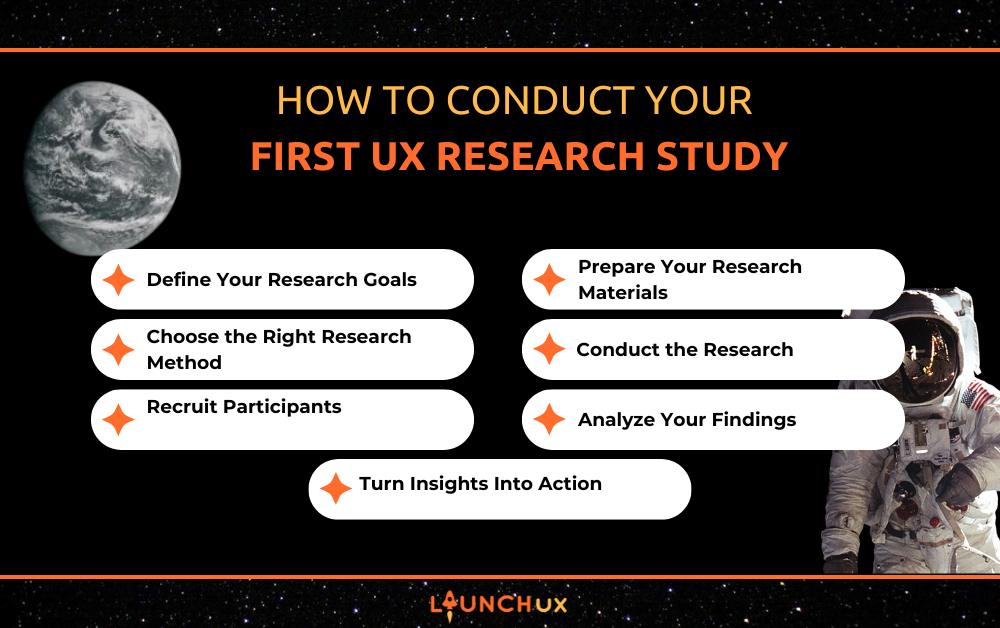
How to Conduct Your First UX Research Study

UX research plays a vital role in developing products that users find intuitive and enjoyable. Understanding behaviors, preferences, and pain points ensures design decisions are informed and effective. For beginners, UX research can feel intimidating, but it doesn’t have to be. At LaunchUX, we help beginners conduct simple studies that uncover valuable insights, improve usability, and boost satisfaction. This guide will walk you through your first UX research study step by step, helping you gain confidence and make data-driven decisions.

Whether you’re a UX designer, product manager, or business owner, effective research provides a clear understanding of user needs. By the end, you’ll know how to structure a study that’s actionable, practical, and meaningful—with guidance inspired by LaunchUX.

Define Your Research Goals

Clarifying What You Want to Learn

The first step in any UX research study is clearly defining your goals. Asking yourself: What questions am I trying to answer about users? Well-defined goals help beginners feel confident and focused, guiding their research and ensuring that the insights they collect are actionable. Without clear objectives, research can feel unfocused and produce data that doesn’t inform design decisions. Well-defined goals also help determine which research methods are most appropriate for your study.

Types of UX Research Goals

UX research goals can be categorized in a few ways. Exploratory goals aim to uncover unknown user behaviors or motivations. Generative goals help generate ideas for new features or improvements. Evaluative goals test specific design elements to determine if they meet user needs. Beginners should start small with one or two focused goals to avoid overwhelming themselves. By aligning the study around a clear goal, every step of the research process becomes more purposeful and efficient.

Examples of Beginner-Friendly Goals

Some beginner-friendly research goals include questions like: Why are users leaving this page before completing a task? How easily can new users navigate a feature? Are users able to find the information they need quickly? Simple, specific goals like these allow beginners to practice research while collecting insights that genuinely impact design decisions. Starting with clear objectives ensures that your first study is focused, manageable, and produces actionable outcomes.

Choose the Right Research Method

Understanding Qualitative and Quantitative Methods

UX research methods generally fall into two categories: qualitative and quantitative methods that inform and help understand user behavior, preferences, and pain points, often through interviews, usability tests, or open-ended surveys. Beginners benefit from starting with qualitative methods because they provide rich, detailed insights even with a small number of participants. Combining both approaches can provide a more complete understanding of user behavior, helping beginners feel more capable and trusting in their choices.

Beginner-Friendly Methods

Some beginner-friendly methods include user interviews, surveys, and usability testing. User interviews involve speaking directly with participants to uncover motivations and frustrations. With surveys, you can efficiently gather standardized feedback from a wider audience. Usability testing observes users interacting with your product to identify difficulties or confusion. Even small studies using these methods can reveal actionable insights that significantly improve your design. Starting simple with one method helps beginners build confidence before expanding their toolkit.

Choosing the Right Method for Your Goals

Selecting the right research method depends on your study goals. If you want to understand why users behave a certain way, qualitative interviews are ideal. If your goal is to measure how quickly users complete a task, quantitative usability testing may be more appropriate. Beginner researchers should match methods to specific goals rather than trying to collect all types of data at once. This focused approach ensures the research is meaningful, manageable, and yields actionable insights.

Recruit Participants

Finding the Right Users

Recruiting the right participants is critical to a successful UX research study. Participants should reflect your target audience to ensure findings are relevant. For beginners, starting with friends, family, or colleagues can be a practical first step for practice. Once comfortable, expand to real users who represent your product’s audience. Using appropriate participants ensures your study produces insights that truly reflect the behaviors, needs, and expectations of the people who will actually use your product, fostering trust and respect in your research process.

Ethical Considerations

Ethics are a key part of UX research. Always obtain informed consent from participants, explaining how the data will be used. Respect participants’ privacy and ensure their personal information is protected. Avoid asking questions that may make participants uncomfortable or biased. Ethical research builds trust and produces more reliable insights, ensuring that your findings are accurate and actionable.

Recruitment Tips for Beginners

For beginner researchers, practical recruitment strategies include reaching out through social media, email lists, or community forums relevant to your product. Providing small rewards, including gift cards or promotional items, can boost response rates. Product discounts can help attract participants. Keep recruitment simple initially—working with a smaller number of participants allows beginners to manage sessions effectively while still gaining valuable insights. Focus on quality of feedback over quantity of participants.

Prepare Your Research Materials

Creating Interview Scripts or Surveys

Before conducting research, prepare materials like interview scripts, surveys, or task scenarios. Scripts should include open-ended questions that avoid leading participants toward certain answers. Surveys work best when they are straightforward, easy to follow, and not overly long, with questions directly aligned to research goals. Preparing these materials ensures your study remains focused, consistent, and produces actionable results.

Designing Usability Tests

For usability testing, create clear task scenarios that mimic real-world use of your product. Each task should be specific, measurable, and aligned with your research objectives. Include instructions for what participants should do without revealing the “correct” way, allowing you to observe authentic behavior. Well-prepared scenarios ensure that usability testing identifies genuine pain points and areas for improvement.

Choosing Tools for Beginners

Beginners can use accessible tools to conduct research efficiently. Google Forms or Typeform work well for surveys. Zoom or Google Meet allows remote user interviews. Screen recording or usability testing software, like Hotjar or Lookback, can capture user interactions. Choosing the right tools helps streamline the research process and makes it easier for beginners to manage sessions effectively.

Conduct the Research

Best Practices During Sessions

During research sessions, focus on listening more than talking. Avoid leading questions or assumptions. Take detailed notes or record sessions with participant consent. The goal is to observe real behaviors, challenges, and motivations rather than confirm preexisting ideas. Keeping the session structured yet flexible allows participants to share valuable insights without feeling restricted.

Observing User Behavior

Observation is key in UX research. Watch how users navigate your product, where they hesitate, and which features cause confusion. Take note of both verbal and non-verbal cues. Small observations often reveal critical insights that participants may not explicitly express. Proper observation allows beginners to identify patterns and uncover problems that may otherwise go unnoticed.

Staying Neutral and Objective

Maintaining neutrality ensures unbiased results. Avoid showing approval or disapproval of participants’ actions. Refrain from offering help unless participants are completely stuck, as this can skew findings. Collecting objective data allows you to make informed, data-driven design decisions and ensures research insights are reliable and actionable.

Analyze Your Findings

Once research is complete, review notes, recordings, and survey results to identify patterns. Look for repeated frustrations, behaviors, or comments across participants. Patterns indicate areas that need attention and inform design decisions. Even small studies can produce meaningful trends if analyzed carefully and systematically.

Grouping and Synthesizing Data

Organize insights into categories, such as navigation issues, feature confusion, or content clarity. Using tools like spreadsheets, affinity diagrams, or visual boards can help beginners synthesize large amounts of data. Grouping findings makes it easier to communicate results to stakeholders and ensures that insights are actionable.

Drawing Actionable Conclusions

Translate research insights into specific recommendations for improving the product. Examples include redesigning a confusing button, simplifying a form, or clarifying navigation labels. Focus on solutions that directly address user pain points identified during the study. Even a few targeted improvements based on research can significantly enhance usability and satisfaction.

Turn Insights Into Action

Communicating Findings

Share findings with your team in a clear, concise manner. Include examples, quotes, screenshots, or recordings to illustrate issues. Visual storytelling helps stakeholders understand problems and motivates action. Communicating insights effectively ensures your research leads to meaningful design improvements.

Prioritizing Improvements

Not all insights can be implemented at once. Prioritize changes based on impact, feasibility, and alignment with business goals. Focus first on issues that cause the greatest frustration or block key user goals. This ensures your research produces tangible improvements that benefit users immediately.

Iterating Based on Research

UX research is iterative. After implementing changes, continue to test and refine. Continuous research ensures your product evolves with user needs and remains effective over time. Even beginner researchers can start small, test features regularly, and gradually build a robust UX research process.

Conclusion

Conducting your first UX research study may feel challenging, but it is achievable with a structured approach. By defining goals, selecting appropriate methods, recruiting participants, preparing materials, and analyzing findings, beginners can gain valuable insights that directly improve product usability and user satisfaction. Proper UX research provides clarity, reduces assumptions, and ensures design decisions are grounded in real user behavior. Even small studies can uncover meaningful insights that significantly enhance product success.

Ready to start improving your product with actionable UX insights? Contact LaunchUX today to schedule your first research session, get expert guidance, and learn how to make data-driven design decisions that delight your users.

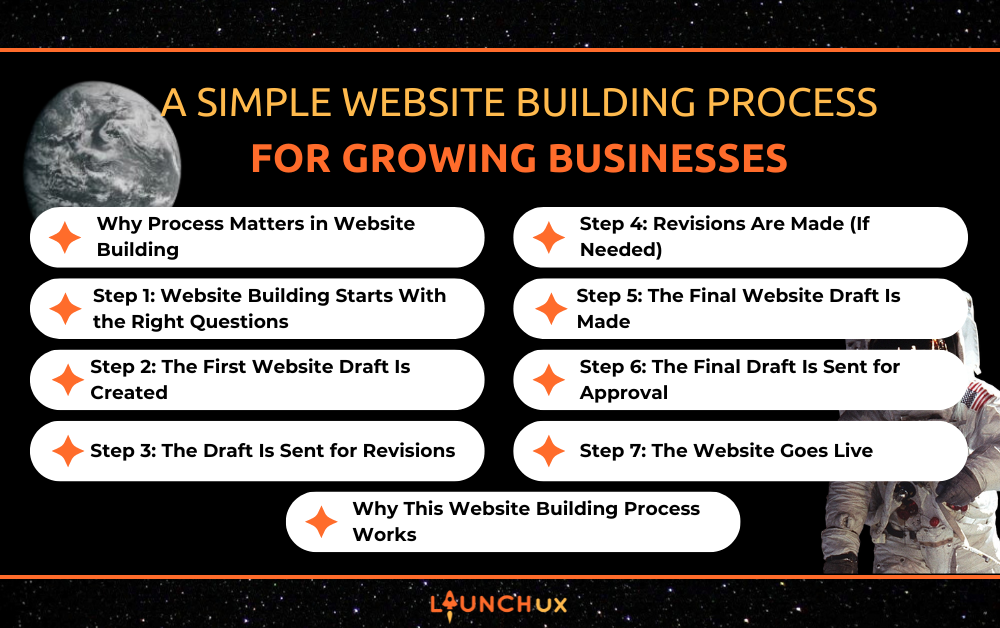
A Simple Website Building Process for Growing Businesses

Website building often feels more complicated than it should, especially for growing businesses trying to balance day-to-day work with long-term growth. Too many projects get stuck in unclear timelines, repeated revisions, or confusion about what happens next. At LaunchUX, we keep website building simple by following a clear, step-by-step process that removes guesswork from the start. By beginning with the right questions and guiding clients through each stage, we make it easier to move from idea to launch with confidence and clarity.

Why Process Matters in Website Building

A website project can move quickly and smoothly, or it can become frustrating and drawn out. The difference usually comes down to process. When website building starts without a clear plan, it often leads to misaligned expectations, repeated changes, and delays that slow everything down. For growing businesses, that can mean lost time and missed opportunities.

Having a defined website building process creates structure from the very beginning. It helps everyone understand what happens next, when feedback is needed, and how decisions are made. Instead of reacting to problems as they come up, the process keeps the project moving forward with purpose. This clarity allows us to focus on building a website that supports business goals, rather than spending time untangling confusion along the way.

When process comes first, website building becomes more efficient, more collaborative, and far less stressful. That structure is what allows projects to stay on track and deliver results that actually help businesses grow.

Step 1: Website Building Starts With the Right Questions

Every website we build at LaunchUX begins with a simple but important step: asking the right questions. Before any design or development work starts, we take time to understand the business behind the website. This includes learning what the company does, who it serves, what makes it different, and what the website needs to accomplish.

To do that, we ask questions like:

  • What websites do you like, and what do you like about them?
  • Does your current website accurately represent your business?
  • Who is your target audience, and what action should visitors take?
  • What content needs to be updated, added, or removed?
  • What competitors should we be aware of?

While this step may feel detailed upfront, it saves time later by aligning expectations early. Instead of guessing what a business wants or needs, we build the website around clear answers and real goals. For growing businesses, this clarity helps ensure the website supports long-term growth, not just a successful launch.

Step 2: The First Website Draft Is Created

Once the discovery questions are complete, we move into building the first draft of the website. This is where all of the planning starts to take shape. Using the information gathered in Step 1, we create a complete working draft that reflects the structure, messaging, and goals discussed upfront.

The first draft focuses on layout, page flow, and how visitors move through the site. Content is placed intentionally, calls to action are defined, and the overall user experience is designed with the target audience in mind. While this version is not final, it gives clients a clear picture of how the website will function and feel. This approach allows feedback to be meaningful and keeps the project moving forward without unnecessary back-and-forth.

Step 3: The Draft Is Sent for Revisions

After the first draft is complete, we send it to the client for review. This step gives business owners the opportunity to see their website come together and confirm that everything aligns with their expectations. Rather than reviewing individual pieces in isolation, clients can experience the website as a whole and provide thoughtful feedback.

We encourage feedback that focuses on clarity, accuracy, and overall direction. Because the project started with clear questions and goals, this review process is typically smooth and focused. Clients know what to look for, and revisions are easier to communicate. This step ensures collaboration stays productive and the website continues moving toward a final version that feels right for the business.

Step 4: Revisions Are Made (If Needed)

Once feedback is received, we move into revisions. Any requested changes are made based on the review, whether that involves adjusting content, refining layout, or improving overall flow. Seeing the first draft often helps clients better visualize their website, and it is completely normal for ideas to evolve at this stage.

Some common revision requests we see include:

  • Adjusting colors, fonts, or other design elements
  • Updating or swapping out images
  • Reworking headlines or page copy for clarity
  • Refining page layout or section order
  • Clarifying calls to action or button placement
  • Adding or removing sections on a page
  • Making small branding updates to better match the business

Because expectations were aligned early in the process, revisions are typically focused and efficient. If revisions are needed, they are completed with clear communication. If no changes are required, the project moves forward without delay, keeping the website building process on track.

Step 5: The Final Website Draft Is Made

After revisions are completed, we prepare the final draft of the website. This version reflects all approved updates and refinements, bringing together content, design, and structure into a polished experience. The goal at this stage is to ensure everything feels cohesive and aligned with the original goals of the project.

The final draft focuses on details. This includes reviewing page flow, confirming content accuracy, and making sure the website is ready for approval. Because the earlier steps were handled thoughtfully, this stage is about fine-tuning rather than making major changes, allowing the project to move confidently toward launch.

Step 6: The Final Draft Is Sent for Approval

Once the final draft is ready, it is sent to the client for approval. This step gives business owners the opportunity to review the completed website and confirm that everything is accurate and ready to go live. At this stage, the focus is on final confirmation rather than major changes.

During this review, we recommend checking:

  • Phone numbers, email addresses, and contact forms
  • Links across the site to ensure everything works correctly
  • Location pages and service areas for accuracy
  • Photos, logos, and branding elements
  • Page content to confirm information and messaging are correct
  • Calls to action and buttons to make sure they point to the right places

Because revisions were addressed earlier in the process, approval at this stage is typically straightforward. Once everything is confirmed, the project moves smoothly into launch.

Step 7: The Website Goes Live

Once the final draft is approved, the website is launched. At this point, everything has been reviewed, confirmed, and prepared, allowing the site to go live without last-minute surprises. Because each step in the website building process was handled with clarity, launch day is straightforward and stress-free.

After launch, the website is fully accessible to visitors and ready to support business growth. Whether the goal is generating leads, sharing information, or showcasing services, the site is built to perform from day one. For growing businesses, this means moving forward with a website that feels complete, intentional, and ready to grow alongside the company.

Why This Website Building Process Works

A clear website building process removes uncertainty and keeps projects moving in the right direction, but strong communication is what makes that process successful. By starting with the right questions and maintaining open communication throughout each stage, both the client and the web development team stay aligned from beginning to end. Everyone knows what to expect, when feedback is needed, and how decisions are made.

For growing businesses, this level of communication helps prevent delays and reduces unnecessary revisions. Questions are addressed early, feedback is clear, and updates are shared along the way, which keeps the project focused on real business goals. Instead of reacting to issues after they arise, the process encourages proactive collaboration and steady progress.

Most importantly, this approach creates a better experience for everyone involved. Clients feel informed and supported, and developers have the clarity needed to build efficiently. The result is a website that reflects the business accurately, launches smoothly, and is built on a foundation of trust, clarity, and consistent communication.

Conclusion: Website Building With Clarity and Confidence

Website building does not have to feel overwhelming or unpredictable. With the right process and clear communication, it can be a collaborative experience that moves smoothly from idea to launch. By starting with thoughtful questions, building intentional drafts, and keeping clients involved at the right moments, we create websites that are accurate, effective, and built with purpose.

At LaunchUX, our website building process is designed to support growing businesses every step of the way. The structure keeps projects on track, the communication keeps everyone aligned, and the end result is a website that is ready to support real business growth from day one.

If you are ready to start website building with a clear plan and a team that values communication, we would love to help.

Contact LaunchUX to begin your website project with confidence and clarity.

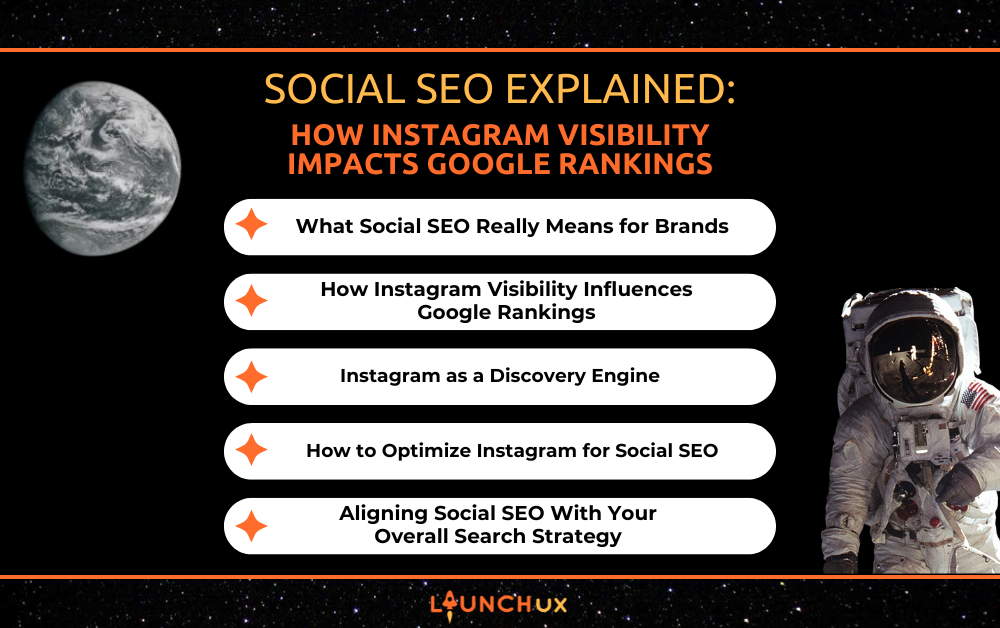
Social SEO Explained: How Instagram Visibility Impacts Google Rankings

Social media is no longer just a channel for brand awareness or engagement. It plays a growing role in how people discover businesses, build trust, and decide which brands are worth searching for. This shift has given rise to social SEO, the strategic connection between social media visibility and search engine performance.

While platforms like Instagram do not directly control Google rankings, they influence the signals search engines care about most, including brand recognition, credibility, and user behavior. When social media and SEO are aligned, discovery extends beyond a single platform and strengthens overall search visibility.

What Social SEO Really Means for Brands

Social SEO is not about turning social media posts into direct ranking factors. It is about how social visibility shapes the way search engines understand a brand’s relevance, authority, and demand. When people consistently encounter a business on platforms like Instagram, that exposure influences how often the brand is searched, how it is talked about online, and how users interact with its website. All of those signals contribute to stronger search performance over time.

At its core, social SEO connects three key areas of visibility:

  • Brand discovery through social platforms before a user ever visits Google
  • Brand validation as users see consistent messaging, expertise, and engagement
  • Brand demand created when social exposure leads to branded search queries

This matters because Google no longer evaluates websites in isolation. It evaluates brands as entities. A business with recognizable social presence, consistent messaging, and real audience interaction sends stronger signals of legitimacy than a site that exists only within search results.

Instead of asking whether social media “counts” for SEO, brands should ask a better question. Does our social presence support how we want to be discovered, trusted, and searched for online? When the answer is yes, social SEO becomes a long-term visibility asset rather than a short-term engagement tactic.

How Instagram Visibility Influences Google Rankings

Instagram visibility does not act as a direct ranking signal, but it plays a meaningful role in shaping the behaviors and signals Google pays attention to. When users repeatedly encounter a brand on Instagram, that exposure influences how they search, what they click, and how they interact once they reach a website. Over time, those patterns help reinforce a brand’s authority in search results.

One of the strongest connections between Instagram and search performance is branded search demand. As awareness grows on social platforms, users are more likely to search for a business by name rather than by a generic keyword. Branded searches signal trust and familiarity, both of which are strong indicators of legitimacy in Google’s evaluation of a brand.

Instagram also contributes to search performance through user behavior once traffic reaches a website. Social traffic may not always convert immediately, but it often supports SEO in quieter ways:

  • Visitors arriving from Instagram tend to spend more time exploring a brand
  • Repeat exposure increases return visits and direct traffic
  • Consistent referral traffic supports healthier engagement patterns

Together, these signals help Google understand that a brand is not just present online, but actively sought out and engaged with. Social media visibility does not replace SEO, but it strengthens the foundation that rankings are built on.

Instagram as a Discovery Engine

Instagram has evolved into a platform where users actively search for businesses, services, and ideas, not just scroll past content. Many discovery journeys now begin on social media, especially when users are looking for brands they can visually understand and quickly evaluate. This shift is a key reason social SEO has become so important.

Discovery on Instagram happens in several ways, often without users realizing they are “searching” at all. Instead of typing long queries, they rely on platform signals to surface relevant content:

  • Keywords in captions and profile bios
  • Profile names that clearly describe what a business does
  • Location tags that surface local or regional content
  • Hashtags used as discovery markers rather than trend chasing tools

This kind of on-platform discovery feeds directly into search behavior elsewhere. When users find a brand on Instagram and want more information, the next step is often a Google search. That connection turns Instagram into an early-stage discovery layer that supports traditional SEO by increasing brand awareness before high-intent searches occur.

For brands focused on long-term visibility, treating Instagram as a discovery engine rather than just a posting platform creates stronger alignment between social content and search performance.

How to Optimize Instagram for Social SEO

Optimizing Instagram for social SEO starts with shifting the goal from posting for engagement to posting for discoverability. Content should help users immediately understand who the brand is, what it offers, and why it is relevant. When that clarity exists, social visibility becomes easier to translate into meaningful search behavior.

Captions play a larger role in discoverability than many brands realize. Writing captions with search intent in mind helps content surface both on Instagram and later in Google searches. This does not mean forcing keywords into every post. It means using natural language that reflects how potential customers talk about a service or problem.

A strong social SEO approach also considers the profile itself as a searchable asset. Small optimizations here can make a measurable difference:

  • Using a clear business name and descriptive profile name
  • Including primary service or industry keywords in the bio
  • Keeping messaging consistent with website headlines and service pages
  • Treating highlights and pinned posts as evergreen discovery content

When Instagram content aligns with the same topics and language used on a website, social visibility reinforces search relevance. Instead of operating separately, social and SEO begin supporting the same discovery path.

Aligning Social SEO With Your Overall Search Strategy

Social SEO is most effective when it supports a broader search strategy rather than operating as a standalone effort. Instagram visibility can strengthen brand awareness and early discovery, while traditional SEO captures higher intent searches and conversions. Separate strategies create gaps. Aligned strategies build momentum and visibility.

Each channel plays a different role in the search journey. Instagram excels at introducing a brand and building familiarity, while Google remains the primary channel for research, comparison, and decision-making. Aligning content across both ensures users encounter consistent messaging no matter where discovery begins.

Common missteps often weaken this alignment, including treating social content as unrelated to website topics or driving traffic to pages that do not match social messaging. A more effective approach focuses on reinforcing the same core themes across platforms and measuring signals that indicate real impact, such as:

  • Growth in branded search queries
  • Increased direct and referral traffic
  • Stronger engagement once users reach the website
  • Assisted conversions rather than last-click results

When social SEO and traditional SEO support the same goals, Instagram becomes more than a visibility tool. It becomes a strategic asset that strengthens how a brand is discovered, trusted, and ranked over time.

Social SEO Strengthens Visibility When It’s Strategic

Social SEO is not a shortcut to higher rankings, but it is a powerful way to strengthen the signals search engines rely on to evaluate brands. Instagram visibility influences how often a business is searched, how it is perceived, and how users engage once they reach a website. When those signals stay consistent and aligned, they support stronger long-term search performance.

Brands miss opportunities when they keep social media and SEO separate. When they align Instagram content, website messaging, and search strategy, visibility compounds and trust builds faster. This is where social SEO becomes a competitive advantage. LaunchUX helps brands connect these efforts into one cohesive strategy so social visibility actively supports search performance instead of operating in isolation.

The Run Down on PPC Campaigns for Your Small Business

For many small businesses, getting in front of the right customers online can be challenging, even with a strong website and great services. PPC campaigns (Pay-Per-Click advertising) help small businesses appear at the top of search results quickly by reaching people who are already searching for what they offer. When managed properly, PPC campaigns provide immediate visibility, clear budget control, and measurable results, making them a practical marketing option for businesses that want to generate leads and grow without wasting ad spend.

What Are PPC Campaigns?

PPC campaigns, or Pay-Per-Click campaigns, are a form of online advertising where businesses pay only when someone clicks on their ad. These ads most commonly appear at the top of Google search results, allowing your business to show up when potential customers are actively searching for services or products you offer.

With PPC campaigns, advertisers bid on specific keywords related to their business. When someone searches those terms, Google determines which ads appear based on relevance, ad quality, and bid amount—not just who spends the most. This means small businesses can compete effectively by running well-structured PPC campaigns that focus on clear messaging, relevant keywords, and a strong user experience.

Why PPC Campaigns Make Sense for Small Businesses

Immediate Visibility

One of the biggest advantages of PPC campaigns is speed. Unlike organic marketing strategies that take time to build traction, PPC campaigns allow small businesses to appear at the top of search results almost immediately. This makes PPC campaigns especially useful for new businesses, seasonal services, or times when leads need to increase quickly.

Reach People Who Are Already Looking

PPC campaigns focus on intent. Instead of advertising to people who may or may not be interested, campaigns target users who are actively searching for specific services or solutions. Because of this, leads generated through PPC campaigns are often more qualified and ready to take action.

Budget Control That Fits Small Businesses

PPC campaigns give small businesses full control over how much they spend. Daily budgets can be set, adjusted, or paused at any time, allowing businesses to scale campaigns based on performance or cash flow. This flexibility makes campaigns a practical option for small businesses that need results without long-term financial commitments.

Common Types of PPC Campaigns for Small Businesses

Search-Based Campaigns

Search-based campaigns are the most common and effective option for small businesses. These text ads appear at the top of Google search results when someone searches for specific keywords related to your services. Because search-based campaigns target high-intent users, they’re especially effective for generating phone calls, form submissions, and bookings.

Local Services Campaigns

Local Services PPC campaigns are designed for service-based businesses and appear above traditional search ads with a “Google Guaranteed” badge. These campaigns operate on a pay-per-lead model rather than pay-per-click, helping businesses connect directly with qualified local customers while building trust at first glance.

Retargeting Campaigns

Retargeting PPC campaigns focus on people who have already visited your website but didn’t take action. By staying visible across other websites or platforms, retargeting campaigns help reinforce brand recognition and bring potential customers back when they’re ready to convert.

How PPC Campaigns Target the Right Customers

Location and Service Area Targeting

PPC campaigns allow small businesses to show ads only in the areas they actually serve. By targeting specific cities, regions, or service areas, businesses avoid paying for clicks from users who are outside their coverage area. This geographic focus helps campaigns generate more relevant leads while keeping ad spend efficient.

Keyword Selection and Intent

Successful PPC campaigns focus on keywords that indicate a strong intent to take action. These are searches made by users who are looking to book a service, request a quote, or make a purchase. By prioritizing intent-driven keywords and excluding irrelevant searches, campaigns attract higher-quality traffic and improve overall performance.

What Makes PPC Campaigns Successful

Clear Messaging and Offers

Effective PPC campaigns use clear, straightforward messaging that matches what users are searching for. Ads that highlight specific services, local relevance, and strong offers—such as free estimates or consultations—tend to perform better than vague or overly generic messaging.

Landing Pages

Where PPC campaigns send traffic matters just as much as the ads themselves. Dedicated landing pages help guide visitors toward a single action, whether that’s making a call or filling out a form. When landing pages align closely with campaigns, conversion rates improve and ad spend works harder.

Conversion Tracking and Optimization

Tracking is essential to the success of PPC campaigns. By measuring phone calls, form submissions, and other key actions, businesses can see what’s working and what isn’t. This data allows these campaigns to be optimized over time, improving performance and lowering cost per lead.

Common PPC Campaign Mistakes Small Businesses Should Avoid

Running Campaigns Without Clear Goals

One of the most common mistakes small businesses make is launching PPC campaigns without defining what success looks like. Whether the goal is phone calls, form submissions, or bookings, campaigns need clear conversion goals to guide optimization and measure real results.

Using Broad Targeting

Broad targeting may seem like a way to reach more people, but it often leads to wasted ad spend. These campaigns perform best when they focus on specific services, locations, and search intent. Narrow targeting helps ensure ads reach users who are more likely to convert.

Ignoring Negative Keywords

Negative keywords prevent PPC campaigns from showing for irrelevant searches. Without them, ads can appear for unrelated queries that drive clicks but not leads. Regularly reviewing search terms and adding negative keywords is essential for keeping campaigns efficient.

Sending Traffic to the Wrong Pages

Sending PPC campaign traffic to a homepage instead of a dedicated landing page often hurts performance. PPC campaigns work best when visitors are guided to a page built around one clear action, making it easier for them to convert.

Failing to Track and Optimize Campaigns

Without proper tracking, PPC campaigns become guesswork. Conversion tracking allows businesses to understand which keywords, ads, and campaigns are driving results. Ongoing optimization ensures campaigns improve over time instead of stagnating.

How PPC Campaigns Fit Into a Long-Term Marketing Strategy

PPC Campaigns and SEO Working Together

PPC campaigns provide immediate visibility, while SEO builds long-term organic traffic. Used together, campaigns can help businesses generate leads now while also revealing which keywords and messaging perform best for future SEO efforts.

Using Campaign Data to Improve Messaging

PPC campaigns generate valuable insights into what customers respond to most. Headlines, offers, and calls to action can be tested through campaigns and then applied across website content, email marketing, and other advertising channels.

Scaling Campaigns as Your Business Grows

Once PPC campaigns consistently generate qualified leads, budgets can be increased strategically. Businesses can expand campaigns to promote additional services, target new locations, or test new keywords without overextending their spend.

Supporting Seasonal and Promotional Efforts

PPC campaigns offer flexibility that many other marketing channels can’t. Campaigns can be adjusted, paused, or launched quickly to support seasonal demand, promotions, or limited-time offers, making campaigns a valuable tool year-round.

Are PPC Campaigns Right for Your Small Business?

PPC campaigns can be a powerful tool for small businesses that want faster visibility, more qualified leads, and clear insight into what’s working. When managed strategically, these campaigns allow businesses to control their budget, target the right customers, and adapt quickly as business needs change. If you’re considering PPC campaigns and want guidance on building a strategy that actually drives results, LaunchUX can help you plan, manage, and optimize campaigns tailored to your business goals. Reach out today to learn how a well-structured PPC campaign can support your growth.

The Importance of Website Redesign

With technology and online trends advancing quickly, keeping your business visible and influential online is more important than ever. A well-executed website redesign can revitalize your brand, enhance functionality, and improve user engagement. LaunchUX specializes in helping businesses navigate these changes by providing expert guidance and strategic solutions for modern website transformations. By investing in a redesign, companies can ensure their websites reflect current trends, technologies, and customer expectations. This strategic approach turns your website into a valuable asset that drives measurable results.

Enhances User Experience (UX)

Effortless Navigation Across Your Site

A website redesign provides a smooth browsing experience so visitors can access the content they want effortlessly without frustration. Intuitive menus, logical page structures, and clear pathways allow users to interact naturally with your content. Users are likely to browse deeper, spend more time on your site, and view additional pages when navigation is seamless. Enhanced usability creates a positive impression, encouraging repeat visits. Overall, focusing on UX improves engagement and builds trust in your brand.

Improved Engagement Through Usability

By redesigning your website, you create an environment where users can engage with content more effectively. Interactive features, accessible layouts, and well-structured pages make it easy for visitors to find and consume information. Increased engagement encourages users to explore more areas of your site, such as product pages, blogs, or service offerings. The more comfortable and intuitive the experience, the more likely visitors are to take meaningful actions. This ultimately strengthens the connection between your audience and your brand.

Increased Conversion Potential

A strong user experience directly contributes to higher conversion rates. When visitors feel confident and comfortable navigating your website, they are more inclined to complete actions, including connecting with your staff or making a payment. Redesigning with UX in mind ensures that key calls-to-action are strategically placed and easy to follow. This approach reduces friction and maximizes the likelihood of conversions. By prioritizing user experience, your website becomes a powerful tool for generating revenue and building loyalty.

Keeps Your Brand Modern and Relevant

Reflecting Evolving Brand Identity

Brands grow and evolve, and your website should reflect these changes. A website redesign allows your visual identity, messaging, and overall style to stay current and relevant. Aligning your website with your evolving brand demonstrates professionalism and credibility. Visitors are more likely to trust a business that presents a consistent, up-to-date image. This also reinforces your unique brand story across all digital touchpoints.

Maintaining Market Competitiveness

An outdated website can make even a strong brand appear behind the times. Redesigning your website keeps your business competitive in a marketplace where digital first impressions are critical. Modern design aesthetics and updated features signal to users that your brand is innovative and reliable. Staying current ensures that potential customers compare your offerings favorably against competitors. A modern website helps you remain top-of-mind and strengthens your market position.

Enhancing Visual Appeal and Engagement

Beyond branding, a refreshed website enhances the visual appeal and overall engagement. Thoughtful design elements, color schemes, and typography create a professional and memorable experience. When visitors find a site visually pleasing, they are more likely to explore and interact. This increased interaction often leads to higher engagement metrics and better conversion potential. A visually compelling website reinforces trust and encourages users to return.

Improves Mobile Responsiveness

Seamless Experiences on All Devices

Given that mobile traffic now dominates the web, your site must function flawlessly across all screen sizes. A website redesign ensures responsive layouts that adapt to phones, tablets, and desktops. Visitors expect the same quality experience regardless of device, and responsive design delivers that consistency. This improves satisfaction, reduces bounce rates, and encourages deeper exploration. A mobile-friendly site also enhances your brand’s professional image and reliability.

Optimized Loading and Accessibility

Mobile users demand fast-loading pages and easy access to content. Redesigning your website enables performance improvements such as image optimization, caching, and simplified code structure. These enhancements make the site faster, more reliable, and accessible to a broader audience. Accessibility features like larger buttons, readable fonts, and proper contrast further improve usability. Together, these updates create a seamless experience that retains mobile visitors and supports conversions.

Boosting Search Engine Performance

A site’s mobile performance is crucial for SEO, as search engines rank pages higher when they load quickly and function smoothly on phones and tablets. A redesign ensures your site meets mobile-first requirements and adheres to usability and performance best practices. Improved rankings increase visibility, bringing more organic traffic to your business—a responsive website positions your brand as professional, modern, and user-focused.

Boosts SEO and Search Rankings

Clean Code and Optimized Structure

Search engines rank higher websites that follow technical SEO standards and have an organized site architecture. A redesign allows you to fix broken links, restructure URLs, and implement semantic markup. Clean code and an organized site structure improve indexing and search visibility. Visitors benefit from a well-structured website that loads correctly and provides relevant content. This combination of SEO and usability ensures your website reaches a larger audience.

Enhanced Page Speed and Performance

Quick-loading websites perform better in search rankings and deliver superior user experiences. A redesigned website can implement performance improvements such as compressed images, optimized scripts, and faster server response times. Improved speed enhances user satisfaction and reduces bounce rates. Faster websites are rewarded by search engines, leading to better ranking potential. By optimizing performance, your website attracts and retains more visitors.

Integration of Updated SEO Practices

SEO practices are constantly evolving, and older websites often fall behind. A website redesign allows you to implement modern strategies such as schema markup, mobile-first optimization, and updated metadata. These improvements make your site more discoverable and improve search engine rankings. Combining design, usability, and SEO ensures your site delivers a great look while performing effectively in search results.

Supports Business Growth and New Goals

Scalable Design for Expanding Services

As your business grows, your website should support new offerings, products, or services. A redesign enables a flexible architecture that accommodates expansion without significant disruptions. A scalable design ensures your website evolves alongside your business goals. This keeps your online presence relevant and effective in promoting new initiatives. A growth-oriented website becomes a strategic asset rather than a static digital brochure.

Integration of Advanced Tools and Features

Modern businesses rely on various digital tools, from CRM platforms to marketing automation. A website redesign allows seamless integration of these tools to improve workflows and efficiency. Visitors benefit from smoother interactions, while your team can operate more effectively. Advanced integrations also allow for personalized experiences that enhance customer satisfaction. A functional, connected website supports both internal and external business objectives.

Alignment With Strategic Objectives

Your website should reflect and support your overall business strategy. Redesigning ensures your site aligns with your current goals, whether to improve lead generation, boost e-commerce sales, or increase brand awareness. Strategic alignment makes your website a powerful tool for achieving measurable outcomes. By incorporating your objectives into the design, every visitor interaction supports growth. A thoughtfully redesigned site becomes an extension of your business strategy.

Strengthens Security and Compliance

Protection Against Evolving Cyber Threats

Older websites are more vulnerable to cyberattacks, which can compromise data and damage reputation. Redesigning your website enables you to implement updated defenses, including malware scanning, firewalls, and intrusion monitoring, as well as secure connections. Enhanced security protects both your business and your users. Visitors feel confident interacting with your site when their data is safe. A secure website also minimizes downtime and operational risks.

Compliance With Privacy Regulations

Privacy laws such as GDPR and CCPA require websites to handle user data responsibly. A redesign ensures compliance with these regulations, preventing potential legal penalties and reinforcing trust. Visitors are more likely to engage with a brand that respects their privacy. Compliance also demonstrates professionalism and adherence to industry standards. A legally sound website strengthens credibility and fosters long-term relationships.

Backup and Recovery Systems

Unexpected outages or cyber incidents can disrupt business operations. A modern website incorporates automated backup and recovery systems to minimize downtime and data loss. These systems ensure that your website can be restored quickly in emergencies. Protecting your digital assets safeguards business continuity and maintains user trust. By proactively addressing security and recovery, your website remains reliable and resilient.

Enhances Conversion Rates

Optimized User Flow for Action

A website redesign focuses on improving how users navigate and interact with content. Clear calls-to-action, logical page sequences, and visually engaging layouts guide visitors toward completing desired actions. A smooth user flow reduces friction and increases the likelihood of conversions. Redesigning ensures that every interaction is purposeful and encourages engagement. Higher conversion rates translate directly into measurable business results.

Strategic Call-to-Action Placement

Placing calls to action strategically throughout your site encourages smooth transitions from browsing to engagement. Whether filling out a contact form, subscribing to a newsletter, or making a purchase, redesigned websites maximize opportunities to convert. Thoughtful placement increases visibility and user engagement. Optimized CTAs help guide users naturally through their journey. When users know what action to take, your website turns into a high-performing tool for lead generation and sales.

Increased ROI Through Better Performance

An updated website that prioritizes user experience and engagement delivers tangible business results. Improved navigation, accessibility, and visual appeal encourage users to spend more time interacting with your brand. These factors contribute to higher engagement, stronger leads, and increased revenue. A website redesign turns your online presence into a high-performing asset. By investing strategically, you maximize the return on your digital marketing efforts.

Conclusion

Investing in a website redesign is an important decision that affects all aspects of your website and online visibility, from improving user experience and mobile responsiveness to strengthening security and boosting SEO—a redesigned website positions your brand for long-term success. LaunchUX helps businesses transform outdated websites into modern, high-performing platforms that drive engagement, conversions, and growth. A thoughtfully executed redesign ensures your website stays contemporary, remains market-relevant, and supports your strategic vision.Ready to elevate your digital presence? Contact LaunchUX today and begin your website redesign journey for measurable results.