
rocketfuel, Author at LaunchUX - Page 9 of 28

Author: rocketfuel

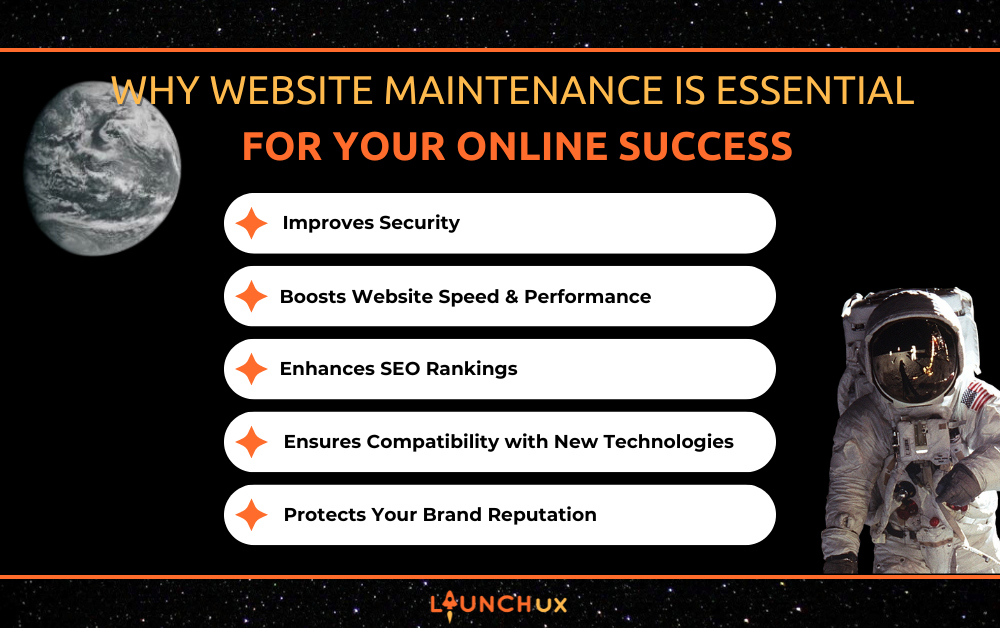
Why Website Maintenance is Essential for Your Online Success

Website maintenance is the foundation of a strong digital presence. Your website frequently serves as a critical touchpoint for your customers, which makes its performance and reliability critical. Many people think that once a website is live, the hard work is over—but in reality, that’s just the beginning. Regular website maintenance protects the ongoing performance of your online presence, making it relevant and secure over time. A poorly maintained site can lead to technical issues, poor user experience, and even security vulnerabilities. To stay competitive and credible, your website needs consistent attention and updates. At LaunchUX, we specialize in helping businesses keep their websites secure, optimized, and always performing at their best. Let’s explore why website maintenance is not just a good idea—it’s a vital part of digital success.

Improves Security

Protecting Your Site from Cyber Threats

With cyber threats constantly evolving, websites are frequent targets for hackers and malicious bots. Consistent maintenance of your content management system, extensions, and design templates helps close security gaps before they can be exploited. When maintenance is neglected, your site may run outdated code that opens the door to malware and unauthorized access. Maintaining the latest software versions is among the most reliable strategies to reduce security risks. Without proactive updates, you could unknowingly expose sensitive information. Website maintenance acts as a firewall against these threats, helping to keep your business and your users safe.

Preventing Data Loss

One of the most significant risks of a neglected website is data loss due to security breaches or server failures. Without regular backups and updates, a crash or attack could result in losing important customer or business data. Maintenance plans often include scheduled backups and disaster recovery processes that protect your content and databases. This level of preparedness helps restore your site quickly if something does go wrong. Keeping data secure is not only good practice—it’s often a legal and ethical obligation. Proper website maintenance ensures that your valuable digital assets are never left unprotected.

Reducing Downtime Due to Attacks

When a site is compromised, it can be taken offline or rendered unusable for hours or even days. Downtime directly affects your bottom line, as potential customers can’t access your products or services. Maintenance routines include scanning for vulnerabilities and resolving potential threats before they cause damage. This preventative measure decreases the probability of being taken offline by malware or hackers. Reduced downtime means fewer business interruptions and a more reliable experience for your users. By maintaining your website, you ensure it stays online and functioning when it matters most.

Boosts Website Speed & Performance

Ensuring Faster Load Times

The speed of your site strongly impacts visitor satisfaction and search engine rankings. Visitors expect pages to load quickly—if your site is slow, they’ll leave before it even finishes loading. Routine maintenance identifies performance bottlenecks like bloated code, uncompressed images, or outdated scripts. Addressing these issues consistently keeps your site running at peak speed. Fast-loading websites also encourage longer browsing sessions, which can lead to more conversions. Ultimately, website maintenance helps you deliver the smooth and responsive experience modern users expect.

Preventing Technical Glitches

As your website evolves, it can accumulate small bugs and inconsistencies that affect usability. These issues may include broken forms, misaligned layouts, or features that no longer work as intended. Without regular oversight, minor problems can pile up and make your site look unprofessional. Maintenance involves regularly checking and fixing these glitches before they frustrate your visitors. It also ensures that updates to plugins and themes don’t conflict with your existing content. Keeping your site technically sound helps maintain trust and functionality.

Creating a Smoother User Experience

There’s a greater chance that visitors will engage with a site that feels intuitive, responsive, and easy to navigate. When pages load smoothly and features work as expected, users feel confident in your brand. Maintenance ensures all interactive elements, media, and navigation tools function properly across all devices. It also allows you to make usability improvements based on feedback or analytics. A seamless user experience can directly impact customer retention and sales. With website maintenance, you’re always optimizing your digital space for the people who matter most—your audience.

Enhances SEO Rankings

Keeping Content Fresh and Relevant

Search engines prioritize websites that offer up-to-date, relevant content. Regularly updating your blog, landing pages, and product descriptions tells Google that your site is active and authoritative. Maintenance ensures that your content aligns with current trends, keywords, and user interests. It increases how prominently your site appears in search results and strengthens your credibility in your niche. Outdated content, on the other hand, can hurt your ranking and repel users. By staying current through website maintenance, you maintain visibility in competitive search results.

Nothing disrupts a user experience faster than clicking a hyperlink that takes users to a 404 error screen. Search engines penalize websites with broken links, seeing them as signs of neglect or poor quality. Maintenance involves scanning for and fixing these issues before they impact your reputation. Redirecting old URLs and updating internal links also improves site navigation. Fixing these errors creates a smoother experience for visitors and signals reliability to search engines. Ultimately, website maintenance helps preserve and improve your SEO foundation.

Increasing Search Visibility

When your site is well-maintained, it loads faster, delivers improved performance along with a superior user experience, and sends ranking signals used by search engines to prioritize content. Updated metadata, optimized images, and clean code all contribute to better search visibility. Regular performance audits as part of maintenance can reveal opportunities to improve SEO further. Over time, these small adjustments accumulate and lead to higher placement in search results. Higher rankings drive more organic traffic and lead to more leads, conversions, or sales. Ongoing website maintenance keeps your site competitive in the ever-changing SEO landscape.

Ensures Compatibility with New Technologies

Adapting to Browser Changes

Web browsers like Chrome, Safari, and Firefox update frequently, introducing new features and standards. If your website doesn’t keep up, it may display incorrectly or lose functionality on newer versions. Maintenance ensures your site remains compatible with all major browsers through regular testing and adjustments. This helps preserve the look and feel of your site across different devices and user environments. Without these updates, you risk alienating visitors who can’t access your content properly. Staying up to date through website maintenance protects your accessibility and reach.

Staying Mobile-Friendly

Considering that mobile users make up the majority of website visitors, a mobile-friendly website is no longer optional. Regular maintenance helps ensure that your site adapts to different screen sizes and resolutions seamlessly. It also includes checking touch functionality, loading speed, and layout consistency on smartphones and tablets. A mobile-optimized site improves engagement and reduces bounce rates among on-the-go users. Maintenance ensures that mobile performance is monitored and refined over time. You could be turning away a significant number of prospective visitors without it.

Integrating with New Tools and Features

The digital world moves fast, and new tools—like chatbots, booking systems, and marketing integrations—are constantly emerging. Website maintenance allows you to take advantage of these innovations without disrupting existing functionality. Updates ensure that your site can support new features while remaining secure and user-friendly. Being able to adapt and innovate keeps your site relevant in a competitive market. Whether it’s adding new payment methods or improving accessibility, regular maintenance makes integration easier. A well-maintained website stays current and competitive in a rapidly evolving online space.

Protects Your Brand Reputation

Making a Strong First Impression

Your website often serves as a digital storefront, and first impressions matter. Visitors judge the professionalism of your business within seconds of landing on your site. A clean, functional, and up-to-date website sends a strong message about your credibility. Maintenance ensures that your layout, content, and visuals are all current and aligned with your brand identity. Letting your website grow outdated can lead users to doubt your legitimacy. Through consistent website maintenance, you control how the world sees your business online.

Maintaining Trust and Credibility

Customers trust websites that are responsive, informative, and free of errors. A site plagued with broken links, expired promotions, or malfunctioning features creates doubt in your reliability. Maintenance helps avoid these pitfalls by keeping every part of your website running smoothly. By addressing issues promptly and updating content, you show users that you care about their experience. Trust is built over time, and a well-maintained website reinforces that trust with every visit. Protecting your credibility online is just as important as any other aspect of your brand.

Preventing Public Failures

Launching a campaign or product on a glitchy website can lead to disaster. Technical failures during high-traffic periods can damage your reputation and cost you customers. Website maintenance includes performance checks and stress tests that prepare your site for big moments. Identifying and fixing issues before they become public ensures a smooth experience for everyone involved. In today’s digital world, users expect reliability, and they won’t wait around for errors to be resolved. Regular maintenance helps you avoid these public missteps and maintain a polished brand image.

Conclusion

Website maintenance is a foundational part of managing a successful online presence. It safeguards your site against security threats, boosts performance, and keeps you competitive in search rankings. It also ensures that your site evolves with technology and continues to reflect the professionalism of your brand. Skipping maintenance may save time in the short term, but it risks long-term issues that can harm your business. A strong digital presence requires ongoing care, just like any other critical asset. At LaunchUX, we provide expert website maintenance services to keep your site secure, fast, and future-ready.

 Ready to take your website maintenance seriously? Contact LaunchUX today to get started and keep your site running at its very best.
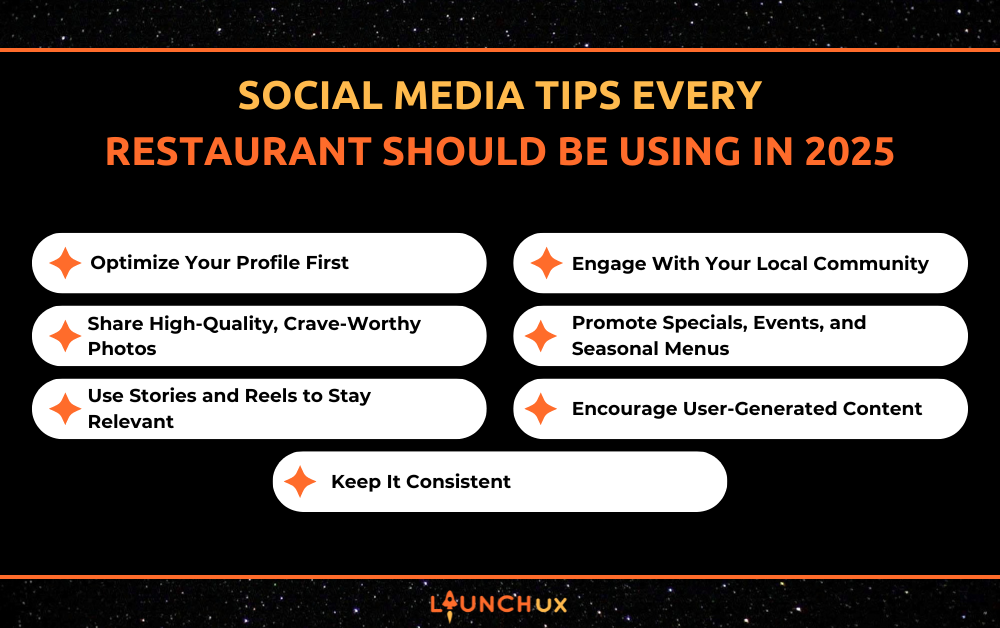

Social Media Tips Every Restaurant Should Be Using in 2025

If you’re running a restaurant in 2025 and still unsure how to make social media actually work for you, you’re not alone. With all the platforms, trends, and strategies flying around, it can feel overwhelming. But the truth is, with a few focused social media tips, your restaurant can attract more diners, boost online orders, and build a loyal community—without needing to be online 24/7. Let’s break it down together.

Optimize Your Profile First

One of the most overlooked social media tips is making sure your profile is complete, clear, and easy to recognize—because it’s often the first impression potential customers get.

Keep Your Info Clear and Updated

Your business details should be effortless to find. That means your address, phone number, hours of operation, and a link to your website or menu should all be visible and accurate. Update them any time there’s a change—even if it’s temporary, like holiday hours. Customers lose trust quickly if they see outdated info or drive to your location only to find it closed.

Use a Recognizable Profile Photo

Your profile image shows up next to every post, comment, and message, so keep it clean and consistent. Most restaurants use their logo, but a high-quality photo of your storefront or signature dish can work too—as long as it’s easy to recognize at a small size. If you use multiple platforms, keep the image the same across all of them for brand consistency.

Write a Bio That Sets the Tone

Your bio should be more than just your cuisine—it’s a chance to create a vibe. Think of it as a mini elevator pitch. For example: “Farm-to-table comfort food in downtown Asheville ???? | Brunch served daily | Order online????.” Use emojis if they fit your brand, and always include a link (to your website, menu, or ordering system). Instagram only gives you one clickable link—make it count.

Share High-Quality, Crave-Worthy Photos

When it comes to social media tips that actually drive engagement, nothing beats eye-catching, mouthwatering photos of your food and drinks.

Focus on Lighting and Clarity

Natural light is your best friend. Shoot near a window if possible, and avoid harsh overhead lights or filters that make your food look artificial. Clean backgrounds, vibrant colors, and sharp focus will always make your dishes look more appetizing. If your photo doesn’t make you hungry, don’t post it.

Highlight Texture and Action

Flat photos don’t do your food justice. Capture steam rising from soup, a cheese pull on your pizza, or the crisp crackle of fried chicken. Show your drinks being poured or garnishes being added. These little details help people imagine the flavor and experience—and that’s what drives cravings.

Tell a Mini Story in the Caption

Don’t just post “Lobster ravioli tonight!” Add a little context. Was it a customer favorite? A new dish inspired by your chef’s travels? Even a sentence or two makes your post feel more personal. Bonus: use descriptive words that match the mood of the photo—warm, spicy, refreshing, indulgent.

Use Stories and Reels to Stay Relevant

One of the most powerful social media tips for restaurants is to use Stories and Reels to showcase your personality and reach a wider audience.

Capture the Moments People Don’t Usually See

Think of Stories and Reels as your chance to lift the curtain. Show the behind-the-scenes magic: your morning prep, a staff member decorating a dessert, or the first plate out during a Friday night dinner rush. You don’t need professional editing—just a steady hand and real moments. These clips help people feel connected to your team and your process, which builds loyalty and familiarity.

Jumping on trends doesn’t mean dancing or lip-syncing—unless that’s your thing! Use popular audio or formats, but tailor them to your brand. For example, if a trending sound is all about “unexpected surprises,” use it to show a flaming dessert or a secret off-menu dish. You’ll show you’re current and creative without straying from your restaurant’s personality.

Add Text, Tags, and Hashtags

Attention spans are short—don’t post without context. Add quick text overlays that explain what’s happening (“Chef Danny’s lunch special today ????”) or tease something fun (“Guess what flavor we’re testing?”). Always tag your location, which helps with local discoverability, and use a mix of popular and niche hashtags to expand your reach. Stories also let you add polls, sliders, and questions—use them to ask things like “Which taco wins: chicken ???? or shrimp ?????”

Be Consistent—Even if It’s Just a Few Seconds

You don’t need to go viral every time. Just show up. Posting one or two short Stories per day (or even a few a week) helps keep your restaurant in the mix. Reels can be posted once or twice weekly with 15–30 second clips. Don’t overthink it—what seems “normal” to you might feel exciting to someone scrolling by.

Engage With Your Local Community

Some of the most effective social media tips for restaurants involve building real connections with the people right in your neighborhood.

Tag Local Businesses and Events

Partnering or interacting with nearby shops, breweries, or community groups can help you tap into their audiences, too. Hosting a charity night with a local nonprofit? Featuring a dessert made with ingredients from a local farm? Tag them in your posts or Stories. It’s good etiquette and good exposure.

Show Up in Local Conversations

Use local hashtags like #EatLocal[City], #Downtown[YourTown], or #YourCityEats to make your posts easier to find by nearby users. Respond to comments from other local businesses or customers, and don’t be afraid to leave thoughtful comments on their posts too—people notice when you’re actively part of the local scene.

Highlight Your Neighborhood Pride

Post about community events, farmer’s markets, or school sports if they align with your brand. Share photos of your street during a festival or your team participating in a cleanup event. It shows you care about more than just your restaurant—you care about your place in the community.

Respond to Everyone (Yes, Everyone)

If someone tags your restaurant, says something nice in a comment, or shares your food in a Story—acknowledge it. A quick “Thanks so much!” or “So glad you enjoyed it!” goes a long way. It makes people feel valued and encourages them to interact more in the future.

Promote Specials, Events, and Seasonal Menus

Social media tips that drive traffic often focus on how you highlight timely offers—like specials, events, or seasonal menu items—to create excitement and urgency.

Make Specials Feel Exclusive

When you post a special or limited-time dish, make it sound like something they need to try before it’s gone. Use phrases like “only this weekend,” “chef’s pick,” or “back by popular demand.” Add countdown stickers in Stories or post teaser photos the day before to build anticipation.

Use Eye-Catching Graphics or Simple Video Clips

Photos work great, but pairing your announcement with a branded graphic or quick video can boost visibility. Think: a sizzling steak hitting the grill, a shot of a new cocktail being poured, or a boomerang of your dessert of the month being plated. Motion catches attention.

Tie Posts to Local Events and Seasons

If your town has a big event—like a fair, parade, or holiday weekend—create themed posts or limited-time offerings that play into it. For example: “Fuel up before the Fall Fest with our Pumpkin Spice Pancake Stack ????” or “Pre-game with half-price apps before the Friday night lights!”

Don’t Forget to Include a Clear CTA

Your followers won’t act unless you guide them. Include a call to action in your caption like “Reserve your table now,” “Order online before 8 PM,” or “DM us to claim your spot.” Clear direction makes your content actionable—not just scrollable.

Encourage User-Generated Content

One of the most underrated social media tips is encouraging your customers to create content for you. When people post about your restaurant, they’re giving you free exposure and building trust with their own followers—which is priceless.

Ask Guests to Tag You

Most people don’t mind tagging your restaurant—they just need a reminder. Add a friendly nudge on your table tents, menus, to-go packaging, and even in your captions: “Loved your meal? Tag us @YourRestaurant so we can see!” Make sure your handle is easy to spell and matches your brand name closely. A tagged post instantly gives your restaurant more visibility and social proof.

Create a Simple, Memorable Branded Hashtag

Your hashtag should be short, catchy, and clearly tied to your name or vibe. For example, #BrunchWithCleo or #ChowDownAtJaspers. Use it in every post, include it on signage, and check it regularly. This is one of those social media tips that pays off the more you repeat it—it helps build a consistent visual brand across customer photos.

Run Contests That Encourage Sharing

People love a chance to win something—especially if it’s tasty. A great strategy is to run monthly photo contests: “Post your favorite meal from this week, tag us, and use #EatAtEllas for a chance to win a $25 gift card!” Keep the entry process super simple: no complex rules, no need to follow five accounts. Then repost the winner at the end of the month to keep the momentum going.

Repost with Gratitude and Personality

When someone takes the time to post about their experience, don’t just share it—acknowledge them! Add a little flair to your repost: “We love this shot from @FoodieJess! That burger does look like a 10/10 ????????.” Tagging them and adding a personal touch makes people feel appreciated and encourages others to do the same. It also shows that your brand isn’t just active online—it’s responsive and connected to its guests.

Use UGC as Social Proof on Other Platforms

Don’t limit user content to Instagram alone. Highlight great reviews or photos in your Facebook feed, use them in Stories, or even pull them into your Google Business Profile. You can also create a UGC highlight reel on Instagram so new visitors immediately see a collection of happy diners, real dishes, and real experiences.

Keep It Consistent (Without Burning Out)

When it comes to long-term success, social media tips aren’t just about flashy content—they’re about building habits you can stick with.

Start with a Simple Posting Schedule

If you’re new to managing your restaurant’s social media, begin with 2–3 posts per week and build from there. Choose days when your audience is most active (often Thursdays through Sundays for restaurants), and mix up your content: one post could be a food feature, another a behind-the-scenes reel, and another a customer repost.

Batch Content When You Can

Instead of stressing every day about what to post, spend an hour once a week snapping photos, writing captions, and scheduling posts using tools like Meta Business Suite or Later. That’s one of those social media tips that can seriously reduce stress while keeping your feed active and engaging.

Reuse and Refresh Content

You don’t always need to reinvent the wheel. Repurpose content that worked well in the past: update the caption, change the format (turn a photo into a reel), or share it in Stories. Seasonal dishes, signature cocktails, or staff intros are all easy to revisit. If a post performed well once, it’ll likely perform well again with a fresh twist.

Quality > Quantity, Always

It’s better to post one great, engaging photo or reel per week than five rushed or boring ones. Your audience can tell when content is thoughtful—and when it’s just filler. Aim for posts that reflect your vibe, make people hungry, and invite interaction. One great post can do more for your brand than a dozen forgettable ones.

Bringing It All Together

Social media doesn’t have to be overwhelming—it just needs to reflect the heart and personality of your restaurant. By using these social media tips, you can showcase what makes your space unique, build stronger connections with your community, and turn casual followers into loyal customers.

If managing social media still feels like a lot to handle, you’re not alone—and you don’t have to do it yourself. LaunchUX specializes in helping restaurants just like yours with everything from strategy and content creation to scheduling and engagement. Whether you need a full plan or just a little guidance, we’re here to help your online presence grow as strong as your dine-in reputation.

Lost in GA4? Here’s How to Track What Actually Matters

It’s easy to feel overwhelmed by data—especially if you’ve recently transitioned to Google Analytics 4 (GA4). If you’re staring at your dashboard wondering where your most important metrics went, you’re not alone. GA4 is a powerful platform, but it’s different. And if you don’t know where to look, you might miss the insights that really move the needle.

This guide is here to help. We’ll break down what actually matters in GA4, how to track it, and how to avoid drowning in meaningless metrics. So if you’ve been feeling a little lost in your GA4 setup, don’t worry—by the end of this blog, you’ll know exactly where to focus.

Why GA4 Feels So Different (and Overwhelming)

Event-Based Tracking vs. Page Views

The first thing that throws most people off is GA4’s shift from session-based to event-based tracking. In Universal Analytics (GA3), you were used to tracking sessions, pageviews, bounce rates, and other familiar metrics. GA4 throws that model out the window in favor of events—specific actions users take on your site, like clicks, scrolls, and video plays.

This approach gives you more granular data, but it also means the numbers won’t look the same—and many reports have moved or disappeared entirely.

The Death of Easy Reports

Remember how easy it was to find user behavior reports in GA3? GA4 has replaced those with “Explorations,” a feature that allows for custom reports but comes with a learning curve. The default reports often leave out key details or are buried under layers of navigation.

Attribution Model Changes

Another change: GA4 defaults to a data-driven attribution model or last-click, unlike GA3 which let you toggle through several models. While this may be more accurate in theory, it can complicate comparisons to past data.

What You Don’t Need to Track

Metrics That Look Good but Mean Little

It’s tempting to latch onto vanity metrics like pageviews or average engagement time. But without context, they don’t give you actionable insight. For example, a high pageview count might seem great—until you realize most users left after a few seconds.

Likewise, bounce rate has changed in GA4 and is now based on “engaged sessions,” which may not translate directly to meaningful user behavior. In short: don’t chase numbers that don’t tie back to your goals.

Avoid Data Paralysis

One of the biggest risks with GA4 is data overload. You have access to so much information that it becomes paralyzing. If you try to track everything, you’ll end up tracking nothing well. The goal is to focus only on what truly impacts conversions and business outcomes.

What You Should Be Tracking in GA4

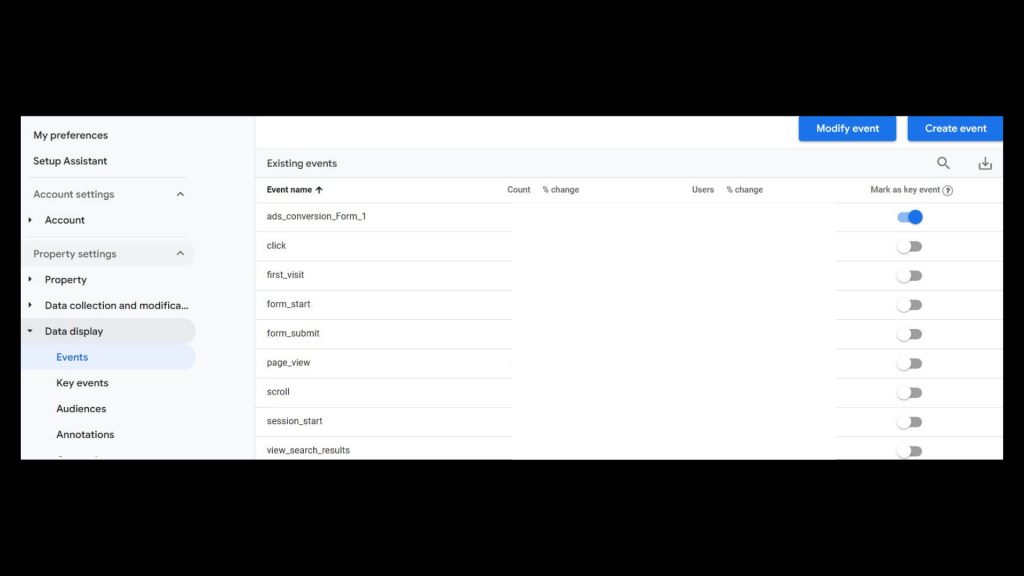
1. Conversion Events

In GA4, conversions aren’t tracked automatically. You have to tell GA4 which actions matter to your business. These are your conversion events.

Examples include:

  • Contact form submissions
  • Purchases
  • Newsletter sign-ups
  • Phone number clicks

To mark a conversion event:

  1. Go to Admin > Events.
  2. Find the event you want to mark.
  3. Toggle it to “Mark as Key Event.”

This helps you hone in on the actions that directly tie to revenue and growth.

2. Track File Downloads (Know What Resources People Want)

If your website offers downloadable content—like brochures, menus, PDFs, or guides—tracking file downloads is an easy way to measure what’s actually getting used.

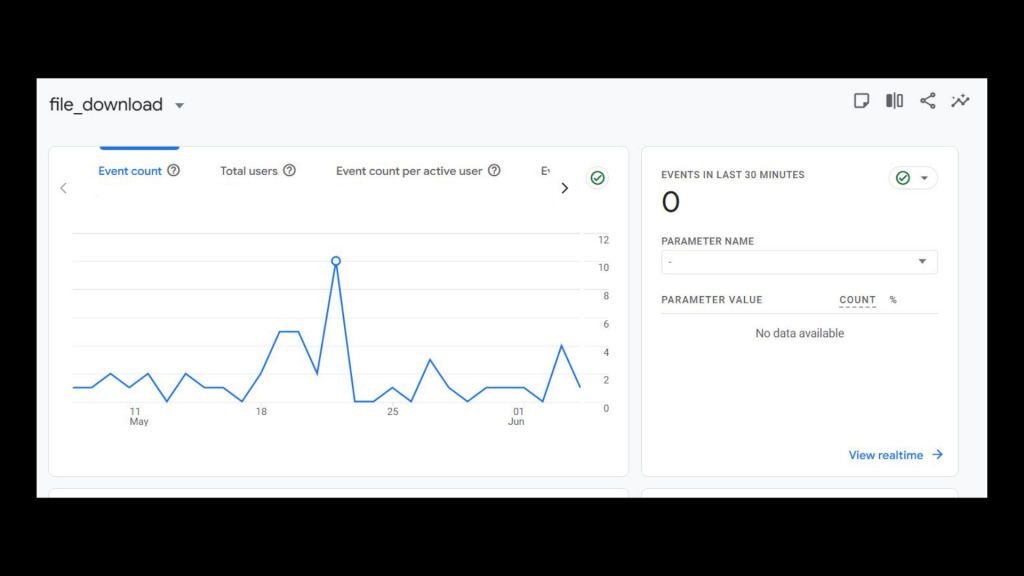
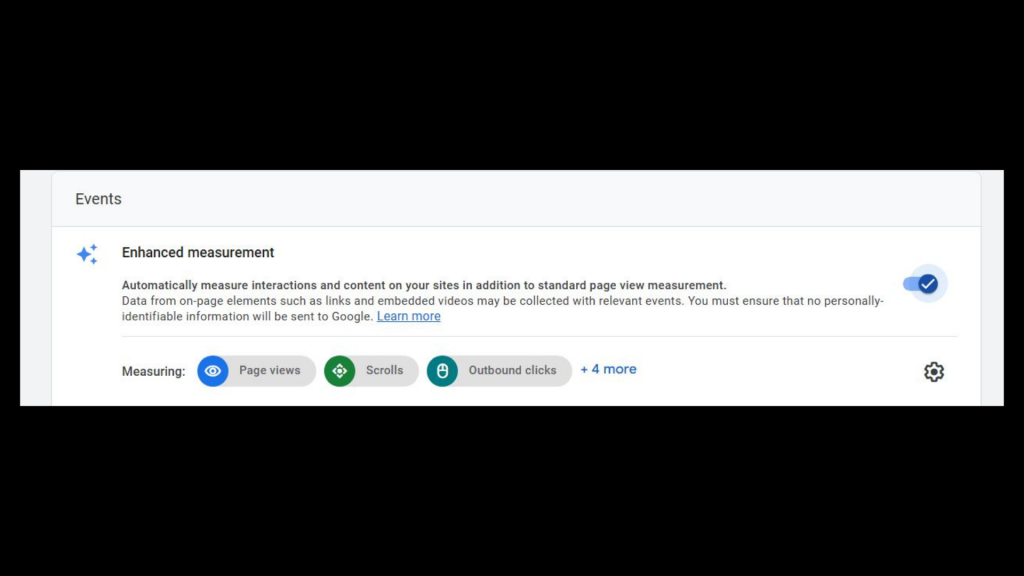
The good news? GA4 can track file downloads automatically if you’ve enabled Enhanced Measurement.

To check your data:

  1. Go to Reports > Engagement > Events
  2. Look for the event called file_download
  3. Click into it to see which files people are downloading the most

This is especially helpful for service businesses, nonprofits, or anyone offering downloadable resources. It shows which materials are grabbing attention—and can guide future content decisions.

3. Site Search Queries

If your site has a search bar, this is gold. Tracking what users type into your search bar tells you exactly what they’re looking for—and whether they’re finding it.

To set this up:

  1. Go to Admin > Data Streams.
  2. Click your stream.
  3. Make sure “Enhanced Measurement” is on.
  4. This automatically tracks view_search_results events.

Use this to discover content gaps, improve UX, and better align your offerings with visitor intent.

4. Clicks on Key CTAs or Buttons

Not every conversion is a form submission. You might want to track:

  • “Call Now” buttons
  • PDF downloads
  • Clicks to third-party booking tools
  • “Request a Quote” forms

Use Tag Manager to set up click tracking, or define these as events in GA4. The goal is to see what content drives meaningful action—and to optimize around it.

5. Source/Medium of Conversions

Knowing where your traffic comes from is only half the battle. The key is understanding which channels lead to conversions.

Use Explorations or custom reports in GA4 to segment users by:

  • Organic search
  • Paid ads
  • Referral traffic
  • Social media

Then look at conversion rates for each. This helps you prioritize your marketing spend and double down on high-performing sources.

Turning Insights into Action

Imagine this: A business owner notices that one of their most visited blog posts isn’t converting. They check GA4 and see scroll depth is low—most readers leave before the halfway point.

They revise the post’s opening, add subheadings and a clearer CTA halfway down, and track clicks on that CTA using Tag Manager. A month later, conversions have doubled.

That’s the power of focused GA4 tracking—it tells you what’s working, what’s not, and where to adjust.

Common GA4 Pitfalls (and How to Avoid Them)

1. Not Linking GA4 to Google Tag Manager

Tag Manager is essential for tracking custom actions like button clicks or scrolls. Without it, you’re stuck with GA4’s limited default events.

2. Not Defining Conversions

You need to clearly define what success looks like. If GA4 doesn’t know your goals, it can’t show you how you’re progressing toward them.

3. Relying Too Heavily on Default Reports

The default GA4 interface can feel thin. Use Looker Studio to build custom dashboards that show what you care about—or explore the Explorations feature to slice your data in useful ways.

4. Ignoring First-Party Data Opportunities

With cookies phasing out, your GA4 data is one of the most powerful sources of first-party insights. Don’t miss the opportunity to own and act on this data.

Need Help Making Sense of GA4? Let LaunchUX Be Your Guide

GA4 can be a lot—but you don’t have to go it alone. At LaunchUX, we specialize in helping businesses like yours set up smart tracking, build custom dashboards, and get clear insights from GA4.

We help you:

  • Identify and track the KPIs that matter most
  • Set up custom conversion events and scroll tracking
  • Link GA4 to Google Tag Manager and Looker Studio
  • Make data-driven decisions confidently

Don’t let your GA4 data go to waste. Connect with LaunchUX today and start making smarter, data-backed decisions.

GA4 Doesn’t Have to Be Confusing

GA4 might feel like a maze at first, but with the right focus, it becomes one of your most powerful marketing tools. Stop chasing vanity metrics and start tracking what actually matters—conversions, engagement, intent, and outcomes.

And remember: you don’t have to figure it out alone. LaunchUX is here to help you turn your data into real business results.

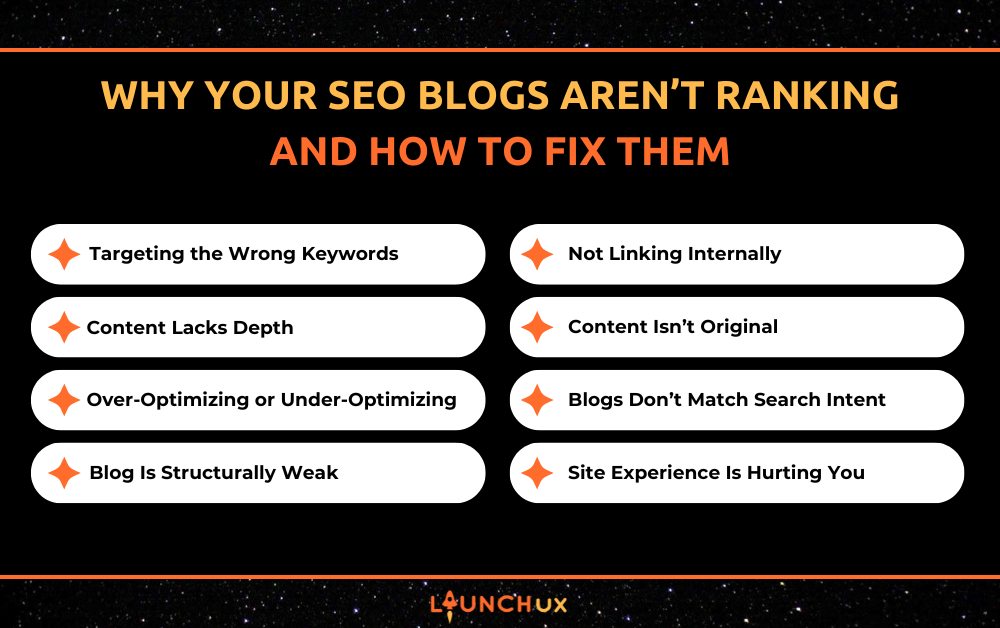
Why Your SEO Blogs Aren’t Ranking—and How to Fix Them

So, you’ve been cranking out SEO blogs—maybe even weekly—and yet, you’re stuck on page two or three of Google (if you’re lucky). It’s frustrating, especially when you feel like you’re doing everything right. But the truth is, a lot of SEO blogs miss the mark in ways that aren’t always obvious. In this post, we’re going to dig into why your content might be underperforming and walk through the steps to fix it—without needing to be an SEO expert.

You’re Targeting the Wrong Keywords

High Search Volume Doesn’t Always Mean High Value

A common mistake with SEO blogs is chasing keywords with huge search volumes, thinking that more traffic equals more business. But traffic is meaningless if it doesn’t convert. For example, a roofing company might target “roofing tips” because it gets thousands of searches—but most of those users aren’t ready to hire anyone. They’re just browsing. You’re better off targeting specific, lower-volume phrases like “commercial roof coating services in PA” because those searches show buying intent.

You’re Ignoring Search Intent

Search intent is what the user actually wants when they type something into Google. Let’s say someone searches “best SEO blogs.” Are they looking for examples? A list to follow? Tips on writing their own? If you write a blog that’s purely promotional or veers off-topic, Google will bury it. Always ask: “What problem is the searcher trying to solve?” Then build your blog around solving that problem as clearly and directly as possible.

You’re Going Too Broad

Generic keywords might get traffic, but they don’t often lead to results—especially if you’re a smaller business competing against national brands. Trying to rank for “SEO blogs” without narrowing your focus is tough. Instead, use long-tail variations like “how SEO blogs help contractors get more leads” or “fixing SEO blogs that don’t rank.” These still use the core keyword but add clarity, context, and a stronger match to real-world searches.

How to Fix It

Start with keyword research, but go deeper than volume. Look at intent, relevance, and what kind of content already ranks. Use tools like Ubersuggest, Answer the Public, or even a manual Google search to spot gaps in content. Then, tailor your blog to hit a very specific pain point or question—because the blogs that rank best are the ones that solve real problems, not just check SEO boxes.

Your Content Lacks Depth

You’re Not Saying Anything New

Let’s be honest—most SEO blogs rehash the same surface-level advice. If your blog reads like a copy of every other article on page one, it’s not giving Google (or readers) a reason to care. Search engines prioritize content that adds something fresh to the conversation. That doesn’t mean you need to reinvent the wheel—but you do need to provide examples, insights, or real-world experience that sets your content apart.

It’s Too Short to Compete

Short blogs (think 300–500 words) rarely rank anymore—especially for competitive keywords. Google looks for thorough, well-explained answers. If your blog barely scratches the surface, you’re unlikely to get visibility. Aim for 1,000–2,000 words for most SEO blogs. Break up the length with strong formatting—headings, visuals, bullet points, etc.—to keep readers engaged while providing enough content to be valuable.

You’re Not Answering the Reader’s Real Questions

It’s easy to fall into the trap of writing what you think the reader should know instead of what they’re actually searching for. Let’s say you write a blog titled “Why SEO Blogs Are Important,” but you never explain how to write one, or whether they still work in 2025. If readers leave your page without answers, Google notices. The solution? Address the “People Also Ask” section directly in your blog to align with user needs.

How to Fix It

Before writing, outline your blog like you’re preparing to teach someone. Ask: What are their problems? What terms do they understand? What would you want to know if you were searching this topic for the first time? Use examples, stats, and explanations that reflect real scenarios. Rich, helpful content signals to Google that your SEO blogs are worth ranking.

You’re Over-Optimizing or Under-Optimizing

Keyword Stuffing Is Killing Your Flow

If your SEO blogs read like you’re trying to win a game of “how many times can I say the keyword,” you’re doing more harm than good. Keyword stuffing makes your content sound robotic and unnatural—and both readers and search engines pick up on that. Google’s algorithms are smart enough to detect overuse and may penalize the page, dropping it from search results altogether.

You’re Not Using Keywords Where They Count

On the flip side, if you barely use your target keyword at all, Google won’t understand what your blog is about. It’s not just about the body content—your keyword should appear in key places like the title tag, meta description, URL, first paragraph, and at least one H2. If you’re writing a blog about styling tips, but you never actually use the phrase “styling tips” until the last paragraph, you’re wasting your shot.

Your Meta Tags Are Missing or Weak

Every blog needs an optimized title and meta description—plain and simple. If you’re skipping these, or just letting your CMS auto-fill them, you’re leaving clicks on the table. A strong title tag with your keyword and a compelling description helps your blog stand out in search results and boosts your click-through rate.

How to Fix It

Use your keyword naturally and strategically. Don’t force it. Write your content first, then go back and make sure your keyword appears in the right spots without overloading the page. Tools like Yoast or Rank Math can help guide your on-page SEO without turning your blog into a keyword salad.

Your Blog Is Structurally Weak

No Headings Means No Direction

Big blocks of uninterrupted text are overwhelming to readers—and search engines. If your SEO blogs don’t use proper headings (H2s, H3s), Google has a harder time understanding the hierarchy of information, and your audience will probably skim right past the good stuff. Headings break up content, guide readers, and allow search engines to crawl your blog more effectively.

Paragraphs That Are Just Too Long

No one wants to read a six-sentence paragraph online. Long walls of text make your content feel heavy and hard to digest. Short, punchy paragraphs—two to four lines max—make your SEO blogs more inviting, especially on mobile. Remember: attention spans are short. Help readers stay engaged by making it easy to skim.

Weak or Missing CTAs

If you’re putting all this effort into creating content but you don’t give the reader a next step, you’re leaving conversions on the table. Whether it’s “Get a Free Quote,” “Download Our Style Guide,” or “Browse the Collection,” every blog should have a call to action that ties into your business goals. Otherwise, you’re just giving away free content with no ROI.

How to Fix It

Use clear headings every few paragraphs, and write for scanners—think subheads, bullet points, and bolded keywords. End each blog with a strong, relevant CTA that feels like a natural next step. Your SEO blogs should not only attract traffic but guide it toward action.

You’re Not Linking Internally

If your SEO blogs don’t include links to other pages on your site, you’re missing a major SEO win. Internal links help Google understand your site structure, distribute authority across your pages, and keep visitors engaged longer. A blog about SEO blogs should naturally link to your services, related posts, or a contact page.

You’re Only Linking to External Sites

Linking to credible external sources is great—it shows that you’ve done your research. But if you’re sending readers away from your site without giving them a reason to stay, you’re doing yourself a disservice. External links should support your content, not replace the value you can provide internally.

Your Anchor Text Is Weak or Repetitive

Using vague phrases like “click here” or “learn more” doesn’t tell Google (or the reader) what they’re about to see. Instead, use descriptive anchor text that includes relevant keywords. For example, instead of saying “read more here,” try “learn how SEO blogs improve your site’s visibility.”

How to Fix It

In every blog you write, link to at least two relevant pages on your site—this could be a service page, a product category, or another blog post. Make sure the anchor text is clear, natural, and gives context about what’s on the other side of the click. Your SEO blogs should act like signposts, guiding both readers and search engines through your site.

Your Content Isn’t Original

You’re Using Syndicated or Duplicate Content

If your SEO blogs come from a subscription service or were copied from another site—even with minor tweaks—Google’s not impressed. It sees duplicate content as low value, and it may not index or rank your blog at all. Worse, if multiple businesses are using the same content, none of them stand out.

You’re Repeating the Same Message Across Blogs

Even if you’re writing your own content, if every blog post just rewords the same ideas over and over, readers and search engines will catch on. SEO blogs should bring something new to the table each time: a fresh angle, a different case study, or a specific audience focus.

Your Voice Sounds Like Everyone Else’s

Originality isn’t just about the facts—it’s also about the tone. If your SEO blogs sound like they were written by a bot or a textbook, readers won’t connect. A conversational tone with your brand’s personality helps content feel human and memorable, which increases engagement and builds trust.

How to Fix It

Always write with your audience in mind—and write like you. Share real experiences, tell a short story, or explain something in your own words. Use tools like Copyscape to check for unintentional duplication. If you do use a blog writing service, rewrite the content so it fits your voice and actually serves your readers. Original SEO blogs stand out because they feel real.

Your Blogs Don’t Match Search Intent

You’re Writing What You Want—Not What They Need

One of the biggest reasons SEO blogs don’t rank is because they focus on what the business wants to say instead of what the reader is actually searching for. You might want to promote your latest service or highlight company news, but if someone’s Googling “how to choose a flat roof coating,” they don’t care about your company update. Give them answers first—then tie in your offer.

You’re Not Looking at the Top-Ranking Results

If you’re not checking what already ranks for your keyword, you’re flying blind. Google shows you exactly what kind of content it thinks matches the intent—whether it’s a how-to guide, a product comparison, or a checklist. If your blog is a general overview, but everyone else is ranking with step-by-step guides, yours won’t compete. Always study the top 3–5 results before writing.

You’re Answering the Wrong Questions

Let’s say your blog title is “Best SEO Blogs for Small Businesses,” but the post ends up talking mostly about your own company’s services. That’s misaligned. Searchers want to see examples of good blogs or tips to write their own—not a sales pitch. If you fail to deliver what the title promises, Google (and your readers) will move on fast.

How to Fix It

Put yourself in the searcher’s shoes. What are they hoping to learn? What do they expect to see when they click your headline? Use the “People Also Ask” box in Google to discover related questions. Let that guide the layout and flow of your SEO blogs. When your content lines up perfectly with what users want, Google rewards you with better rankings.

Your Site Experience Is Hurting You

Your Blog Loads Too Slowly

You could write the best SEO blogs in your industry—but if your page takes forever to load, users will bounce before they even read a sentence. Google notices that. Slow websites, especially on mobile, are a ranking killer. Heavy images, bloated plugins, or bad hosting can all drag your blog’s performance down.

It’s Not Mobile-Friendly

More than half of all blog traffic comes from mobile devices. If your blog isn’t responsive—if users have to pinch, zoom, or scroll sideways to read—it’s game over. Google prioritizes mobile usability in its rankings, and users won’t stick around if your blog feels clunky or broken on their phone.

You’re Making It Hard to Read

Tiny font sizes, poor color contrast, or chaotic layouts can ruin a good blog. If readers are squinting or can’t figure out where the content starts and ends, they’ll leave. Readability isn’t just about words—it’s about the full user experience.

How to Fix It

Run your site through tools like Google PageSpeed Insights and Mobile-Friendly Test. Compress images, remove unnecessary plugins, and use a clean, readable design. Your SEO blogs should be easy to access, fast to load, and enjoyable to read—no matter the device.

Make Your SEO Blogs Worth the Click

You don’t need to be an SEO expert to write blogs that rank—but you do need to understand what’s holding your content back. Whether it’s weak keywords, thin content, poor structure, or technical issues, each fix brings you one step closer to showing up where your audience is searching. Treat every blog like a chance to answer a real question, solve a real problem, and lead your reader somewhere valuable. If your SEO blogs are doing that, the rankings will follow.

Not sure where to start? LaunchUX can help. Our team specializes in building SEO blog strategies that drive traffic and generate real results. Contact us today to get your content working smarter—not harder.

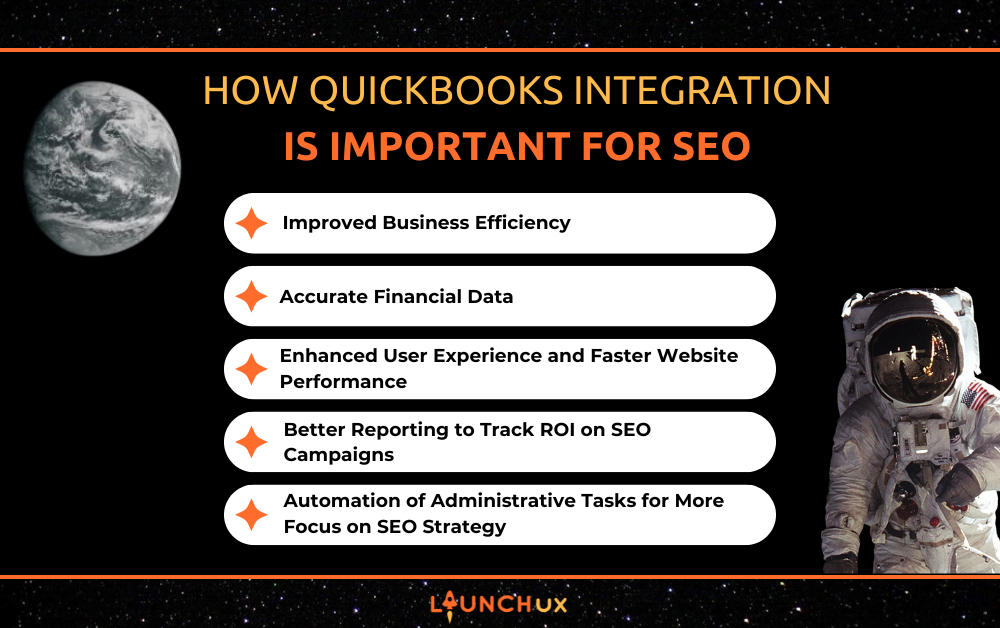
How QuickBooks Integration is Important for SEO

QuickBooks integration is vital for any business aiming to expand reach and encourage more user engagement online. However, SEO efforts are only as effective as the resources behind them. You can enhance your overall business efficiency by integrating QuickBooks with your other business systems, such as e-commerce platforms, CRM systems, or inventory management. This, in turn, leads to better decision-making, reducing distractions, and helping your team zero in on high-priority SEO strategies. LaunchUX specializes in helping businesses optimize their processes, ensuring seamless QuickBooks integration with your other systems, and boosting your SEO efforts. Here’s how QuickBooks integration can impact your SEO efforts.

Improved Business Efficiency 

Streamlining Operations for Better Content Creation

When QuickBooks is integrated with your other business tools, it streamlines day-to-day operations. It reducing the need for manual data entry and administrative tasks. This allows your team to allocate more time to creating content that matters. Content that will engage your audience and improve your website’s SEO. Consistent, valuable content is the backbone of a successful SEO strategy. By eliminating administrative distractions, your team can concentrate on producing blogs, videos, and product descriptions that resonate with your target audience.

Content Optimization Through Data-Driven Insights

Additionally, integrating QuickBooks with other platforms makes financial and customer data more accessible. This helps content creators craft blog posts or videos that are more aligned with their audience’s needs. This synergy enables content that is both insightful and SEO-friendly. A well-managed backend system ensures that your content creation process is fluid and efficient, contributing to higher quality and frequency of content publication.

Aligning Content with Business Goals

Finally, the ability to manage data effectively through QuickBooks integration supports not just content creation but also content optimization. Your team can gather insights into customer purchasing behaviors, trends, and preferences, tailoring content to maximize relevance and searchability. With QuickBooks integration, you’re empowered to create and optimize content with ease, driving better SEO outcomes.

Accurate Financial Data 

Making Smarter Marketing Decisions

SEO campaigns are an ongoing process of optimization and testing, requiring constant fine-tuning based on performance data. QuickBooks integration provides businesses with real-time, accurate financial data, which helps make informed decisions regarding where to allocate marketing budgets. With better insight into cash flow and profit margins, business owners can more effectively prioritize SEO activities or paid media campaigns that generate higher returns on investment.

Real-Time Analytics for SEO Optimization

By connecting QuickBooks with your marketing software or analytics platforms, you gain a clearer view of which SEO efforts are yielding results. For example, if certain keywords are driving traffic that converts into sales, you can allocate more resources to optimize those areas. Alternatively, if specific SEO strategies are not performing well, you can pivot and adjust your budget or focus. QuickBooks integration ensures that every SEO dollar spent is being put to the best use. This allows for greater cost-effectiveness and strategic optimization.

Linking Financial Data to SEO Performance

In addition, QuickBooks integration makes it easier to assess the financial viability of various SEO tactics. You can compare the cost of running Google Ads against the revenue generated from organic search traffic, helping to determine the best SEO channels. Well-organized financial records help decision-makers effectively make smart, data-driven decisions for their SEO campaigns. Thus ensuring that their marketing investments lead to the best possible results.

Enhanced User Experience and Faster Website Performance

Improving Customer Experience

User experience significantly influences SEO rankings, and QuickBooks integration can directly impact this aspect by improving website functionality and overall performance. For businesses with e-commerce stores, QuickBooks integration ensures smooth inventory management and accurate financial tracking. This leads to a better customer experience when they interact with your website, particularly in terms of ordering, payment processing, and shipping.

Boosting Engagement with a Seamless Experience

A smooth, user-friendly website is not only essential for customer satisfaction but also helps improve SEO. For example, if a customer can quickly make a purchase without any glitches, they are more likely to return. This reduces your site’s bounce rate. When bounce rates are low, it suggests to algorithms that your site meets user needs effectively, which can improve your rankings. QuickBooks integration ensures that your website’s backend is efficient and works seamlessly, directly impacting the overall user experience.

Enhancing Website Performance

Moreover, faster website performance is another benefit of QuickBooks integration. Financial data and inventory updates that are instantly synced with your website can significantly reduce lag in processing transactions or updating product availability. A site that performs well across all aspects—from inventory management to checkout—will encourage users to stay longer. The longer boosting engagement metrics. Google’s algorithm rewards websites that offer both great content and excellent performance. This makes QuickBooks integration a valuable tool for enhancing your SEO.

Better Reporting to Track ROI on SEO Campaigns

Accurate ROI Measurements for SEO

To achieve long-term SEO success, businesses need to assess and analyze their return on investment (ROI) regularly. QuickBooks integration plays a key role in tracking the financial impact of SEO campaigns. By having access to integrated financial reporting, businesses can assess how SEO-driven traffic translates into actual revenue. This provides clear insights into whether specific SEO activities are worth continuing or need to be refined.

Connecting Financial Data to SEO Results

With integrated reporting, businesses can track key metrics such as sales, conversions, and lead generation from organic search traffic. This helps to give a more accurate view of SEO ROI. When optimizing for specific keywords or improving on-page SEO results in more sales, you can adjust your strategy. The ability to directly link SEO efforts to sales results ensures that every part of the SEO strategy is aligned with business objectives.

Refining SEO Strategy with Data Insights

In addition to tracking direct sales, QuickBooks integration can also help measure the financial effectiveness of SEO-driven traffic. It does this through customer lifetime value (CLV) analysis. By understanding the long-term financial impact of SEO visitors, businesses can make smarter decisions about investing in SEO strategies that lead to higher CLV.

Automation of Administrative Tasks for More Focus on SEO Strategy

Freeing Up Time for SEO Tasks

One of the biggest advantages of QuickBooks integration is the automation of routine administrative tasks. Processes like invoicing, tracking inventory, and categorizing expenses frequently consume effort that could be better spent on strategic SEO work. With QuickBooks integration, these administrative tasks are automated, relieving your marketing team to put their efforts into optimizing your website, building backlinks, and improving on-page SEO elements like meta tags and headings.

Allowing Marketing Teams to Focus on SEO

Through automation of routine data entry processes, your team has more bandwidth to focus on high-priority SEO activities. This includes content optimization, technical SEO improvements, and remaining informed about the most recent SEO trends and algorithm updates. Automated workflows also help ensure consistency in financial tracking, so there’s no need to worry about errors in accounting data that could impact decision-making for SEO strategies.

Maintaining Consistency Across Marketing Efforts

Additionally, automation ensures that your SEO efforts are continually aligned with the most up-to-date business data. QuickBooks integration provides the most current financial information, allowing marketing teams to make data-driven decisions on how to adjust and improve their SEO tactics in real-time.

Conclusion

QuickBooks integration provides more than just a streamlined accounting process—it can significantly enhance your SEO efforts by improving business efficiency, tracking ROI, and freeing up time for your team to focus on high-impact SEO strategies. With the ability to make better decisions, improve user experience, and automate administrative tasks, businesses can increase their chances of long-term SEO success. If you’re looking to boost your SEO performance while ensuring smooth operations across your business, QuickBooks integration is a smart choice.

Interested in how QuickBooks integration can optimize your business and SEO strategies? Contact LaunchUX today to explore how we can help you streamline your systems and enhance your SEO efforts!

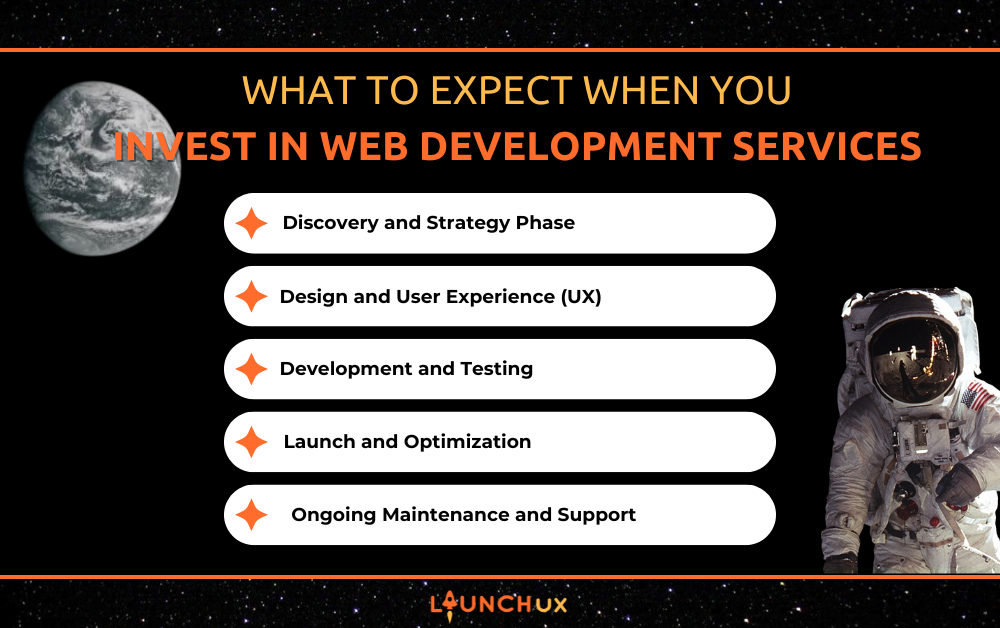
What to Expect When You Invest in Web Development Services

Getting a new website can feel overwhelming, especially if you’re not sure what to expect. But investing in web development services doesn’t have to be stressful or confusing. In fact, with the right team, it can be exciting and even empowering. Whether you’re launching your first site or upgrading an outdated one, knowing how the process works helps you feel confident and in control.

In this blog, we’ll walk through what happens when you invest in web development services—from the first conversation to launch day and beyond. If you’ve been wondering what it’s really like to work with a web team, you’re in the right place.

Discovery and Strategy Phase

Understanding Your Business Goals

Every business is different, and your website should reflect that. The discovery phase is all about understanding your mission, audience, and what success looks like to you. Maybe you want more leads, more bookings, or just a site that feels like you. Great web development services begin with listening—not just building.

Identifying Features and Functionality

Do you need a blog? A secure client portal? Online ordering? This is when your web team helps you list out everything your site needs to do. They’ll balance what’s technically possible with what actually supports your goals. The right web development services won’t just say “yes” to every feature—they’ll guide you toward what matters most.

Timeline and Budget Discussion

Honest conversations about money and time are essential. You’ll talk about your budget, payment schedule, and the expected timeline—from first mockups to launch day. A professional web development services provider will offer realistic estimates and build in time for feedback, edits, and testing.

Setting Clear Expectations

You’ll also go over how communication will work. Will there be weekly check-ins? A shared portal? How will revisions be handled? When both sides know what to expect, the entire process runs smoother. High-quality web development services prioritize this kind of structure—it’s how they keep things on track.

Building the Foundation for Success

Think of this phase like designing a blueprint for your dream home. It’s not the flashiest part of the process, but it’s absolutely critical. With a strong foundation, the rest of the project becomes easier, more efficient, and way more enjoyable.

Design and User Experience (UX)

Turning Ideas Into Visual Mockups

This is the fun, creative part! Once your goals are clear, your web development services team will start bringing your vision to life with wireframes and mockups. These are like digital sketches of your future website—helping you see the layout, flow, and basic structure before anything gets coded.

Designing for Your Audience

Good design isn’t just about looking pretty—it’s about function and flow. Your web team will design with your specific audience in mind. If your customers are mostly mobile users, your site will reflect that. If you have an older audience, readability and simplicity might take center stage. Great web development services create design choices that feel intuitive, not overwhelming.

Responsive and Mobile-First Design

Let’s be real—most people are browsing on their phones. Your website has to look good and work well on every screen size. Mobile responsiveness is a core part of modern web development services, and it’s not something you should have to ask for—it should be built in.

User Experience That Feels Effortless

Navigation, button placement, page speed—these small things make a big difference. A clean user experience keeps visitors on your site longer and helps them take action (like filling out a form or making a purchase). The best web development services know how to blend beauty with function so everything feels smooth and easy to use.

Collaboration and Revisions

You’re not just handed a design and told to take it or leave it. You’ll be able to share feedback and request changes. A great team welcomes your input and works with you to make sure your website truly feels like yours. That’s what sets thoughtful web development services apart.

Development and Testing

Front-End and Back-End Development

Once the design is approved, it’s time for the build! This is when your vision starts coming to life. Front-end development is what users see—your homepage, buttons, and photos. Back-end development is what powers it all—databases, logins, forms, and more. Quality web development services make sure both ends work together seamlessly, so your site looks great and functions properly.

Bringing Features to Life

Those booking systems, contact forms, live chats, or product pages you discussed earlier? This is when they become real. A great web development services team ensures that every feature is integrated smoothly, looks natural, and functions the way it should—whether you’re taking appointments or selling products.

Testing Across All Devices and Browsers

Your website may look perfect on your laptop—but what about on a tablet? Or an old phone? This is why web development services include rigorous quality assurance testing. Every page is checked for layout issues, broken links, and usability across different devices and browsers. It’s all about delivering a polished experience to every visitor.

Speed, Security, and SEO Basics

Performance matters. A slow-loading or vulnerable site can turn people away. During development, your web team will optimize your site for speed, install basic security features, and often build in foundational SEO practices like proper heading structure, image tags, and meta descriptions. Not all web development services do this well—but the great ones do.

Communication Doesn’t Stop Here

You won’t be left in the dark while developers work behind the scenes. A solid team will update you regularly and even show you progress in a staging environment. You’ll feel like a partner in the process, not just a bystander.

Launch and Optimization

Final Review and Approval

Before your website goes live, you’ll have a chance to go through everything with your web team. You’ll click through each page, double-check the content, and make sure everything feels just right. Quality web development services include this final walk-through so there are no surprises on launch day.

Pre-Launch Checklist

Behind the scenes, your team will run through a detailed checklist—checking links, making sure contact forms work, and confirming your site is secure. It’s all part of ensuring your launch is smooth and stress-free. This step is where professional web development services truly shine: it’s about precision and peace of mind.

SEO and Analytics Setup

This is also the time when basic search engine optimization and tools like Google Analytics or Google Search Console are set up. You’ll be able to track visitors, see where they come from, and understand how your site is performing. Great web development services set you up with the tools to grow—not just a pretty website.

Going Live (Without the Nerves)

Once everything is ready, your team will push your site live—often during off-hours so it doesn’t interrupt your business. You’ll get a final confirmation, and then it’s celebration time! With professional web development services, launch day feels exciting, not nerve-wracking.

Post-Launch Support

Just because your website is live doesn’t mean the work is over. A trustworthy team will stick around to handle any small tweaks, answer your questions, or help you learn your new site. That kind of support sets the best web development services apart from the rest.

Ongoing Maintenance and Support

Why Maintenance Isn’t Optional

Think of your website like a car—it needs regular checkups to keep running smoothly. After launch, ongoing support is essential. Great web development services don’t disappear after the site goes live; they’re there to make sure it stays fast, secure, and functioning properly.

What’s Typically Included

Maintenance plans vary, but they often include security updates, plugin upgrades, performance monitoring, backups, and quick fixes for small issues. If something breaks—or if you just want to update a photo or add a new service—your web development services team is just a message away.

Staying Current With Tech

Web standards, design trends, and user expectations change fast. With professional web development services, your site won’t fall behind. You’ll get advice on how to keep things fresh and functional—whether that means adding a new feature or improving accessibility.

Peace of Mind for Busy Business Owners

Running a business is enough work on its own. You shouldn’t have to stress about whether your website is secure or if your contact form still works. A reliable web development services provider keeps things running in the background so you can stay focused on your customers.

LaunchUX Is Here to Help

This is where LaunchUX really stands out. They don’t just build beautiful websites—they partner with you long-term. If you need help with performance, updates, or growing your online presence, LaunchUX offers the kind of personalized, reliable web development services that make a real difference.

You Deserve More Than Just a Website

Investing in web development services is about more than building a site—it’s about creating something that reflects your brand, supports your goals, and helps your business grow. From planning and design to launch and beyond, the right team can make the process smooth, supportive, and even fun.

If you’ve been putting off a new website because it feels too overwhelming, you’re not alone—but you don’t have to figure it out by yourself. LaunchUX is here to help. Their friendly, experienced team offers professional web development services that are tailored to you, your goals, and your future growth.

Let your website work as hard as you do. When you’re ready to start, LaunchUX will be right there with you—every step of the way.

Why Categorizing Posts in WordPress is Essential for SEO Success

What Are WordPress Categories?

If you’re using WordPress to run your blog or website, there’s a simple tool that can boost your search engine rankings and help visitors find what they’re looking for: categories. Unfortunately, many users ignore this feature or leave their posts marked as “Uncategorized,” which not only looks unprofessional but also damages SEO performance.

In WordPress, categories are a built-in way to organize your blog content. They act like sections in a magazine or chapters in a book, each one grouping together posts that share a common theme. For example, if you write about web design, you might have categories such as layout design, plugins, SEO tips, and performance optimization. These labels help readers understand what kind of content they’re reading and help search engines understand your site’s structure.

How WordPress Categories Help Visitors

When someone visits your website and wants to read more about a specific topic, categories guide them in the right direction. Without proper categorization, visitors might become confused or frustrated. That can lead them to leave your site quickly, which tells search engines your site may not be helpful. When Google or Bing notices that people don’t stick around, your search rankings can drop. So by using WordPress categories effectively, you’re not just organizing your content, you’re also creating a better experience that encourages visitors to stay longer and explore more.

SEO Benefits of WordPress Categories

From an SEO perspective, categories give search engines helpful clues about the topics your website covers. Each category in WordPress creates a special page that lists all posts in that group. This is called a category archive page. Search engines crawl these pages, index them, and use them to decide when your site should appear in search results. If someone searches for “WordPress SEO tips,” and you have a category named “WordPress SEO,” your archive page could show up in those results. That means more ways to get found online, and more opportunities to bring in new readers or customers.

Why the “Uncategorized” Label Hurts SEO

Leaving posts in the default “Uncategorized” category works against you in every way. First, it’s meaningless to search engines. There is no SEO value in the word “uncategorized.” It doesn’t describe what the content is about, so it fails to help with rankings. It’s a missed opportunity to insert a keyword-rich, relevant category name that could support your overall SEO strategy. Second, it looks lazy or unpolished to readers. Even if your content is excellent, a blog full of uncategorized posts gives the impression that things are disorganized or not well maintained.

Categories Build Trust and Help with Engagement

Having clear and specific categories shows that you’ve thought through how your content fits together. It also helps build trust with visitors because they can easily find related content. For example, if someone lands on your blog post about improving site speed and they see it’s in the “WordPress Optimization” category, they might click to explore more articles in that same category. That means more time spent on your site, which boosts user engagement metrics and, over time, can help your SEO rankings improve.

Category Pages Can Rank Too

It’s important to understand that category pages themselves can rank in search results if they’re set up properly. Giving each category a short description in WordPress and using keywords naturally in the name of the category can strengthen your visibility. For instance, a category named “Digital Marketing” is more likely to get search traffic than a vague label like “Tips” or “Stuff.” Google pays attention to these details when determining where to place your pages in search results.

How to Improve Your Categories

If your website already has posts marked as “Uncategorized,” it’s not too late to fix it. You can rename the default category to something relevant that fits your overall content strategy. Many website owners change “Uncategorized” to “General Updates” or “News” to give it more meaning. Better yet, you can go back and assign each post to a category that matches its topic. It may take some time, especially if you’ve written a lot of posts, but it’s a valuable investment in your site’s long-term performance.

The key is to plan your categories with care. You want them to be broad enough to cover multiple blog posts, but focused enough that they actually help guide readers. Avoid creating dozens of narrow categories that only have one post in them. At the same time, don’t lump everything into one giant category. A balanced and intentional approach will deliver the best results.

Conclusion: Make WordPress Categories Work for You

In summary, using WordPress categories correctly is an easy yet powerful way to boost your SEO. It helps search engines understand your site, improves user experience, and increases the chances of your pages showing up in search results. On the other hand, leaving posts in “Uncategorized” sends no useful signals to anyone. It’s like trying to organize a library without putting labels on the shelves. Take the time to create relevant categories and assign your posts thoughtfully. Your readers will appreciate the clarity, and search engines will reward you for it.

Social Search Engines Are Changing the Game—Are You Ready?

In the early days of the internet, the way people searched for information was simple: open a browser, go to Google, type in a question, and browse a list of websites. Today, that’s no longer the only—or even the preferred—route for many users.

We’re witnessing a major shift in how people find and trust information online. Increasingly, users—especially younger generations—are bypassing traditional search engines in favor of social search on platforms like TikTok, YouTube, Reddit, and Instagram.

So what does this mean for your business?

At LaunchUX, we help companies stay ahead of digital trends. Let’s explore how social search engines are changing the rules of visibility—and how you can adapt.

Social search refers to the act of using social media platforms as search engines. Instead of turning to Google for “best hiking gear,” people now type that phrase into TikTok, Reddit, or YouTube—and trust what comes back from creators and communities, not just companies.

Here’s how it differs from traditional search:

  • Content is created by users, not indexed from websites.
  • Discovery is driven by engagement, not just keyword optimization.
  • Answers are visual, personal, and relatable, not just text-based.

For example, a Gen Z user searching for “meal prep ideas” might go to TikTok for quick, real-life videos of people cooking instead of clicking a blog from a nutrition site.

This new approach reflects what modern users crave—authenticity, community, and convenience.

Why Social Search Is Disrupting Traditional SEO

1. A Shift in Trust

Today’s users want real recommendations from people they relate to, not from faceless websites. According to recent surveys, Gen Z trusts influencers and peer content more than brand-generated material.

That means a 30-second TikTok showing someone unboxing a product may outperform a polished e-commerce page in terms of impact.

2. Search Behaviors Are Visual and Fast

Traditional search is text-heavy. Social search is video-first, short-form, and immediate. This favors platforms like:

  • TikTok, where trending audio and captions drive visibility.
  • Instagram, where reels and hashtags make content easy to find.
  • YouTube, where long-form how-tos and product demos dominate.

Google itself has acknowledged the shift, with executives admitting that nearly 40% of young people now use TikTok or Instagram as their starting point for search.

3. Algorithm Differences

SEO professionals spend years studying Google’s algorithm. But social platforms have their own playbooks:

  • Engagement (likes, shares, comments) determines reach.
  • Recency and trend participation influence discoverability.
  • Content relevance is based on real-time behavior, not static keywords.

Who Is Using Social Search—and Why It Matters

Social search isn’t just a passing trend—it’s already mainstream in certain demographics.

Gen Z and Millennials Lead the Charge

  • A significant percentage of Gen Z users now prefer social platforms for research over Google.
  • Many consider platforms like TikTok their “Google alternative.”
  • Visual storytelling resonates far more than written content.

Older Demographics Are Adopting Slowly

  • While Boomers and Gen X still rely on Google, they’re increasingly exposed to product discovery through YouTube or Facebook.
  • Pinterest remains a go-to search engine for niche topics like home design, travel, and DIY.

Why This Matters to You

If your brand isn’t showing up in these places—or doesn’t produce content in a searchable format—you’re invisible to an entire segment of your audience.

Social search optimization requires more than just hashtags. Here’s how to build a smart, discoverable content strategy across platforms:

TikTok & Instagram

  • Use searchable captions and on-screen text to describe your content clearly.
  • Pair your videos with trending sounds and niche hashtags to surface in relevant searches.
  • Include quick answers or tips in video form. Think: “3 ways to prep your garden in June” or “What to pack for a long-distance move.”

YouTube

  • Make sure your titles, thumbnails, and descriptions are keyword-rich.
  • Use timestamps and chapters in longer videos for improved indexing.
  • Optimize alt text and closed captions for accessibility and search.

Reddit & Pinterest

  • Join and contribute to subreddits or boards that match your niche.
  • Create pins or posts that solve a clear problem or answer a common question.
  • Use natural language—Reddit especially rewards transparency and authenticity.

General Strategy

  • Repurpose long-form content into multiple short-form social pieces.
  • Monitor comments, questions, and shares to guide future content.
  • Partner with micro-influencers for added reach and credibility.

Should You Abandon Traditional SEO?

Not at all. Google is still the dominant force behind high-intent searches—especially for:

  • Local services (“plumber near me”)
  • Informational content (“how to change a flat tire”)
  • E-commerce product pages

The goal isn’t to replace Google SEO—it’s to diversify your visibility. Think of it like this:

  • Your blog attracts users researching.
  • Your TikTok reaches those discovering.
  • Your YouTube teaches those deciding.

When traditional and social SEO strategies work together, your brand covers more ground—and meets your audience wherever they search.

What Businesses Can Do Now

Ready to embrace social search? Here’s a simple action plan:

1. Audit Your Digital Presence

  • Are you active on any social platforms where your audience searches?
  • Is your content searchable, engaging, and relevant?

2. Start Creating Content

  • Focus on educational, entertaining, or inspirational content that aligns with your brand.
  • Use tools like CapCut, Canva, and Hootsuite to create and schedule posts.

3. Engage and Stay Consistent

  • Respond to comments and DMs.
  • Post regularly and adapt to trends—but don’t chase every one blindly.

4. Track What’s Working

  • Monitor reach, saves, shares, and watch time.
  • Use those insights to refine your future posts.

How LaunchUX Can Help You Succeed

At LaunchUX, we don’t just build websites—we build digital ecosystems. That means helping your business get found across every platform that matters.

We offer:

  • Social media strategy to align your content with trending search behavior
  • SEO services to improve visibility on both Google and social platforms
  • Content development including blog posts, short-form videos, and reels
  • Performance tracking to guide your next steps

Not sure where to begin? We’ll walk you through it.

Contact LaunchUX today and let’s map out your next move in the search revolution.

The Future of Search Is Social—Are You Evolving With It?

Social search engines aren’t the future—they’re the now. Businesses that adapt to these new platforms will connect with users in more meaningful, more discoverable ways.

Whether you’re a local shop or a growing brand, it’s time to evolve your digital strategy beyond keywords and into conversations, content, and community.

Are you ready?

Let LaunchUX help you take the next step.

The Hidden Cost of Ignoring Your Online Presence

Let’s be honest—whether you’re running a small shop or managing a growing company, your online presence can make or break your business. These days, people Google everything. If they can’t find you online—or what they do find doesn’t inspire confidence—you’re already at a disadvantage.

You don’t need to be on every platform or have a fancy website, but having a strong, active online presence means being visible, trustworthy, and ready when customers are searching. In this blog, we’ll walk through the hidden ways ignoring your digital presence could be quietly costing you money, growth, and credibility.

Lost Visibility Means Lost Customers

People Search Before They Buy

Think about the last time you needed a new service—maybe a hair stylist, dog groomer, or mechanic. Chances are, you searched online before making a call. Your customers do the same. Without a strong online presence, your business doesn’t even enter the conversation. You might have the perfect product or unbeatable service, but if no one can find you, it doesn’t matter.

You’re Invisible Without the Right Signals

A well-optimized website, updated Google Business Profile, consistent social media, and positive reviews all send signals to search engines that your business is trustworthy and relevant. Without them, your online presence is weak—and so is your visibility. When you ignore these pieces, it’s like putting up a sign that says “Closed” to potential customers.

Missed Mobile Moments

Mobile search is dominating—people are looking for solutions in real time while out running errands, picking up the kids, or relaxing on the couch. If your business isn’t mobile-friendly or showing up in local searches, your online presence is letting those moments slip through the cracks.

The Referral Test

Even the best word-of-mouth recommendations get Googled. If someone says, “You should check out this place,” the next step is an online search. If they find an outdated Facebook page, no website, or confusing hours, that warm lead gets cold quickly. A healthy online presence backs up what people are saying about you.

First Impressions Happen Online

Your website, photos, reviews, and content set the tone before anyone talks to you. A professional, active online presence says, “We care. We’re ready for you.” A messy or non-existent one? Not so much. The truth is, your online presence is your first (and maybe only) shot to impress.

Damaged Credibility

Trust Is Built Online

When someone finds your business online, what they see sets the tone for trust. A clear, polished online presence—with updated information, real photos, and positive reviews—tells people you’re legitimate and reliable. Without that, customers may second-guess whether they want to work with you at all.

Outdated or Incomplete Information Looks Unprofessional

Imagine clicking on a business and seeing a website that hasn’t been updated in five years—or worse, no website at all. Maybe your hours are wrong, your address is missing, or links don’t work. A neglected online presence can make your business look careless, even if that’s far from the truth.

Reviews Speak Louder Than You Think

Online reviews are often the first thing people read. A strong online presence includes responding to feedback—good and bad. Ignoring reviews or not having any at all creates uncertainty. On the flip side, responding professionally builds confidence and shows you’re engaged and attentive.

No Website? That’s a Red Flag

Believe it or not, some customers won’t even consider a business that doesn’t have a website. Even a simple one builds legitimacy. If your online presence relies only on social media, you may be missing out on a huge segment of people who expect to find you in search results.

A Silent Brand is a Forgettable One

When your business isn’t active online—posting updates, sharing news, answering questions—it can feel like you’re not open or invested. A quiet online presence gives off the impression that you’re not really in the game.

Falling Behind the Competition

Your Competitors Are Already Online

Chances are, your competition is actively building their online presence—ranking in Google, running ads, and connecting with customers on social media. If you’re not keeping up, you’re giving them a head start in a race you didn’t even show up for.

SEO Levels the Playing Field

You don’t have to be a big company to stand out online. Smart use of SEO (Search Engine Optimization) helps smaller businesses compete with national brands. But without SEO and a strong online presence, your chances of appearing in search results shrink dramatically.

Social Proof Sets You Apart

Today’s buyers want to see proof—photos, testimonials, reviews, community involvement. A well-managed online presence gives them that. If your competitor is showing up everywhere with glowing reviews and you’re barely visible, guess who they’ll call?

Missed Marketing Opportunities

Every blog post, social media update, or newsletter is a chance to stay top-of-mind. A weak or nonexistent online presence means you’re not just losing customers—you’re losing chances to connect, build loyalty, and grow.

You Can’t Compete If You’re Not in the Game

Even if you offer better products or service, it won’t matter if no one knows about you. Your online presence is how you show up, tell your story, and give people a reason to choose you. If you’re not visible, you’re not even in the running.

Missed Sales and Growth Opportunities

Your Website Can Work While You Sleep

A strong online presence means your business is “open” 24/7. With a well-built website, customers can learn about you, browse services, and even make purchases or inquiries—without waiting for business hours. If you’re not online, you’re missing out on leads that come in after dinner, on weekends, or during lunch breaks.

Content Builds Authority—and Trust

Blog posts, FAQs, and educational videos all help your audience trust you before they even make contact. When your online presence offers helpful, relevant information, people are more likely to choose you when they’re ready to buy.

Email and Social Media = Free Follow-Ups

When people visit your site or engage with your content, they’re giving you a chance to stay connected. Email newsletters and social media keep your name in front of them. A weak online presence means you’re not building that list or that relationship—and potential customers may forget about you entirely.

Ads Without a Foundation Don’t Work

Running ads is one thing—but if they lead to a cluttered site or empty pages, they fall flat. Your online presence is the foundation that makes ads effective. Without it, you could be wasting money trying to drive traffic that doesn’t convert.

Growth Demands Visibility

Whether you want to expand your services, launch a new product, or open another location, growth depends on people knowing who you are and what you offer. A strong online presence gets you in front of the right people at the right time—so you can keep moving forward.

Long-Term Reputation Risks

If You’re Not Telling Your Story, Someone Else Will

When you’re not active online, you leave room for misinformation, outdated listings, or even negative reviews to speak louder than you. A neglected online presence means losing control of how your brand is perceived—and that can be hard to recover from.

One Bad Review Can Define You

Without an active online presence, one negative review can sit at the top of your search results for months (or years). But when you’re consistently engaging, sharing content, and encouraging feedback, that one review becomes just a small piece of the bigger picture.

Inconsistent Info Confuses (and Scares) Customers

Are your hours different on Facebook and Google? Is your website missing key services you now offer? These things might seem small, but they chip away at trust. A solid, maintained online presence ensures your information is clear, current, and consistent everywhere.

No Activity = No Relevance

Search engines and customers alike prefer businesses that are active. A quiet online presence might get overlooked, buried beneath more active competitors—even if your services are better. Regular updates, blog posts, and engagement signal that you’re still in the game and ready to help.

Your Brand Is a Living Thing

Think of your online presence as a reflection of your business’s health. If it looks stagnant or outdated, people assume your business is too. But when it feels fresh, responsive, and thoughtful, it tells people you care—and that you’re worth their time and trust.

Conclusion: It’s Time to Show Up Online

Your online presence isn’t just a bonus—it’s your business’s first impression, biggest marketing tool, and round-the-clock salesperson. Ignoring it doesn’t just hold you back; it quietly opens the door for competitors to take your place, your customers, and your reputation.

The good news? You don’t have to do it all alone. Whether you need a better website, stronger SEO, or a full digital strategy, LaunchUX can help you build the kind of online presence that gets noticed—and gets results. They’re experts at turning small businesses into digital standouts with smart, personal support.

So, ask yourself: is your online presence working for you or working against you?

It’s never too late to show up stronger.

How Custom Web Development Enhances SEO

Custom web development is essential in today’s digital landscape, where having a visually appealing website is only half the battle. If your site isn’t optimized for search engines, it’s unlikely to attract the traffic it deserves. This is where custom web development becomes a game-changer—and where LaunchUX can help. Their team specializes in building fast, SEO-optimized websites tailored to your business goals. Unlike generic templates or drag-and-drop builders, LaunchUX provides the flexibility to implement advanced SEO strategies from the ground up. From page speed to crawlability, every aspect can be fine-tuned to support long-term visibility in search results and create a strong foundation for search performance and user experience.

Improved Site Speed

Clean Code Improves Load Times

Custom web development gives you control over the codebase, allowing developers to write clean, efficient code that loads quickly. Unlike pre-built themes, which often include unnecessary scripts and plugins, custom sites are built only with what you need. This reduces file sizes and server requests, allowing pages to load significantly faster. Google considers site speed a critical ranking factor, making fast-loading websites more competitive in search results. A snappy site also improves user engagement and reduces bounce rates. Clean, optimized code is essential for a high-performing and search-friendly website.

Optimized Assets Enhance Performance

When your website is custom-built, developers can carefully optimize images, compress files, and manage scripts to ensure peak performance. Every element on the page can be fine-tuned to minimize its impact on loading speed. This includes using next-gen image formats, limiting external scripts, and combining CSS files. These adjustments are harder to achieve with one-size-fits-all templates. Enhanced asset management speeds up your site and improves the overall browsing experience. Sites that deliver value to both users and search engines tend to deliver content quickly and efficiently.

Reduced Bloat Increases Efficiency

Many off-the-shelf themes are packed with extra features that slow your site down, even if you never use them. With custom web development, your site includes only the features and scripts that are essential for its function and goals. This stripped-down approach leads to faster performance and simpler maintenance. Less bloat means fewer conflicts, reduced security risks, and quicker load times. A lean, purpose-built website is more agile and responsive. That efficiency translates directly into better SEO and stronger search engine rankings.

Mobile Optimization

Responsive Design from the Start

Mobile optimization is no longer optional—Google uses mobile-first indexing to determine rankings. Custom web development ensures that responsive design is integrated from the start and not added later as an afterthought. This approach delivers a consistent experience across all screen sizes and devices. Responsive design supports SEO by lowering bounce rates and increasing engagement. It also ensures that all site content is accessible and easy to navigate on mobile. Meeting these standards helps your site rank higher and perform better in mobile search results.

Better User Experience on Mobile

Custom development allows for layouts and designs tailored specifically to mobile users. Unlike generic templates, which may look cluttered or awkward on small screens, a custom site can prioritize essential content and simplify navigation. Developers can design intuitive touch interactions, fast-loading components, and easy-to-read typography. These enhancements make it easier for users to consume your content and proceed with intended interactions. A smooth mobile experience is not only good for visitors and directly impacts SEO by signaling quality and usability to search engines.

Compliance with Mobile-First Standards

Search engines now index and rank the mobile version of your site first, making mobile performance a top priority. Developers can optimize every element with a custom-built website to meet Google’s mobile-first requirements. This includes fast load times, responsive layouts, accessible content, and mobile-friendly navigation. Custom development also allows for ongoing testing and refinement, ensuring your mobile experience evolves with changing standards. A fully compliant mobile site will likely rank well and attract consistent traffic. Ignoring mobile-first design puts your search visibility at serious risk.

SEO-Friendly URL Structures

Clean URLs Enhance Readability

With custom web development, you have the ability to develop clean and descriptive URLs that reflect your site’s structure and content. These URLs are easier for both users and search engines to understand. Instead of generic strings of characters, you get keyword-rich paths like /services/web-design or /blog/seo-tips. This clarity improves user trust and makes your pages more clickable in search results. It also helps search engines associate your content with relevant queries. Clean, intuitive URLs are a subtle but powerful way to improve your SEO.

Keyword Integration Supports Ranking

Strategic use of keywords in URLs can reinforce your page’s relevance to specific search terms. Custom development gives you the freedom to include these keywords naturally, without awkward or automated URL strings. This can strengthen your SEO efforts and improve your chances of ranking for target phrases. Search engines often use URLs as a ranking signal, especially when they clearly reflect page content. Keyword-rich URLs also enhance sharing and linking, which further boosts visibility. Being intentional with URLs is an easy SEO win when you have custom control.

Better Hierarchy Improves Navigation

Custom development enables a logical, user-friendly site structure where each URL fits into a well-organized hierarchy. This helps users understand how pages relate to one another and supports efficient navigation. A streamlined structure improves the ease with which search engines can crawl and catalog your site. Pages nested within logical categories send stronger contextual signals. Better organization contributes to internal linking strategies and improves the discoverability of your content. In both UX and SEO, structure matters—and custom development gives you full control over it.

Enhanced Crawlability and Indexing

Structured Site Architecture Helps Bots

Web crawlers, or bots, are used by search engines to traverse websites and discover new content. With custom web development, developers can create a site architecture that’s specifically optimized for these bots. This means designing a logical hierarchy, minimizing broken links, and ensuring all pages are accessible. A structured site makes it easier for crawlers to index important pages efficiently. Better crawlability leads to faster indexing and more frequent updates in search engines. The more easily bots can navigate your site, the better your chances of ranking consistently.

Metadata and Tags Are Fully Customizable

Custom-built websites offer full control over metadata such as title tags, meta descriptions, and canonical tags. These elements are essential for communicating your content’s relevance and structure to search engines. Developers can tailor metadata on a page-by-page basis to improve rankings and increase click-through rates. Templates may limit access to these fields or force generic entries, which can hurt your SEO. Custom development ensures every page is optimized for visibility and performance. The ability to manage metadata precisely is a major SEO advantage.

Internal Linking Is Strategically Managed

Internal linking helps distribute authority across your site and guides users to related content. With custom web development, you can implement a well-planned internal linking structure that supports both SEO and usability. Developers can build logical pathways between high-value pages, improving crawlability and page authority. This approach also keeps visitors engaged by directing them to relevant resources. Better linking contributes to lower bounce rates and higher time on site. When done strategically, internal links boost your SEO from the inside out.

Tailored On-Page Optimization

Control Over Headings and Tags

Correct organization of heading tags (H1, H2, etc.) is crucial for both accessibility and SEO. Custom web development ensures that these tags are used semantically and reflect the true structure of your content. Developers can also ensure that every image includes optimized alt text and that pages follow best practices for keyword placement. This level of control is often restricted in pre-built templates. With custom coding, every element can be aligned with your SEO goals. Proper on-page structure helps search engines understand and rank your content more accurately.

Integration of Schema Markup

Schema markup provides additional context to search engines, enabling rich results like star ratings, FAQs, or event details. With custom development, schema can be integrated at a granular level across all relevant content types. Developers can add JSON-LD or microdata to highlight products, services, or blog content. This added information helps search engines better interpret your pages and display enhanced listings. Rich results often improve click-through rates and drive more qualified traffic. Schema is a valuable SEO tool best implemented through custom coding.

Optimization for Unique Content

A custom-built site supports unique layouts and content strategies that generic templates can’t accommodate. Developers can design pages to highlight your specific messaging, products, or services in a visually effective way. This makes your content more engaging and helps retain visitors, both of which positively impact SEO. Additionally, developers can ensure that all media is compressed and tagged for faster loading and better search visibility. Tailoring your site to your content ensures maximum value from every page. Custom development aligns your content strategy directly with SEO performance.

Conclusion

Search engine optimization involves a broader strategy than just keywords and backlinks—it’s about how your site is built, structured, and maintained. Custom web development gives you the tools to create a website that’s fast, mobile-friendly, crawlable, and optimized from the inside out. From enhanced metadata and schema to URL control and responsive design, every detail contributes to better search visibility. Investing in custom development means building a digital foundation that can adjust and scale to meet your business’s evolving needs. If you’re serious about long-term SEO success, there’s no substitute for a site designed with performance in mind.Ready to elevate your SEO with a powerful custom website? Contact our team at LaunchUX today to discover how custom web development can help your business stand out online.